Minecraft Preview 26.70.24 adds a way to hide your armour without taking it off. Mojang’s 10 November 2026 Bedrock test build also fixes Nintendo Switch 2 transfer crashes, changes Freezing rules and removes critical hits from player-thrown Ice Balls.
The biggest addition is Invisible Armor, but there are some useful bug fixes here as well. The update is still a Preview/Beta, so you won’t necessarily find these changes in your ordinary Bedrock world. Here’s what is included and which platforms can test it.
Minecraft Preview 26.70.24 Invisible Armor explained
Minecraft Preview 26.70.24 adds an Invisible Armor world setting. Turn it on in an existing world’s settings, or choose it from the Advanced tab when you make a new world. Then open your inventory and select the eye button to hide or show your equipped armor.
Your armour remains equipped and continues protecting you. The eye button only changes what other players can see. Hidden armor shows again for five seconds after you take damage. Elytra, mob heads and carved pumpkins remain visible regardless of the setting. The build also introduces an invisibleArmor game rule.
If you can’t find the toggle in regular Bedrock, check your version first. The 26.70.24 notes describe the feature in a Preview/Beta, not in the current stable release. Our Minecraft Invisible Armor guide walks through the setup and the items that stay visible.
Freezing and Ice Ball changes
Minecraft Preview 26.70.24 makes all undead mobs immune to freezing from Powder Snow and the Freezing status effect. That matters when you’re fighting Frostbites or testing Potions of Freezing against undead enemies. It also changes the rotation of Freezing particles so the visuals match Java Edition.
Ice Balls thrown by players no longer deal critical damage. That is different from the damage reduction announced in Java Snapshot 8, so don’t apply one edition’s numbers to the other. The Bedrock build also adds an Ice Ball breaking sound and corrects captions for Frostbites and Snow Golems throwing projectiles.
Sitting in a boat no longer cracks Brittle Ice. You still need to watch your step when exploring Ice Caves on foot.
Nintendo Switch 2 and Windows crash fixes
A crash that could occur when completing a data migration from Nintendo Switch to Nintendo Switch 2 has been fixed in this development build. Mojang also added Joy-Con Mouse Mode support and a settings page for customising that mode on Nintendo Switch 2.
Those entries do not mean Nintendo Switch users can download Minecraft Preview 26.70.24. The patch notes list preview access on Xbox, PlayStation, Windows and iOS, with Android using the beta. They also do not prove that the migration crash is fixed in the latest stable retail build.
On Windows, the update fixes a startup problem where loading could stall at 73%. It also addresses a crash from resource packs containing invalid lighting keyframes and a rare crash while generating Nether terrain around Bastion Remnants.

Music on the Move Add-On and other fixes
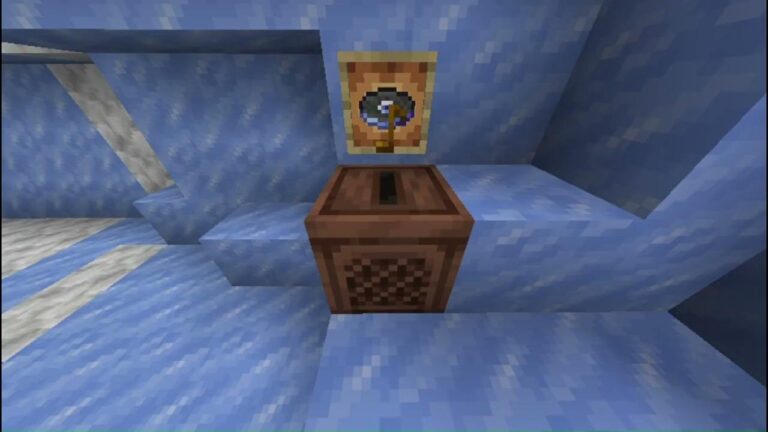
The Music Features Add-On has been renamed to the Music on the Move Add-On, with an updated description. Mojang also fixed a warning that wrongly claimed activating it disabled achievements. So if you’re looking for the add-on by its old name, that’s why it has changed.
Music discs and other tracked sounds now keep playing for nearby split-screen players if another local player disconnects, changes dimension or leaves listening range. Mojang has also tidied the Creative inventory, fixed incorrect slab sounds and made it possible to eat or charge a bow while aiming at a cauldron.
Players using commands can now obtain and place Chiseled Soulshale, and the block no longer needs a pickaxe to drop. The remaining fixes cover menus, accessibility, Marketplace and creator tools. The full list is in Mojang’s changelog at the bottom.
How to access Minecraft Preview 26.70.24
Minecraft Preview is available through the supported preview channels on Xbox, PlayStation, Windows and iOS. Android players use the Minecraft Beta through Google Play. Use the platform’s existing Preview or Beta installation route, then check the displayed version before testing the new features.
Keep this separate from your main world if you can. Mojang warns that these versions are works in progress and may be unstable. Make a copy of any world you care about before opening it in a testing build.
Is Minecraft Preview 26.70.24 a stable release?
No. Minecraft Preview 26.70.24 is a development release for Bedrock Edition. Its fixes and new features are being tested ahead of a future update, and the changelog does not give a stable launch date for Invisible Armor.
Java players should use the separate 26.4 snapshots for that edition. For the latest Java Ender Dragon and freezing changes, see our Snapshot 8 guide. If you were on the previous Bedrock test build, our Preview 26.70.23 article covers the earlier changes.
Related Guides
Official source: Mojang Studios’ Bedrock Beta & Preview 26.70.24 changelog.