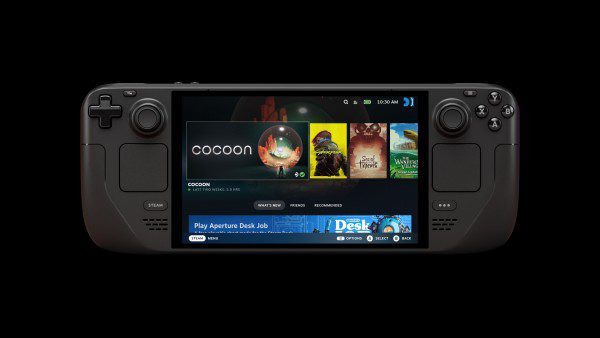
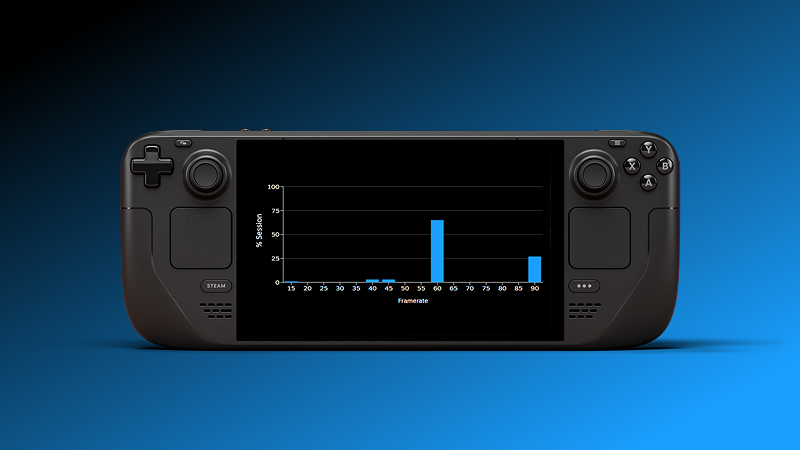
Steam anonymous framerate data is an optional setting that lets Valve use anonymised FPS measurements from people playing games. On Steam Deck, those contributions help produce the average framerate figures and histograms that now appear on qualifying game pages. Valve has also started showing an opt-in prompt to desktop Steam Client Beta users.
You can say no, and you can change your mind later. The setting is under Steam Account Settings > Data & Browsing > Anonymous Game Framerate Data. You don’t have to agree to share measurements just to look at Steam’s published performance charts.
How to turn Steam anonymous framerate data on or off
- Open Steam and go to your Account Settings.
- Open Data & Browsing.
- Find Anonymous Game Framerate Data.
- Choose whether to allow future contributions and check the current preference before leaving the page.
That’s the route Valve gives in its announcement. You might also see the choice appear as a prompt in the Steam Library. If you dismissed the prompt or opted in earlier, the account setting is where you can review your preference.
What does Steam collect when you opt in?
Valve says Steam anonymous framerate data consists of anonymised framerate measurements supplied by customers who choose to participate. Those readings are used to work out an average and show how frequently different FPS values occur. Valve says a majority of Steam Deck players have opted in.
What Valve hasn’t provided in this announcement is a full field-by-field breakdown, a retention period or a detailed explanation of the anonymisation process. It would be misleading to claim we know precisely which identifiers are retained or how the data is stored.
There’s an important difference between contributing measurements and viewing the results. Turning off Steam anonymous framerate data does not prevent you from reading the public charts. Those charts show pooled figures, not a live feed of somebody else’s gaming session.
Do Windows PC users need to opt in?
No. Valve’s desktop prompt is opt-in and is initially available through Steam Client Beta. You can decline it. Valve plans to offer the choice to everyone later, but it hasn’t set a date, and the desktop beta prompt doesn’t mean public PC-wide FPS charts are available yet.
Steam Deck hardware is relatively consistent, while PCs use a huge range of graphics cards, processors and settings. Collecting desktop reports is a step towards broader performance information, not an instant benchmark for every GPU. If you want to check your beta channel, see our Steam Client Beta guide.
If you want to check the update channel itself, see our guide to joining and leaving Steam Client Beta. Joining the beta is separate from choosing whether to share performance data.
Does opting out remove previously reported data?
Changing Steam anonymous framerate data controls your future participation. Valve hasn’t said that switching it off removes measurements already included in a published average, or promised that past contributions will be deleted. Don’t assume it rewrites historical statistics.
Opting out doesn’t stop you seeing public Store averages. Valve doesn’t make contributing a requirement for viewing them. The setting also isn’t a way to clear your Steam playtime or gameplay history.
Will disabling the setting improve game performance?
Steam anonymous framerate data isn’t a performance preset. Valve hasn’t suggested that changing the opt-in will fix stuttering or improve your frame rate. If a game is struggling, check the graphics options and your device’s own performance controls instead.
The public charts have their own limits. Valve filters Deck samples to the default 90 FPS OLED or 60 FPS LCD frame limits, but doesn’t standardise each player’s in-game graphics settings. Our Steam Deck framerate data guide explains what the histogram can and can’t tell you.
Frequently asked questions about Steam anonymous framerate data
Is it mandatory?
No. You can decline or change the option in your Steam account settings.
Can I see the chart without agreeing?
Yes. You can see public Steam Deck charts without contributing Steam anonymous framerate data yourself.
Does it change the Steam Deck Verified rating?
No. Verified, Playable and Unsupported are separate compatibility ratings, not rewards for contributing data.
Is this the same as Steam’s in-game FPS overlay?
No. The FPS overlay shows your performance while you play. This opt-in controls whether you contribute measurements to an aggregate.
Check your Steam anonymous framerate data preference and choose what you’re comfortable sharing. The Store averages remain available either way.
Related Guides
More Steam and Steam Deck guides from The Click:
- Steam Deck Framerate Data: Average FPS and Histograms
- Steam Client Beta: How to Join and Leave
- SteamOS 3.9.5 Update: Features and Fixes
- Steam Remote Play HDR: OLED Settings and Fixes
- SteamOS Frame Limiter Not Working With VRR
- SteamOS 3.9 Desktop Mode Changes
- Steam Friend Notifications Not Working: Fixes
Official source: Valve’s Steam Deck Framerate announcement and FAQ.