PlayStation Plus family sharing PS5 lets other people using the same console access selected benefits from one active subscription. Other profiles can play eligible downloaded games and access online multiplayer without each paying for a membership.
It is not a household plan that gives every profile its own complete subscription. Sony allows specific features to be shared on one enabled PS5 and one primary PS4. Cloud storage, direct discounts and game claims still belong to the paying account.
How to enable PlayStation Plus family sharing PS5

On the PS5, sign in as the PlayStation Plus subscriber. Open Settings > Users and Accounts > Other > Console Sharing and Offline Play and select Enable. Sony says the setting is normally switched on automatically for the first PS5 that account uses to sign in to PlayStation Network.
Once it’s enabled, everyone can use their own account on that PS5. Download an eligible game from the subscriber’s account, then switch profiles and launch it. PlayStation Plus family sharing PS5 keeps players on separate profiles, so they can maintain their own progress without sharing a password.
Which PlayStation Plus benefits can your family use?
Sony’s list includes online multiplayer, subject to the game’s requirements and parental controls, downloaded monthly games, downloaded titles bought at a PlayStation Plus discount and eligible Game Catalogue or Classics Catalogue downloads according to the subscriber’s tier.
- Essential provides core sharing such as online multiplayer and eligible downloaded monthly games.
- Extra adds downloaded Game Catalogue games the subscriber can access.
- Premium also includes eligible downloaded Classics Catalogue titles. Cloud streaming and game trials are not automatically shared.
The subscriber still needs access to the game. They must claim a monthly game during its claim window, and a Game Catalogue title must still be available through their plan. If membership expires, PlayStation Plus family sharing PS5 does not keep subscription-only games unlocked forever.
Which benefits stay with the subscriber?
With PlayStation Plus family sharing PS5, other profiles cannot use the subscriber’s PlayStation Plus cloud save storage, redeem monthly games independently, get the subscription discount when buying from their own account, use auto patch download benefits or access early time-limited game trials. Sony explicitly excludes all five.
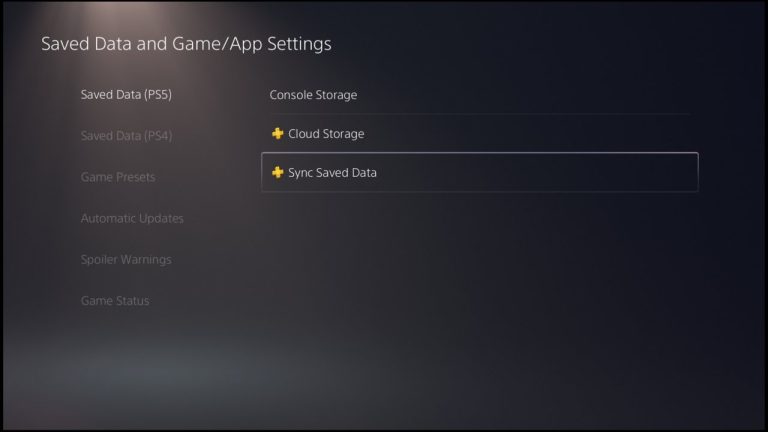
A child can play a monthly game claimed by a parent, but that doesn’t mean it has been redeemed on the child’s account. PlayStation Plus family sharing PS5 also doesn’t give the child’s profile its own cloud backup. If the subscriber’s own saves are out of date, see PS5 Cloud Saves Not Syncing. For local backup choices, see Copy PS5 Game Saves to USB.
How PlayStation Plus family sharing PS5 works for child accounts
Children can use eligible shared benefits on the family console, but age ratings and parental restrictions remain in place. A game that is available to the parent might be blocked on the child’s profile due to its rating. Online play can also be restricted under family controls.
Cloud streaming on PlayStation Portal is separate. It requires an eligible account with an active PlayStation Plus Premium membership, and Sony does not offer Portal cloud streaming to child accounts. An adult’s subscription doesn’t change that restriction.
Can you share PlayStation Plus with a friend on another PS5?
No. Sony only allows the benefits to be shared with profiles using the enabled PS5, or the account’s primary PS4. Each account can enable sharing on only one PS5 at a time. Enabling a replacement PS5 means moving that entitlement from the old console.
This differs from the PlayStation Share Play feature, which lets you invite someone to watch or join a streamed play session remotely. Share Play does not give the other person a permanent subscription or a downloaded game licence.
Fixes if sharing does not work
- Check that the subscription is still active on the paying account.
- Check that Console Sharing and Offline Play is enabled on this PS5.
- Confirm the title has been downloaded and the subscriber still has access to it.
- Check parental controls and the age rating on a child account.
- If a particular game is locked, check whether it was claimed or whether it has left the catalogue.
For a household using one console, PlayStation Plus family sharing PS5 covers the main shared gaming benefits while letting everyone keep their own profile. If a game is missing, check the subscriber’s entitlement, that console’s sharing setting and any age restrictions before buying another subscription. For this month’s titles, read PlayStation Plus November 2026 Games and PS Plus Games Missing or Showing a Price.
Related Guides
Official source: PlayStation Support, Share PlayStation Plus benefits.