A solid valheim multiplayer guide should answer the things players actually want to know before they jump in. Can you play with friends, how many players can join, do you need a dedicated server, and is crossplay available? That is exactly what this valheim multiplayer guide is here to cover.
Valheim works brilliantly both as a solo survival game and as a shared co op experience. You can explore, build, farm, and fight bosses alone, but the game also becomes much more lively when you bring friends into the world. The best part is that Valheim gives you a few different ways to do that, so this valheim multiplayer guide is really about choosing the setup that matches how your group wants to play.
For a complete breakdown of progression, bosses, gear, and survival mechanics, check out our full Valheim guides hub.
How Valheim multiplayer works
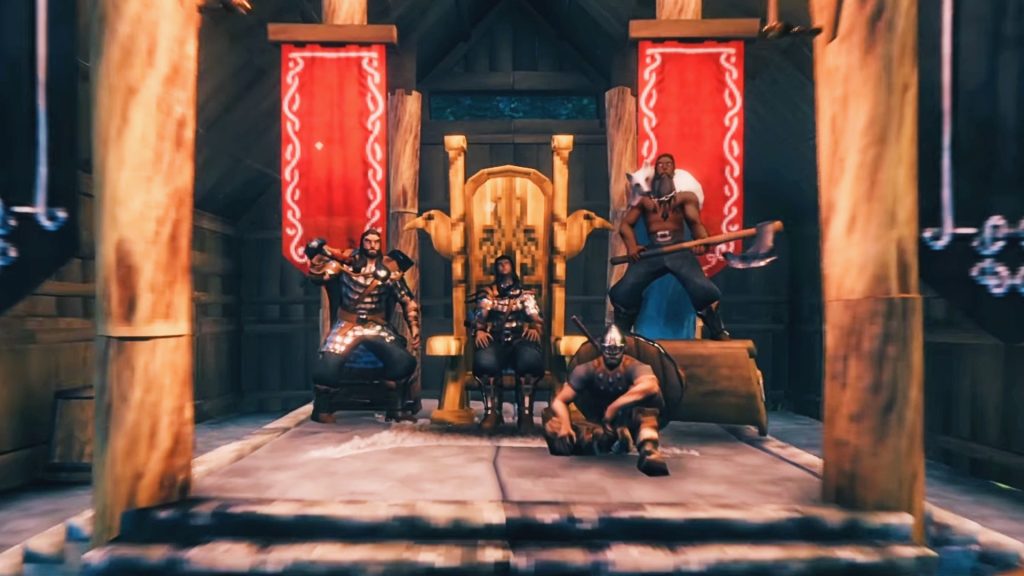
The core of any valheim multiplayer guide is understanding the difference between a hosted world and a dedicated server. When you host a world through the game itself, you open your own save to other players. That is the easiest way to get started and it works well for casual sessions.
The catch is that the world is tied to the host. If the host logs off, everyone else is done for the night too. For some groups that is perfectly fine, especially if everyone usually plays together. For others, it quickly becomes annoying. That is why a valheim multiplayer guide should always explain dedicated servers as well.
A dedicated server is separate from the normal game client. It keeps the world live independently, which means friends can join even when the original creator is not online. If your plan is to build a long term shared world, that is usually the better option.
Read More: Valheim Boss Guide: Boss Order, Summons and Best Strategy
How many players can join in Valheim
One of the most common questions in any valheim multiplayer guide is player count. Valheim is designed to support small group co op really well, and for most people the standard answer is up to 10 players in one world or server.
That number is enough for most friend groups, but in practice the real experience depends on how you play. A few players building together in one area is very different from a busy world full of huge bases, portals, farming spots, and boss prep. A valheim multiplayer guide should be honest about that. The game supports group play nicely, but a more active server will naturally need a bit more thought behind how it is run.
Read More: Valheim Beginner Guide: Progression, Building and Farming Tips
Hosted world vs dedicated server
This is the most important decision in the entire valheim multiplayer guide. A hosted world is the quick and easy choice. You launch the game, choose your world, enable multiplayer, and let your friends join. That works best if your sessions are casual and you do not mind the world only existing while the host is online.
A dedicated server takes more effort at the start, but it gives you a much better setup for regular play. The world stays available, progression feels smoother, and nobody has to wait for one specific person to come online. For a serious group, a dedicated server is usually the strongest option in any valheim multiplayer guide.
The simple rule is this. If you play occasionally, host normally. If your world matters and people will want to dip in and out through the week, go dedicated.
Read More: Valheim Best Weapons Guide: Best Armour, Shields and Gear
How to set up a Valheim dedicated server
No valheim multiplayer guide would be complete without covering dedicated server setup. The process is not especially difficult, but it does sound more intimidating than it really is. In simple terms, you install the dedicated server tool, choose the world name, set a password, and make sure the right connection settings are in place.
The hardest part for most people is not the game itself. It is understanding the networking side. Some server setups may need port forwarding depending on how you want players to connect. That is often the bit that makes casual players back away from the idea. Still, if your group wants a world that feels persistent, it is worth the effort.
A good valheim multiplayer guide should also say this clearly: do not overcomplicate things on day one. Get the server live, make sure everyone can join, and only then worry about refining the setup.
Read More: Best Valheim World Seeds: How to Choose the Right Map for Your Playstyle
How to join friends in Valheim
Another basic but important part of a valheim multiplayer guide is the joining process. Once a world is open, friends can join through the in game multiplayer options. In some cases they may use a server list, and in others they may use a join code or a direct connection depending on how the host has set things up.
For most groups, the easiest approach is whichever method needs the least explaining. The less time spent passing around addresses and trying to troubleshoot, the quicker everyone gets into the game. That is why the best valheim multiplayer guide advice is always to keep your joining method simple and consistent.
If you have a less technical friend group, simplicity matters more than fancy setup. A clean join process avoids a lot of frustration before the game has even started.
Does Valheim have crossplay
Yes, and that is a big reason this valheim multiplayer guide matters so much now. Crossplay makes it much easier for friends on different systems to play together without worrying as much about platform barriers. That is a huge advantage for a survival game built around shared progression.
For players, crossplay mostly means less hassle. You are less likely to get stuck asking who owns which version or whether everyone bought the game in the same place. A valheim multiplayer guide should treat crossplay as one of the most useful multiplayer features, because it makes the game easier to recommend to mixed groups.
Crossplay also helps future proof the game a bit. Even if your group changes platform over time, there is still a much better chance you can keep the same co op spirit going.
Are Valheim servers region locked
This question comes up a lot, so a proper valheim multiplayer guide needs to address it. In practice, most players are not running into a hard region wall in the traditional sense. The bigger issue is connection quality, host location, and overall server stability.
That means friends in different places can usually still play together, but the experience may vary depending on distance and connection strength. A valheim multiplayer guide should frame this properly. The real concern is not usually whether you are allowed to connect, but whether the server feels smooth once you do.
So if someone is searching for region lock information, the better answer is usually this: focus on the quality of the host or server, not just geography on its own.
Can Valheim be played solo
Yes, and a good valheim multiplayer guide should say that clearly. Valheim does not force multiplayer on anyone. You can play the entire game solo and still have a great time. In fact, some players prefer the slower, more personal pace of building and surviving alone.
What multiplayer changes is the rhythm. Jobs can be split up, gathering feels faster, and boss preparation becomes less of a grind. That does not make solo worse. It just makes multiplayer different. A balanced valheim multiplayer guide should respect both styles instead of pretending one is the only right way to play.
Best tips before starting a Valheim server
The best valheim multiplayer guide advice is not always technical. Sometimes it is about expectations. Before the first day, decide what kind of world you are making. Is it a relaxed building server, a serious progression run, or a casual place where friends can come and go? That one decision shapes everything.
It also helps to keep rules simple. Decide whether everyone progresses together, whether bosses can be fought without the whole group, and whether resources are shared freely. Small disagreements like that cause more problems than server settings ever do. A smart valheim multiplayer guide looks at the social side as well as the technical side.
Finally, do not underestimate naming, passwords, and communication. The smoother the setup feels, the more likely people are to actually come back.