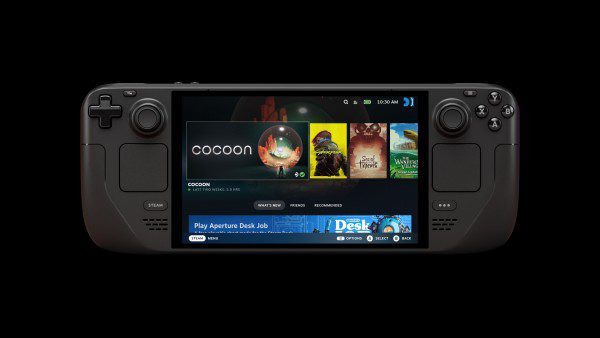
The Forza Horizon 6 Legion Go 2 SteamOS crash has an official fix. Valve’s SteamOS 3.9.5 Stable release, issued on 23 October 2026, includes a correction for a system crash when launching Forza Horizon 6 on Lenovo’s Legion Go 2.
That wording matters. Valve is talking about the handheld crashing as the game starts, not every possible Forza Horizon 6 error. If your Legion Go 2 runs SteamOS and the whole system fails during launch, check your operating-system version before changing game settings.
Forza Horizon 6 Legion Go 2 SteamOS crash: which version fixes it?
SteamOS 3.9.5 Stable contains the fix. The change appeared during the SteamOS 3.9 testing cycle and was carried into the Stable release. It is available without opting into Beta or Preview.
Valve identifies both the game and the device in the patch notes. It does not describe a fix for Windows on Legion Go 2, an Xbox console crash or every situation in which the game closes unexpectedly.

How to apply the SteamOS 3.9.5 update
- Boot the Legion Go 2 into SteamOS.
- Open Settings and go to System.
- Check the SteamOS version and the selected update channel.
- Use Stable and install SteamOS 3.9.5, or a later Stable build that includes the fix, if an update is available.
- Restart the handheld and check that Forza Horizon 6 has finished any pending game updates.
- Launch the game again.
The Forza Horizon 6 Legion Go 2 SteamOS crash was fixed at the operating-system level. Downloading a Steam client update alone doesn’t establish that the handheld has received the new SteamOS version.
How to tell whether you have the same crash
Watch what happens immediately after selecting Play. If the system locks up or crashes while launching Forza Horizon 6, the symptom matches Valve’s description. If the game reaches its menus and crashes much later, it could be a separate problem.
Keep that distinction in mind when looking into a Forza Horizon 6 Legion Go 2 SteamOS crash. A system-level launch failure and a game freezing during a race are not interchangeable. Valve’s release notes confirm the former; they don’t claim to have removed every cause of instability.
Does the update also improve Legion Go 2 brightness?
There is another Legion Go 2 entry in SteamOS 3.9.5: preliminary brightness control support. It’s a useful addition, but preliminary support doesn’t mean every display control is finished or that the game will suddenly run at a higher frame rate.
Brightness control is not part of the Forza Horizon 6 Legion Go 2 SteamOS crash fix. There is also no instruction from Valve to install a Windows graphics driver, wipe shader caches or force a particular Proton version to apply the launch fix.
What if Forza Horizon 6 still crashes?
Confirm the OS build after restarting, then check whether the game itself has an update waiting. If the failure happens again, make a note of the exact stage at which the system stops responding. You can also record whether it closes the game, freezes SteamOS or restarts the handheld.
For any remaining Forza Horizon 6 Legion Go 2 SteamOS crash, pass those details to Steam Support along with the SteamOS build, Legion Go 2 model and game version. That gives support something specific to investigate without taking unrelated troubleshooting steps.
Our SteamOS 3.9.5 patch notes cover the wider update. Once you’re back in the game, our Forza Horizon 6 Wheelspins guide has more on earning rewards.
Official source: Valve’s SteamOS 3.9 release notes.