Crimson Desert Twitch Drops return alongside Charting the Unknown on October 29, 2026 at 10 PM GMT. Pearl Abyss has scheduled two reward windows, with equipment, a pet and customizable ship parts advertised. Week 1 items can be used with the Crimson Desert Enhanced base game, while Week 2 items require ownership of Charting the Unknown to use in-game.
This is a viewing event, not a competitive tournament. Watch an eligible Crimson Desert stream on Twitch, complete the watch requirement shown in the campaign, claim the item in Twitch Inventory and follow the official Pearl Abyss redemption process. The two periods and their ownership rules are the key details to check before leaving a stream running.
Crimson Desert Twitch Drops: Week 1 and Week 2 schedule
The first Crimson Desert Twitch Drops window starts October 29 at 22:00 UTC and ends November 4 at 23:59 UTC. Week 2 follows from November 5 at 00:00 UTC to November 11 at 23:59 UTC. Britain is on GMT during both windows, so no additional daylight-saving conversion is necessary.
| Week | UK start | UK deadline | Required ownership to use |
|---|---|---|---|
| 1 | Oct 29, 10 PM GMT | Nov 4, 11:59 PM GMT | Base game |
| 2 | Nov 5, 12 AM GMT | Nov 11, 11:59 PM GMT | Charting the Unknown DLC |
These dates were announced for the new expansion campaign. They are separate from Pearl Abyss’s older Crimson Desert Drops promotion, which displayed different items and watch thresholds.
What can you earn from the DLC Twitch Drops?
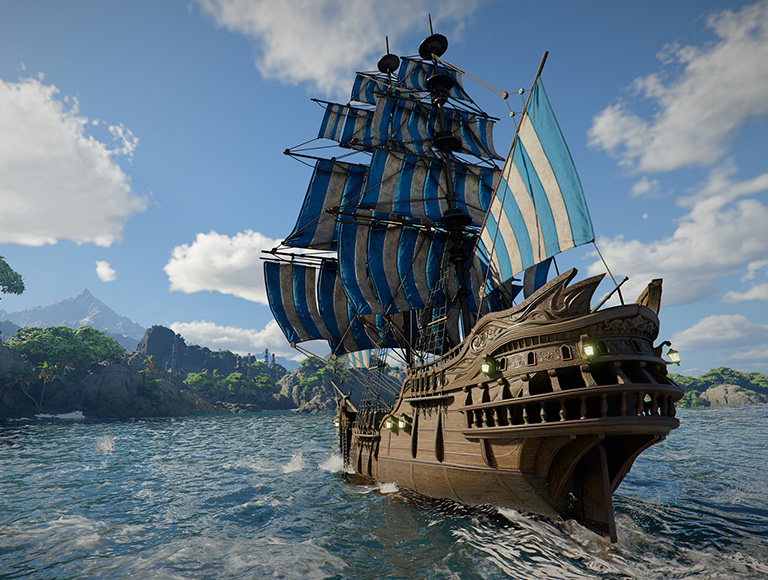
The Crimson Desert Twitch Drops rewards are described as equipment, a pet and customizable ship parts. The publisher’s Steam announcement establishes the event and two-week ownership split; the Twitch campaign will identify each named reward and the watch time to claim it.
Week 1 rewards are usable by owners of the base game. Week 2 items are intended for players who own the DLC. Claiming a ship customization item does not unlock the paid expansion or override the camp and shipbuilding prerequisites.
How to claim Crimson Desert Twitch Drops
Open Twitch, sign in and choose a live Crimson Desert channel marked Drops enabled. Watch until the Crimson Desert Twitch Drops campaign card reaches its required progress, then visit Twitch Drops Inventory and select Claim on the earned item. The Twitch campaign card shows each reward’s watch requirement and current progress. Claim each reward from Inventory when it becomes available.
Next, sign in through Pearl Abyss’s official Drops service using the Twitch account that received the reward. Follow its platform-selection instructions. In Pearl Abyss’s established process, Steam rewards can arrive in-game directly, while PlayStation, Xbox and Epic Games may receive redeemable codes. Follow the current campaign’s instructions if delivery rules change.
| Step | Check |
|---|---|
| Watch | Active Crimson Desert stream with Drops enabled |
| Track progress | Twitch campaign progress card |
| Claim | Twitch Drops Inventory |
| Link and redeem | Pearl Abyss event login and chosen platform |
| Use item | Week-specific base game or DLC ownership |
Can you earn rewards without owning Charting the Unknown?
For Crimson Desert Twitch Drops, yes, the first week’s rewards can be used with the existing game. The second week’s rewards need DLC ownership for in-game use. Pearl Abyss’s general FAQ also explains that people can participate in Twitch viewing without owning the game, but cannot redeem an in-game reward without the relevant edition.
If you’ve preordered the DLC, check that the entitlement is attached to the same account you use in Crimson Desert. You do not need to pay any third-party streamer to claim an official Drop.
What if Crimson Desert Twitch Drops are not progressing?
If the Crimson Desert Twitch Drops progress bar stays at zero, confirm the campaign has started and the selected stream is actually Drops enabled. Pearl Abyss’s support FAQ states that playing multiple participating streams at once doesn’t make eligible time accumulate faster. You can change channels, but only normal eligible viewing time counts.
If an item is Claimed in Twitch but not in your game, verify the correct Twitch login on the Pearl Abyss service and the platform account receiving the reward. The existing Crimson Desert game has an Add-Ons section under Menu → Others → Options that can show delivered items. Some rewards may require a code for your platform instead.
How to prepare for October 29
The Crimson Desert Twitch Drops event begins at the same time as the DLC launches, at 10 PM GMT. Sign in to Twitch early, confirm your platform account and check the event card for each item. The Crimson Desert launch guide covers earlier release information, while our Silver Pouches, Water Stride and map discovery troubleshooting pages cover separate gameplay questions.
Related Guides
Official sources: Pearl Abyss official Drops instructions.