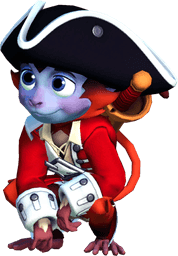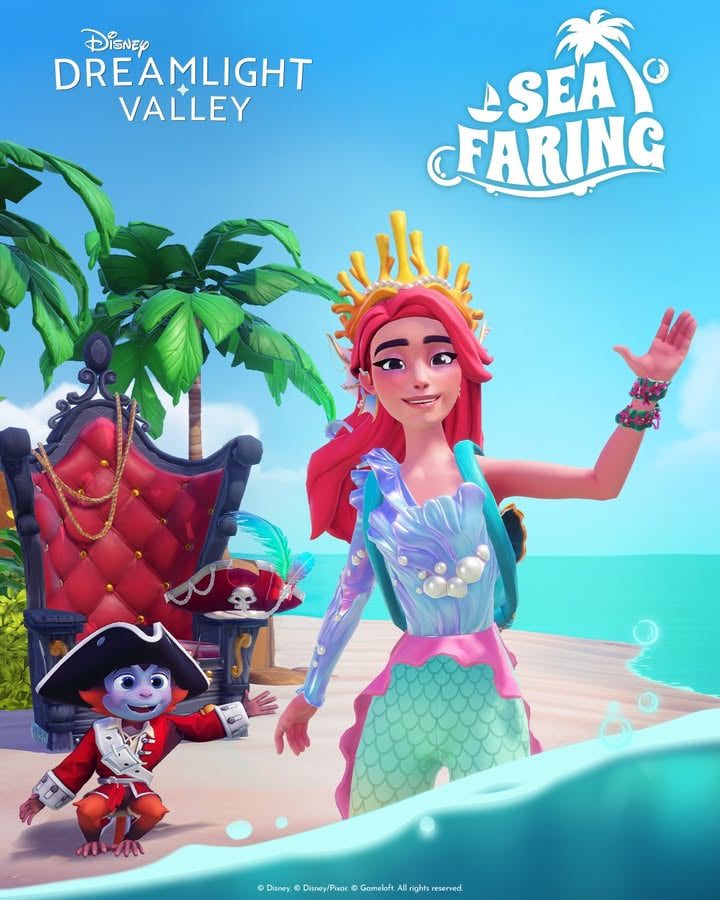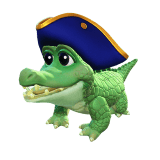
Disney Dreamlight Valley Pirate Crocodile is a free companion you can earn by watching an eligible Twitch stream for 90 minutes before Wednesday 28 October 2026 at 4 PM GMT. The first 60 minutes also unlock a Keepsake Sea Photo Frame. Claim both rewards through Twitch, then collect them from the mailbox beside your house in Disney Dreamlight Valley.
You don’t need Prime Gaming, Moonstones or The Keepsake Sea expansion to take part, but you do need to own the game and connect your Twitch account to the account you play on. The watch time counts towards both items, so it’s only an extra half-hour after earning the photo frame. Here’s how to get everything before the deadline.
Disney Dreamlight Valley Pirate Crocodile Twitch Drops rewards and watch times
| Free reward | Total watch time |
|---|---|
| Keepsake Sea Photo Frame | 60 minutes |
| Pirate Crocodile companion | 90 minutes |
Both are part of the Keepsake Sea Showcase Twitch campaign. You can watch different participating creators and keep your progress. The milestones are cumulative, but you still have to press Claim for each item separately.
Disney Dreamlight Valley Pirate Crocodile: linking your accounts
Start at Gameloft’s official Twitch Drops page. Select Log In under Twitch Account and sign into the Twitch profile you’ll use for watching. Then select Log In under Disney Dreamlight Valley Account and choose the game platform or linked profile that owns your Valley. Follow the prompts until both sides are connected.
If you have more than one Valley or account, check the selection carefully. Gameloft allows one Dreamlight Valley account per Twitch account for this campaign, and each reward can only be claimed once. After redeeming through your mailbox, the items follow your progress on supported connected platforms. Double-checking that account now is much easier than trying to track down a reward sent to the wrong profile.
Disney Dreamlight Valley Pirate Crocodile: which Twitch streams count?
On that same Gameloft page, open the Participating Disney Dreamlight Valley Streamers list. It includes creators such as Serroh, Probably_Senpai, BrandywineStyle, Staish, Springsims and Vixella. Filter for someone currently live, and watch their stream while signed into Twitch. Not every Dreamlight Valley stream counts, and simply playing a recorded Showcase video won’t earn watch time.
If your chosen creator finishes streaming, switch to another participating channel. Your viewing minutes carry over, so you won’t start from zero. You can check the progress bar whenever you like in Twitch Drops Inventory, under the Keepsake Sea Showcase campaign.
Disney Dreamlight Valley Pirate Crocodile: claim the photo frame after an hour
Once you’ve watched for an hour, open your Twitch Drops Inventory and press Claim on the Keepsake Sea Photo Frame. Twitch may also show the claim prompt in the stream chat. The frame is a Photo Mode item, not access to the expansion. You can carry on watching eligible streams for another 30 minutes to finish the second reward.

Disney Dreamlight Valley Pirate Crocodile: claim the companion at 90 minutes
When your counter reaches 90 minutes total, return to Twitch Drops Inventory and press Claim on the Pirate Crocodile reward. That’s a second button press: claiming the frame doesn’t claim the companion automatically. Start Disney Dreamlight Valley on the game account you linked and check the mailbox beside your house for the two reward messages.
Gameloft says delivery can take up to 24 hours and your player profile must be online. Once you’ve collected the reward, go to Inventory → Wardrobe → Companions and equip it. The Disney Dreamlight Valley Pirate Crocodile is a companion that follows you around the Valley, not a character with a separate quest line.
When do the Disney Dreamlight Valley Pirate Crocodile Twitch Drops end?
The campaign runs from 21 October at noon EDT through 28 October 2026 at noon EDT. That’s 4 PM GMT on Wednesday 28 October in the UK, since the clocks went back on 25 October. Make sure you finish watching and claim both rewards on Twitch before the cutoff. Gameloft has said more Twitch campaigns will come, but has not extended this particular offer.
Disney Dreamlight Valley Pirate Crocodile: stuck progress or missing reward fixes
If your counter isn’t moving, check that you’re logged into the same Twitch account you connected on Gameloft’s website. Make sure you’re watching a live creator on the official participating list. Look in your Drops Inventory for registered minutes instead of relying on chat messages. If one channel isn’t registering, try another listed creator while the campaign is active.
If you’ve watched enough but nothing appears in-game, return to Twitch’s inventory first. A completed milestone may still have an unpressed Claim button. Then check your connected game account, your mailbox and your game version. Gameloft’s FAQ names game version 1.19 as the minimum required update; older builds cannot receive these rewards. Keep your player profile online while waiting, and allow the full 24 hours.
If both rewards are claimed but missing after 24 hours, Gameloft has a specific unlink and relink Twitch procedure. Its support team recommends signing in with Cloud Save when available. First double-check which game profile was originally connected, so you don’t accidentally link a different Valley. If the Disney Dreamlight Valley Pirate Crocodile still hasn’t arrived, contact Gameloft Support with the Twitch claim confirmation and your game platform.
The promotion ties into the upcoming Keepsake Sea expansion on 18 November. Meanwhile, our Season of Scares guide and quest schedule cover the current Oogie Boogie event. Other October rewards are in the Haunted Floating Festival, Ghost Hunt, Trick or Treat and Oogie Boogie unlock guides.
Related Guides
Official source: Gameloft’s Disney Dreamlight Valley Twitch Drops page.