Gears of War E-Day October 5 patch is the launch update players should check before troubleshooting several of the problems reported during Premium early access. The Coalition pushed the update ahead of the October 6 worldwide release, and it is much more than a generic stability pass. It directly addresses stuck Versus Social matches, a named split-screen sign-in error, Campaign objectives that could fail to progress and two separate Horde Siege blockers.
That makes this one of those patch notes where the individual fixes matter more than the headline. If your game has been hanging on an objective, refusing to start a Social match or failing at the end of a Horde Siege mission, the first useful question is whether you are actually running the build released on October 5. Several symptoms that looked like save corruption or broken matchmaking were known game bugs rather than something a player needed to solve by reinstalling everything.
Gears of War E-Day October 5 patch: what was fixed?
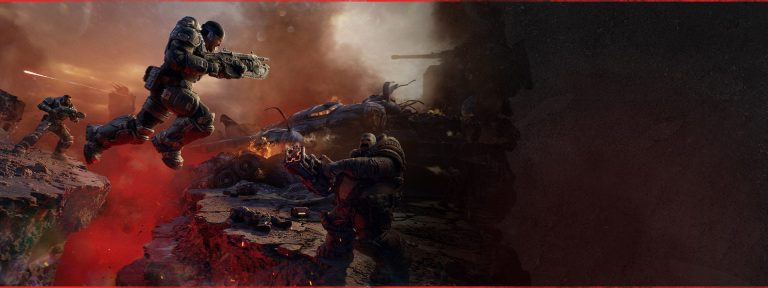
Image credit: The Coalition
The Gears of War E-Day October 5 patch fixes problems across stability, online services, Campaign, Horde Siege, Versus and the UI. The most useful player-facing changes are the fix for Versus Social matches stuck on “Waiting for players”, the Bilefrog-Kalona split-screen error, an Act 4 Chapter 2 Power Station defense blocker, Siege Blitz Secure objectives that would not complete, and the missing extraction helicopter in a Plaza Ruins Blitz mission.
The Coalition also says the Gears of War E-Day October 5 patch improves general stability, performance, hardware compatibility and reporting. Those broader notes are worth knowing, but they are not a promise that every performance complaint or crash has disappeared. The Gears of War E-Day October 5 patch should be read as a list of confirmed corrections, not a claim that every launch issue is solved. If you are chasing a very specific bug, use the named fixes below rather than assuming the general stability line covers it.
Online and multiplayer changes
The biggest multiplayer fix in the Gears of War E-Day October 5 patch targets Versus Social. Some matches could sit on the Waiting for players screen instead of moving into the match properly. The update addresses that specific failure, so a player seeing the same screen after October 5 should check for an incomplete update before changing network settings.
Xbox authentication handling has also been improved when a system clock differs significantly from the correct time. That is separate from the Bilefrog-Kalona issue, but it gives Xbox players another reason to leave the console clock on its automatic setting. The patch also improves online-session stability when the game requests session information.
There is a separate dedicated guide for the Waiting for Players problem because a matchmaking screen that will not advance has a different troubleshooting path from a sign-in error or a Campaign blocker.
Bilefrog-Kalona split-screen error
The Gears of War E-Day October 5 patch specifically addresses the Bilefrog-Kalona error. This could sign out a split-screen player after the game had been suspended and then resumed. That detail matters because Bilefrog-Kalona is not simply a random enemy-related message despite the name. It is tied to local split-screen session handling in the issue described by The Coalition.
Players who hit it before updating should install the current build, fully close the game, sign both local profiles in again and start a fresh session. The dedicated Bilefrog-Kalona error guide keeps the recovery steps separate from the normal split-screen setup guide.
Campaign progression fixes
Campaign receives several targeted corrections in the Gears of War E-Day October 5 patch. Players joining an existing Campaign should no longer receive War Journal progress and Forge rewards that were earned before they joined. The patch also fixes cases where a player could remain attached to a turret when a cinematic or gameplay transition began, plus a join-in-progress Forge Discovery progression issue.
Act 2 Chapter 2 gets two fixes. One addresses an objective that could fail to update when entering Allfather’s Plaza after doing activities elsewhere in the mission. Another fixes the Heavy Gear in the Black Raven Down side objective appearing without a Vulcan. Act 4 Chapter 1 also gets a fix for certain side objectives that could fail to start when players entered the area while introductory dialogue was playing.
The Act 4 Chapter 2 Power Station problem is the one most likely to send someone searching for a dedicated fix. The Coalition says it addressed one cause of the defense objective failing to complete after all visible enemies were defeated. Because the wording says one cause, the Power Station defense guide does not pretend every possible stall has been eliminated.
Horde Siege fixes in the launch build
The Gears of War E-Day October 5 patch has two clean Horde Siege fixes and both deserve their own troubleshooting owners. Certain Siege Blitz Secure objectives could fail to complete even after players had done what the mission asked. Separately, the extraction helicopter could fail to appear during a Plaza Ruins Blitz mission.
Those are different failures. One is an objective completion state, while the other prevents the end-of-mission extraction sequence from appearing at all. If you play Horde Siege regularly, update before the next session and use the Siege Blitz Secure objective guide or extraction helicopter guide depending on what actually happened.
Versus and UI changes
Demolition receives a specific fix where the bomb could become stuck in a defusing state if a player was eliminated just as the defuse interaction began. The Gears of War E-Day October 5 patch also adjusts the size and appearance of Online Diagnostic text and addresses one possible cause of the UI repeatedly trying to claim the same Challenge Mail reward.
That “one possible cause” wording is worth respecting in the same way as the Power Station note. If Challenge Mail still loops after the update, do not assume the account is permanently broken. Capture the exact reward and screen state, restart the game and use Gears Support if the current build continues to reproduce it.
What to do before troubleshooting after the patch
Before trying bigger fixes, confirm the Gears of War E-Day October 5 patch has actually installed. A console left in suspend mode or a PC client that was already open can make it easy to launch an older session without noticing that a new build is waiting. Fully close the game, check the update queue, reopen the client and then reproduce the problem.
If a progression bug happened in a session started before the update, reload the nearest safe checkpoint or restart the affected activity after the current build is running. Do not delete a Campaign save, unlink an Xbox account or reinstall a 100 GB-plus game as the first response to an issue that the developer has already patched.
What this patch does not guarantee
The Gears of War E-Day October 5 patch is unusually useful because it names several concrete failures, but a patch note is still a description of fixes rather than a guarantee that every superficially similar symptom has the same cause. “Waiting for players” in Versus Social, for example, is covered. A wider Xbox service outage would be a different problem even if the screen looked similar.
The same distinction matters in Campaign. The Power Station note says one cause was addressed, so a repeatable blocker on the latest build is still worth reporting with the act, chapter, checkpoint and co-op state. Using the exact symptom makes support reports more useful and keeps players from following the wrong workaround. The Gears of War E-Day October 5 patch is most useful when each named fix stays tied to the symptom The Coalition actually described.
The Gears of War E-Day October 5 patch gives the launch build a much cleaner baseline than the early-access version. Keep the Gears of War E-Day October 5 patch as the parent reference when one of the named launch bugs sends you into a more specific guide. Update first, identify the exact symptom second, and only then move into troubleshooting. The fixes are specific enough that most players can now separate a known pre-launch bug from a problem that genuinely persists on the current build.
Official source: The Coalition October 5 patch notes