Out of the Shadows Not Starting usually comes down to the weekly Slasher rollout or quest progression before it comes down to a broken install. Out of the Shadows is the third investigation layer and is scheduled for the September 30 stage of The Slasher.
Before that date, the absence of the quest is expected. After the layer is live, check the Breaking News trigger and earlier Slasher progress before server hopping, reinstalling the game or discarding any quest item.
Out of the Shadows Not Starting: checks in order
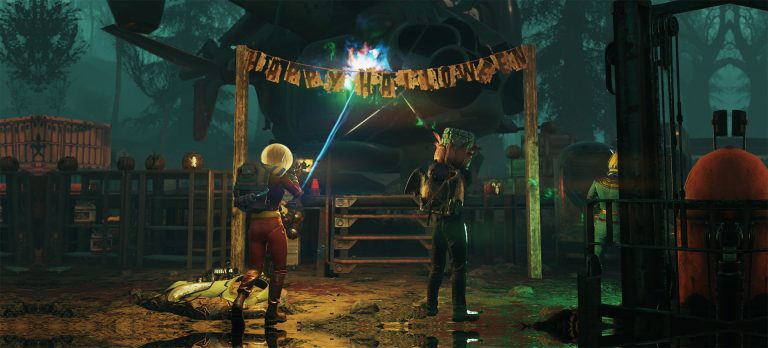
Out of the Shadows Not Starting Image Bethesda Game Studios.
| Check | What it tells you |
| Weekly rollout | The third Slasher layer must be live |
| Earlier Slasher progress | Your character needs the story state that leads into the new investigation |
| Breaking News or quest trigger | Confirms the new lead has been delivered |
| Quest log | Shows whether Out of the Shadows is already present but untracked |
Start with the live date, then open the Pip-Boy quest list. If Fallout 76 Out of the Shadows is already listed, track it and follow the marked investigation instead of waiting for another broadcast.
If it is not in the log, confirm the previous weekly Slasher stage has actually finished. A quest that advanced to a final conversation or reward screen may still need that last interaction before the next weekly story flag is clean.
Do not use server hopping as the first fix
Out of the Shadows Not Starting is a character-state problem when the prerequisite or weekly release is missing. A new public world cannot grant a quest that has not unlocked for the character. Server hopping becomes useful later only if a public-world enemy or quest object is failing after the quest itself is active.
Untracking and retracking the quest is lower risk than abandoning or deleting anything. It refreshes the HUD marker without changing story progress.
Check Secrets to the Grave first
The previous Slasher layer is covered in Fallout 76 Secrets to the Grave. If your character is still digging graves, using Phantom Maps or finishing that story step, complete it before treating Out of the Shadows Not Starting as a bug.
The Pint-Sized Phantom Map and Disturbed Grave Locations guides are useful if the blocker is actually in week two rather than the new week-three quest.
Quest is active but the first investigation does not work
Once Out of the Shadows is in the Pip-Boy, travel to the marked Gauley Mine and RobCo Research Center investigation areas. At that point, the problem is no longer the quest start. Use the active search radius and look for quest-marked evidence before changing servers.
If the quest reaches Organ Cave but the named target does not appear, use the Fallout 76 Phantom Tinkerer guide. Keeping start problems separate from boss-spawn problems avoids resetting a healthy quest.
When a relog is reasonable
If Out of the Shadows Not Starting continues after the weekly content is live, the previous quest is completed and the new lead should be available, log out to the main menu once and rejoin. Then check the Pip-Boy before doing anything else. A clean relog is a reasonable state refresh; repeated reinstalls are not.
If multiple players are reporting the same failure at the same stage, treat it as a possible live-service issue and preserve your quest items. Seasonal problems are easier to diagnose when the character state has not been altered by a long list of unrelated fixes.
Out of the Shadows Not Starting is easiest to handle when you keep the actual objective, reward or system state in view instead of changing several things at once. Use the steps above as the clean route, then confirm the result in the Pip-Boy, map, challenge screen or event tracker before moving on.
When following Out of the Shadows Not Starting, keep the Slasher quest itself tracked while travelling between locations. The seasonal story has several similarly named Phantom items and activities, so the active objective is the best way to avoid carrying a week-two clue into a week-three search and assuming they are interchangeable.
A useful checkpoint for Out of the Shadows Not Starting is the exact moment the objective text changes. Wait for that update before fast travelling, especially after reading a clue, killing a named Phantom or finishing a dialogue sequence.
The Slasher storyline is deliberately staged, so Out of the Shadows Not Starting should be read in the context of the weekly investigation rather than as a standalone repeatable activity. That is why an older Phantom map, grave objective or Daily Ops enemy does not automatically advance the current story step. This is checkpoint 6 in this batch, so keep the advice tied to this specific article rather than applying it blindly to another Fallout 76 system.
For Out of the Shadows Not Starting, wait for each objective banner to change before travelling. A clue pickup or named-enemy kill can look finished on screen while the quest is still waiting for a final audio line, note read or nearby interaction. This is checkpoint 6 in this batch, so keep the advice tied to this specific article rather than applying it blindly to another Fallout 76 system.
For first-party information behind Out of the Shadows Not Starting, see official Fallout 76 Slasher overview.