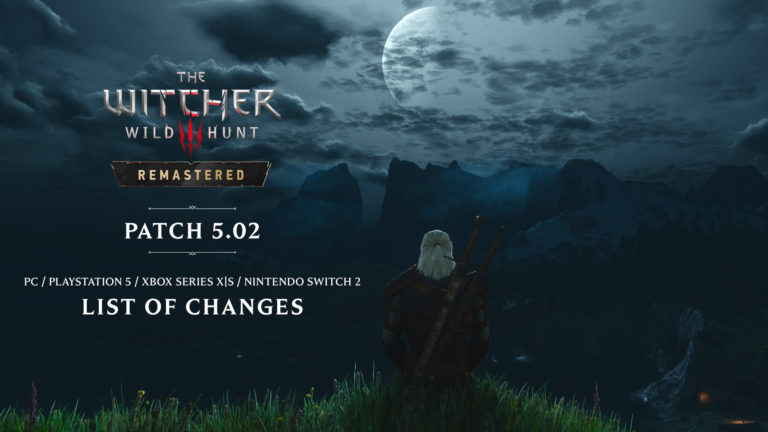
The Witcher 3 Remastered Switch 2 mods have a higher size limit following the 26 November 2026 update, which also fixes failed downloads and a crash when opening the Mods menu. If you’ve been struggling to get your favourite mods installed on Nintendo’s console, patch 5.02 is worth downloading before trying again.
Having several mods downloaded could also slow the game down or leave you waiting longer for it to start, so those problems have received attention alongside the size limit. If you’re bringing a save over from PC, you’ll still need to check whether your chosen mods are supported on Switch 2.
The Witcher 3 Remastered Switch 2 Mods Size Limit
The maximum permitted mod size has increased on Switch 2, but the exact new limit hasn’t been published, either in megabytes or gigabytes. The update also leaves it unclear whether this refers to the size of an individual mod or the combined allowance for your installed mods.
If a mod was previously too large, check whether it is now offered in the in-game catalogue. Size is only one of the requirements: a mod still has to be supported on the console, so a larger allowance doesn’t make the full PC catalogue available on Switch 2.
The Witcher 3 Remastered Switch 2 Mods: Download and Crash Fixes
If opening Mods sent you straight back to the HOME Menu, or you found that certain downloads never completed, those are two of the specific problems addressed by patch 5.02. The update also tackles slower startup and performance problems when multiple mods are downloaded.
From the Switch 2 HOME Menu, highlight the game, press the + or − button and choose Software Update, followed by Via the Internet. When the update finishes, reopen the game and return to Mods from the main menu. There’s no reason to erase your save data to install the patch.
How to Install The Witcher 3 Remastered Switch 2 Mods
To install a mod, open Mods from the main menu and sign in with your CD PROJEKT RED account before linking it to mod.io. Choose a compatible mod, select Subscribe and restart the game, then head back to Installed to check that the mod appears in the list and its checkbox is selected.
Your mod subscriptions sync through your linked account, but unsupported mods won’t appear in the console browser. Look for the Available on consoles tag in the listing and check whether the entry is actually offered on Switch 2, particularly when you’re moving from a modified PC playthrough.
Disabled Mods Reappearing on the Japanese Version
The Japanese Switch 2 release had a bug where previously disabled mods could switch themselves back on after restarting. If you’ve been playing that edition, check the Installed section after updating to make sure the mods you’ve switched off remain disabled. This particular fix applies to the Japanese version; the other Switch 2 repairs aren’t restricted to it.
Missing Inventory and Modded Saves
One of the more worrying bugs affecting the Witcher 3 Remastered Switch 2 mods could wipe Geralt’s inventory, storage and even merchant stock when mods were installed or removed. Although that bug has been fixed, there’s no guarantee that items lost before the update will return, so hang on to any manual saves you made before changing your mod list.
A save marked as modded retains that status even after its mods are uninstalled, and on PlayStation and Xbox that also means trophies and achievements remain disabled. The repair for incorrectly marked saves in 5.02 applies to newly created saves, not a blanket removal of the existing flag. If you move between Switch 2 and PC or another console through Cross Progression, match your enabled mods on both platforms before loading the save; otherwise it may fail to load correctly.
What to Check If The Witcher 3 Remastered Switch 2 Mods Still Won’t Work
If only one download fails after the update, check its compatibility and whether it appears in the Installed section before changing your entire mod list. When testing a different set of mods, load a separate compatible save and leave your main campaign alone. Some older mods will still need to be updated by their creators before they’ll work with 5.02, so a successful download doesn’t necessarily mean the mod is ready to use.
Read more about The Witcher 3 Remastered Switch 2 Mods changes in the official patch notes.
Related Guides: The Witcher 3 Remastered Switch 2 Mods
- The Witcher 3 Remastered 5.02 Patch Notes
- The Witcher 3 Remastered Combat Balance Changes
- Witcher 3 Remastered PS5 Crashing: Patch 5.02 Fixes
- The Witcher 3 Remastered Cross Platform Mod Support
- Witcher 3 Remastered Console Mods
- The Witcher 3 Remastered Switch 2 Upgrade
- Witcher 3 Switch 2 Patch 5.01
- The Witcher 3 Remastered Skill Tree