
Here’s how to take out a loan in Storage Hunter Simulator if you need a little more money for a tool upgrade or a purchase that will help your auction business. You’ll find the borrowing options in the tablet’s Loans app, where you can check the amount and repayment details before accepting.
Borrowing isn’t compulsory, and it doesn’t remove the need to pay for fuel, auctions and specialist work while you’re waiting for your stock to sell. It makes more sense when you have a particular upgrade in mind than when you’re simply hoping to bid more on the next locker.
How to Take Out a Loan in Storage Hunter Simulator
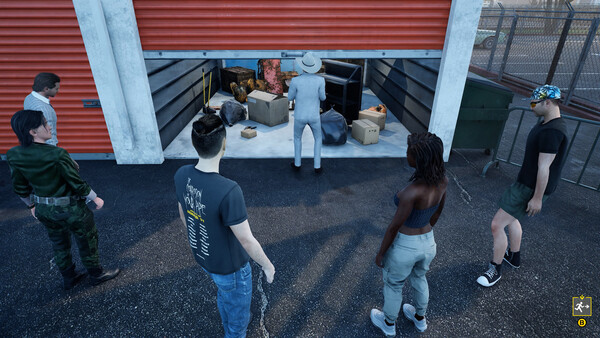
Open the tablet with Tab on PC and select Loans, then choose the available amount and repayment option that suits your plans. Read the figures on the confirmation screen before accepting, particularly if the money is intended for a purchase that will use most of the loan immediately.
The amount available and repayment schedule are shown in your Loans app, so use those figures rather than relying on fixed amounts from older versions. If you need to move money between your cash and card balances before purchasing an upgrade, open the Bank app on the tablet.
What to Spend the Loan On
A verification upgrade is worth considering if you’ve been collecting rare items that you can’t identify. Being able to process those finds yourself can save specialist fees and trips across town, whereas borrowing to buy a truck makes more sense if cargo space is regularly slowing down deliveries.
Borrowing to buy a pawnshop is a different commitment because your own shop’s stock takes time to sell. If you spend your entire loan on a property, you’ll still need enough money left to buy storage units, prepare the items and transport them to the business.
How to Take Out a Loan in Storage Hunter Simulator Without Overstretching
When deciding how to take out a loan in Storage Hunter Simulator, compare the repayment shown in the app with what you normally make from a day of trading. Remember that auction stock may need appraisal before you can sell it, so leave enough money to cover those expenses while the loan is being repaid.
For example, borrowing towards the level-two verifier might help if you’ve been saving blue Rare items at home. Buying the upgrade lets you identify those goods on PC, but you’ll still need to sell them before they can contribute towards repaying the loan.
Can You Progress Without a Loan?
You can progress without borrowing, and PC patch 1.01 adjusted the first tutorial auction so that it’s always profitable. Selling ordinary verified goods and exploring for collectibles can help you build up your balance before spending money on more expensive tools.
Return to the Loans app when you want to check your outstanding debt or the repayment options. If you’re saving for another property or a larger vehicle, factor those payments into your budget before spending the money you’ve collected from the pawnshop.
How to Take Out a Loan in Storage Hunter Simulator and Manage Repayments
If you’re looking at how to take out a loan in Storage Hunter Simulator for a costly upgrade, try saving part of the purchase price through ordinary auctions first. Borrowing less leaves you with a smaller commitment and gives you more flexibility if your next few lockers contain disappointing goods.
Related Guides
- Storage Hunter Simulator Beginner Guide
- How to Make Money Fast in Storage Hunter Simulator
- How to Win Storage Auctions in Storage Hunter Simulator
- How to Upgrade Your Verification Tool in Storage Hunter Simulator
- How to Upgrade Your Repair Tool in Storage Hunter Simulator
- How to Upgrade Your Pawnshop in Storage Hunter Simulator
- How to Win Blind Auctions in Storage Hunter Simulator
- How to Automatically Sell Items in Storage Hunter Simulator