The Storage Hunter Simulator locksmith location in Blueberry Village is marked by a padlock on your tablet map. That’s the place to take locked chests early in the game, before you’ve bought a Lockpick Tool of your own.
There is also a locksmith in West Black Elk on PC, which is worth remembering once your auction routes take you beyond Blueberry. These businesses deal with locked containers rather than identifying the rare objects you’ll discover inside them.
Storage Hunter Simulator Locksmith Location in Blueberry Village
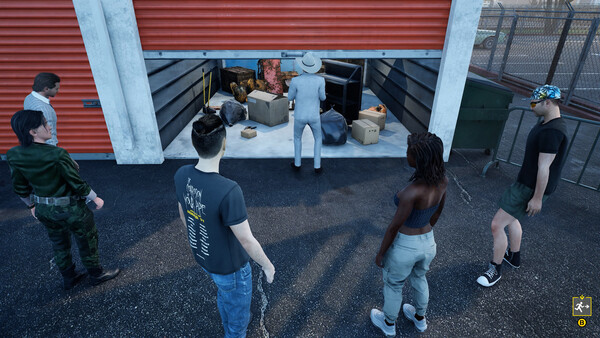
Open the map in your tablet and look for the padlock in the area around the Blueberry pawnshop. Select the business marker to check its position; PC map icons became interactive with the April 2025 spring update.
The West Black Elk locksmith is particularly handy when you’re collecting rarer finds on the northern island. Check the map marker before driving back to Blueberry, since you may be able to drop off a chest alongside the items you’re taking to other specialists.
How to Use the Locksmith
Bring the chest to the locksmith and interact with the business, using the service screen to select the container and review its opening fee. Once you’ve arranged the job, you can spend the intervening time attending another auction or delivering ordinary stock to a pawnshop.
You’ll receive a message when the work is finished, at which point you can return to collect the container. Open the lid with E on PC and inspect each object inside, remembering that unlocking the chest doesn’t establish the rarity or value of its contents.
When to Visit the Storage Hunter Simulator Locksmith Location
The April 2025 update introduced the Lockpick Tool, so you may not always need to visit the Storage Hunter Simulator locksmith location. Aim at the lock icon and hold the tool interaction on PC, then open the lid if the lock disappears.
A red lock following an attempted opening means the container needs specialist attention, and a failed attempt can make the service more expensive. Keep enough money for the fee, particularly if you’ve spent most of your balance on the auction itself.
After Your Chest Has Been Unlocked
After you’ve opened a chest, separate objects that need verification from those that are already identified. Use the Fixing Tool on damaged pieces you can restore, and keep any unfamiliar rarities together if they need another visit to a specialist.
Once you’ve found the Storage Hunter Simulator locksmith location nearest your regular auctions, fit collections and drop-offs around your existing deliveries. Bringing several locked chests in the same load can save a journey, particularly while you’re still using the small starter pickup.
Storage Hunter Simulator Locksmith Location: Collecting Your Finds
If you’ve been saving rare items in your warehouse until you can afford a higher-level verifier, the same approach works for the contents of newly opened chests. Keep them with the finds that need the same expert, so you don’t end up driving across town each time a container reveals something valuable.
Related Guides
- Storage Hunter Simulator Beginner Guide
- How to Appraise Items in Storage Hunter Simulator
- How to Find an Expert in Storage Hunter Simulator
- How to Open Locked Chests in Storage Hunter Simulator
- How to Repair Items in Storage Hunter Simulator
- How to Upgrade Your Verification Tool in Storage Hunter Simulator
- How to Win Blind Auctions in Storage Hunter Simulator
- How to Automatically Sell Items in Storage Hunter Simulator