Apples to Applin not showing? Check the date first. The Pokémon Pokopia event doesn’t begin until 16 November 2026, so Applin won’t arrive for the event before then, even if the game has already been updated.
When the event begins, check your game version and town progress before repeatedly restarting. You’ll need version 2.0.1 or later, a rebuilt Pokémon Center, the correct console clock and an internet connection for the first activation.
Apples to Applin not showing? Check these requirements
| Check | What you need |
|---|---|
| Event dates | 16 November, 5:00 a.m. to 1 December, 4:59 a.m., in the publisher’s stated time reference |
| Software | Version 2.0.1 or later |
| Town progress | Complete the important Pokémon Center rebuilding request |
| Console clock | Match the actual current date and time |
| First activation | Start while connected to the internet |
| Location | Do not try to trigger it on Cloud Islands or in Bubbly Basin |
Before 16 November, the event is simply unavailable. The announced hours are 5:00 a.m. on 16 November through 4:59 a.m. on 1 December. The official release doesn’t clearly label the time zone, so don’t assume those times have already been converted for your region.
Update Pokémon Pokopia to version 2.0.1 or later
From the Nintendo Switch 2 HOME Menu, highlight Pokémon Pokopia, open the game’s Options and check the installed software version. If you’re still on an older build, update the game through the console’s normal software-update controls.
The version also appears on the game’s title screen. If the event still isn’t showing after you’ve updated, check the number there to make sure the new version is actually running. For the Apples to Applin not showing issue, check the number before testing anything else.
Rebuild a Pokémon Center in a town
The Applin event is locked behind a town’s important request to rebuild the Pokémon Center. Simply visiting a Pokémon Center, or progressing far enough to see one on the map, is not the same as completing the rebuilding requirement.
Work through that important request in your own town first. If you need a refresher on the objective, use our how to rebuild a Pokémon Center in Pokopia guide. You can complete the requirement during the live event and still take part, provided the event hasn’t ended.
Use the actual console date and time, then connect online
The event requires the console’s clock to match the real date and time. If the system thinks it is outside the event period, the event won’t activate. Check your Switch 2 date and time settings rather than manually jumping the calendar forward, which is not an official workaround.
You must also connect to the internet when you first start the event. The official instructions specifically mention starting the software while online. You do not need the Expansion Pass to play Apples to Applin. It’s a free event for anyone who meets the requirements.
Apples to Applin not showing after rebuilding the Pokémon Center?

One easy-to-miss detail: if you meet the requirements while the event is already underway, Pokémon Pokopia may need to refresh the town. Move to another town and come back, or choose Save & Quit and open the game again.
The town-change or reload method comes directly from the official event instructions. Try it after confirming your software version and Pokémon Center progress.
Apples to Applin not showing in Bubbly Basin or Cloud Islands?
The event does not occur in Cloud Islands or the paid Bubbly Basin town. Try a town that supports the free event instead. Players sometimes mistake a missing event for a DLC problem because Bubbly Basin is part of the Expansion Pass, but Applin participation is available to all Pokopia owners.
Apples to Applin not showing in Link Play?
Our Applin Link Play guide covers this multiplayer-specific setup. You can participate in Palette Town through Link Play, but spectator mode does not count. Before connecting, the host must have spoken to Applin and learned about the event. If those steps were skipped, leave the session, meet the requirement and reconnect in the supported mode.
If Applin appears when you play alone but not with friends, check the Link Play requirements next. That separates basic account and progress requirements from the additional Link Play rules. There is no publisher-backed reason to change the system clock to a fake date or buy Part 2 just to make Applin appear.
Apples to Applin not showing: what should you see?
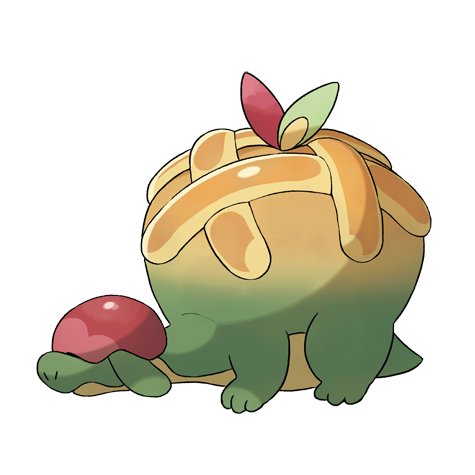
Applin comes to town with a request, and the event lets you collect Syrupy Apples in exchange for apple-themed furniture. Using the new furnishings, you can build habitats for Flapple, Appletun, Dipplin and Hydrapple. For dates, rewards and the full overview, read our Pokémon Pokopia Apples to Applin event guide. Exact farming routes and item costs have not been officially published yet.
Official source: The Pokémon Company announcement.