The Apex Legends Season 31 update size is bigger than expected because Respawn is recompressing the game’s files. That means a larger download now, but a smaller installed game afterwards. EA says the finished installation uses about 30GB less space on most platforms than Season 29, or about 17GB less on Nintendo Switch 2.
The 30GB figure is the amount of storage saved, not a confirmed 30GB download. EA hasn’t published one download size covering every console and PC launcher. Your platform will show the file size it actually needs to download.
Why is the Apex Legends Season 31 update size so big?
Respawn changed how the game data is compressed during the Season 30 and 31 updates. That can involve replacing large existing files with newly compressed versions. The download looks hefty because it’s handling more than just a handful of new assets.
It’s closer to replacing bulky files with more efficient versions than simply adding another 30GB to the game. The Apex Legends Season 31 update size doesn’t tell you how much new content was added.

How much storage does Season 31 save?
| Platform | EA’s stated installed-size reduction |
|---|---|
| Most supported platforms | Approximately 30GB compared with Season 29 |
| Nintendo Switch 2 | Approximately 17GB compared with Season 29 |
These are EA’s approximate savings compared with the Season 29 installation, not an exact promise for every device. Your actual change depends on the platform and which version you already had installed.
If your download screen shows more than 30GB, that doesn’t contradict EA’s notes. The download size and the final space used by the installed game measure different things.
How big is the Cipher update on PC, PlayStation and Xbox?
EA hasn’t provided a verified platform-by-platform download table for Steam, the EA app, PlayStation, Xbox and Switch 2. To find the Apex Legends Season 31 update size on your device, check the update screen in your launcher or console.
On PC, Steam and the EA app can display download progress and disk activity differently, because downloading and applying updated files are separate steps. Console updates also differ in how they prepare or copy game data. The Apex Legends Season 31 update size on one device should not be presented as the precise number for another.
Do you need 30GB of free space to install Season 31?
Not necessarily. The 30GB figure in EA’s notes describes a reduction in the installed footprint versus Season 29, not the free space needed during installation. Patching can also require temporary room for downloaded files, unpacking and replacements before the old data is cleared.
Follow the free-space warning from your launcher or console. EA doesn’t give a single temporary-space requirement for every system in its Cipher notes.
If space is tight, remove or move games and files you don’t need, then check the platform’s reported requirement again. Don’t delete Apex Legends game files manually: that can leave the installation incomplete and force the launcher to replace even more data.
Why did my download finish but the update is still installing?
After the download finishes, your launcher still has to apply the files and check the installation. Recompression means it may spend time working on the game data even when the network download has stopped.
If your launcher says it is patching or verifying, allow that stage to finish before assuming it is stuck. Check whether storage activity is still moving and whether the launcher has displayed a specific error. The Apex Legends Season 31 update size is not a useful way to estimate exactly how long the installation should take.
What to do if Cipher will not download or install
- Check the update size and free-space warning shown by your own launcher or console.
- Make room for temporary patch files if the system reports insufficient storage.
- Confirm that your device is connected and the platform’s download service is working.
- Let file verification or installation finish if the system is still actively processing files.
- If the launcher reports an error, use its built-in repair or verification function and follow the platform’s specific message.
Don’t cancel the update just because the download is complete but the disk is still busy. The unusually large Apex Legends Season 31 update size is explained by recompression; it isn’t evidence of a universal installation bug.
Does the larger patch mean Cipher has more content?
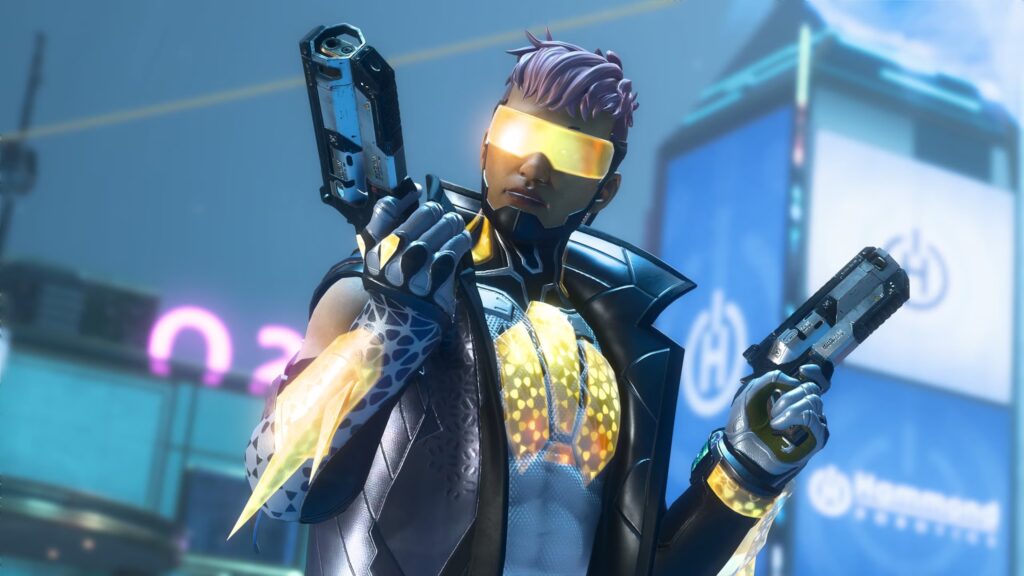
Cipher certainly includes gameplay updates, such as Crypto’s rework, Strongholds, Akimbo Wingman, Wildcard Cards and Ranked improvements. But a larger download isn’t proof that any particular feature takes up the extra space. The file restructuring is the confirmed explanation for the bigger-than-usual updates.
Once Cipher is installed, you can check the actual space it occupies. The useful comparison is EA’s estimated saving against Season 29, not a fixed download size. That is what makes the Apex Legends Season 31 update size look so different from the final installation.
Related Guides
Official source: EA and Respawn’s Cipher patch notes.