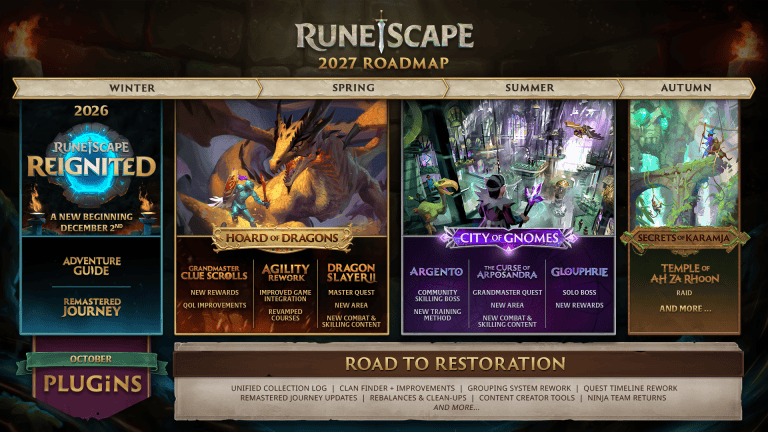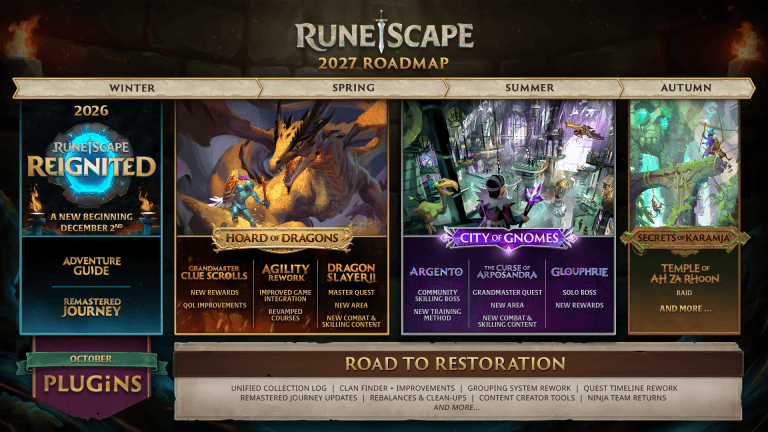
RuneScape Menu Entry Swapper lets you change some of the right-click options for items and other things you interact with in modern RuneScape. It launched on 19 October 2026 as one of the first plugins available through Jagex’s official in-game Plugin Hub.
It can’t change every option. Jagex specifically blocks making item Drop or Teleport the default left-click action, and shop Buy All shortcuts aren’t supported. If those choices are missing, you haven’t installed it incorrectly. They’re limits set by the RuneScape API.
How to install RuneScape Menu Entry Swapper
Start with the toolbox icon in RuneScape’s Ribbon menu at the bottom right of the game interface. In Classic mode it’s visible by default. On the default Modern ribbon, hover over Settings. If you use a customised Ribbon and can’t see the toolbox, edit the Ribbon to add it.
- Open the toolbox and enter the RuneScape Plugin Hub.
- Find the approved Menu Entry Swapper plugin in Browse.
- Choose Install and complete any mod.io email verification prompts.
- If it hasn’t enabled, open Manage and accept required permissions before turning it on.
- Open the plugin’s available controls and check which interaction menu entries it lets you customise.
RuneScape Menu Entry Swapper runs in the modern RuneScape client. You don’t need to copy files into a folder or install the Old School RuneScape version of RuneLite to use it.
A fresh installation should normally turn itself on. If it doesn’t, check Manage for permissions or an enable option before trying to reinstall it.
What can RuneScape Menu Entry Swapper actually change?
Its purpose is to let you customise the interaction options associated with items and game entities. Instead of being locked to every default menu arrangement, you can use the supported plugin controls to change the order or choice of some context interactions.
The available controls depend on the version you’ve installed and the interaction you’re changing. Look through the plugin’s own settings rather than following a RuneLite screenshot. Jagex has not promised full control over every menu entry.
For your first test, choose a harmless interaction where an accidental click won’t cost you an item or teleport you away. Once you know how RuneScape Menu Entry Swapper behaves on your interface, move on to the particular menu you wanted to customise.
RuneScape Menu Entry Swapper: Drop, Teleport and Buy All restrictions
| Requested action | Official plugin status |
|---|---|
| Set item Drop as default left-click | Not permitted by Jagex’s API rules |
| Set item Teleport as default left-click | Not permitted by Jagex’s API rules |
| Use Buy All as a shop shortcut | Not supported |
| Customise other supported menu entries | Available where the approved plugin allows it |
These limits come from Jagex’s API, not from the community developer. Reinstalling RuneScape Menu Entry Swapper won’t make Drop, Teleport or Buy All available as unsupported shortcuts.
Jagex says it may examine future API feature requests, but it hasn’t committed to removing these limits on a particular date. Treat them as current rules when you’re planning shortcuts rather than following a video made for a different client.
Why Menu Entry Swapper doesn’t work like RuneLite
RuneLite is an approved client used by Old School RuneScape players. This RuneScape Menu Entry Swapper is a community-created plugin for the official modern RuneScape Plugin Hub. The underlying games, menus and plugin APIs are different.
Even when a RuneLite screenshot shows the same sort of interaction, it doesn’t prove the equivalent action exists in RuneScape. Jagex specifically warns that its own plugins aren’t intended to match RuneLite feature for feature. If you’re unsure which version you’re using, check the game client before following installation instructions.
Menu Entry Swapper was created by SereSelene as a community plugin and approved for Jagex’s launch lineup. It changes supported menu behaviour; it doesn’t automate actions or remove RuneScape’s safety limits.
What to check if RuneScape Menu Entry Swapper is missing
If it isn’t in Manage, check Browse and install it from the official hub first. If the toolbox itself is missing, use the Classic/Modern Ribbon instructions above. If installation won’t proceed, verify the email address associated with mod.io: Jagex requires a verified email for its plugin service.
If it’s installed but inactive, open Manage and deal with any requested permissions. If a particular menu option isn’t available, compare it with Jagex’s published restrictions first. Unsupported Drop, Teleport or Buy All options won’t be restored by repeating the installation.
For a plugin-specific bug, look for the community developer’s contact details on its mod.io page. For a problem with the hub, Jagex also recommends its official Plugin Discord or the in-game bug report. Jagex reviews plugins before they appear, but doesn’t guarantee they’re free of faults.
Can RuneScape Menu Entry Swapper automatically play for you?
No. The official plugin rules say tools may enhance gameplay but must not automatically perform actions on a player’s behalf. Menu customisation isn’t the same as a script that runs repeated purchases, drops items or completes tasks by itself.
If you want help with a different part of RuneScape, RuneScape Quest Helper is another approved launch plugin and Jagex confirmed 69 supported quests when it went live. It doesn’t replace Menu Entry Swapper or add the restricted menu shortcuts.
Start with the in-game toolbox, install RuneScape Menu Entry Swapper, and try a harmless supported interaction. If an option is missing, check Jagex’s API restrictions before assuming something’s broken.
Official source: Jagex’s official plugin launch and API limitations announcement.