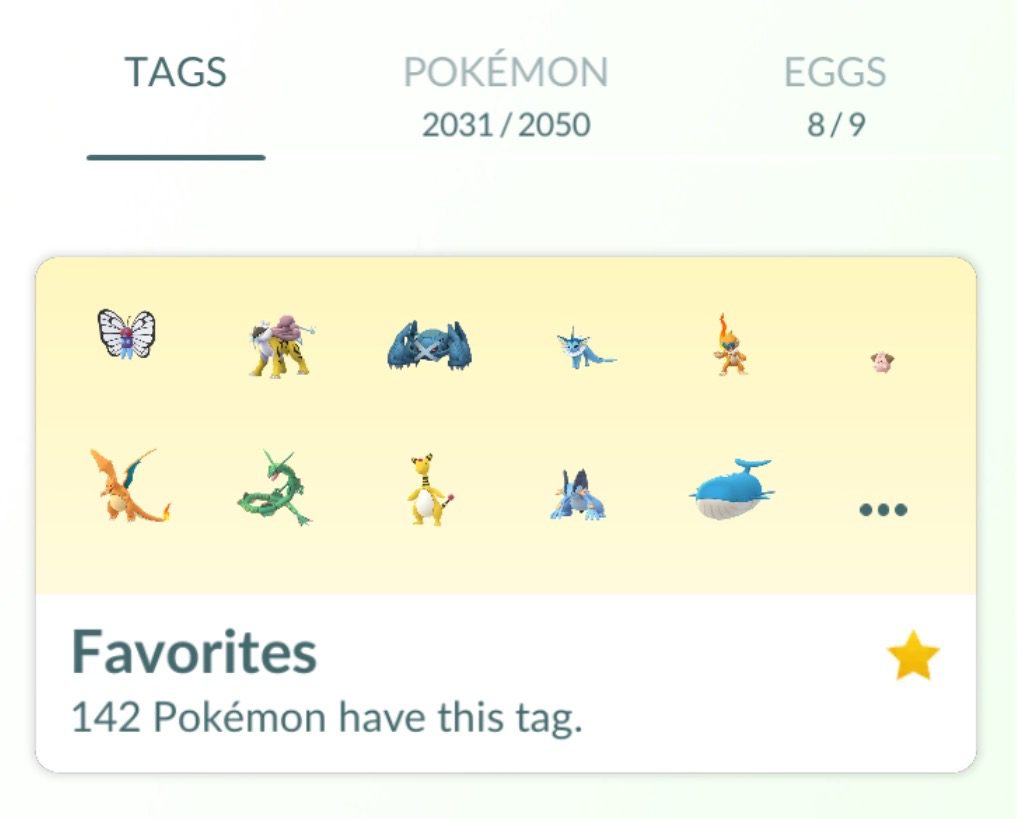
Pokémon GO Tags are custom labels that let Trainers level 15 and above organize Pokémon into named, color-coded groups. A Pokémon can hold multiple tags at once, making the system useful for raid teams, PvP projects, trade stock, Mega Evolution plans, evolution queues and anything else that would be messy to manage with nicknames alone.
How to create a Tag
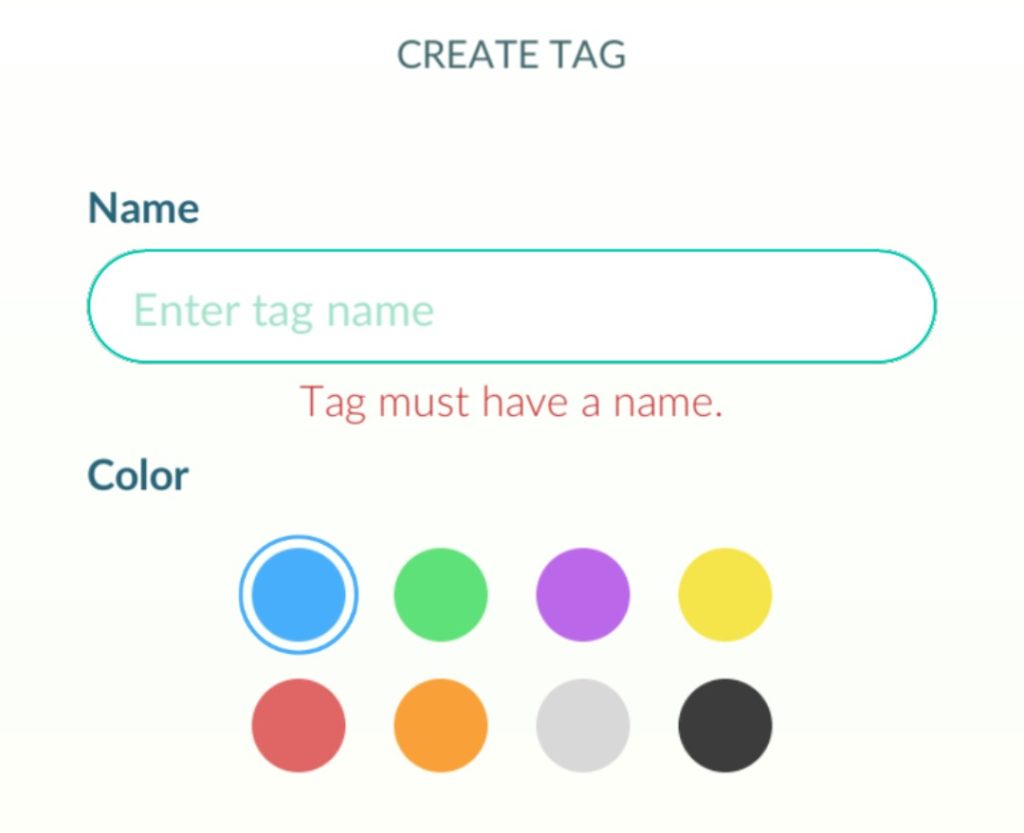
Open Pokémon storage and tap the Tags header. Tap the plus button, choose a name and background color, then save it.
After creating Pokémon GO Tags, open the tag and use Add Pokémon to select members. You can also open a Pokémon’s summary page, tap its existing tag area or use the action menu and add or remove tags directly.
Keep tag names short enough to understand quickly while sorting.
One Pokémon can have several Tags
A Pokémon does not have to belong to one category only. Your perfect Mega Charizard could be tagged `Mega`, `Fire Raid`, `Max` and `Favorite` at the same time.
That flexibility is the biggest advantage of Pokémon GO Tags over renaming. Tags describe different purposes without changing the Pokémon’s nickname or forcing you to choose one storage category.
Use overlapping tags when one Pokémon fills several roles.
Useful Tags for everyday play
A simple system might include `Trade`, `Evolve`, `Power Up`, `Mega`, `GBL`, `Raid`, `Buddy`, `Purify` and `Transfer Later`.
Players who collect costumes, locations or backgrounds can create separate Pokémon GO Tags for those collections too.
Avoid creating dozens of nearly identical tags such as `Trade1`, `Trade2` and `MaybeTrade` unless there is a real workflow behind them. A tag system should reduce decisions, not create another storage problem.
Tag evolution projects
Evolution events often require waiting for a specific window to receive an exclusive attack. Tag those Pokémon when you catch them rather than trying to remember months later.
A `CD Evolve` or `Legacy Evolve` group makes it obvious which Pokémon should not be evolved early.
Pokémon GO Tags are especially helpful for Shadow Pokémon waiting for a Team GO Rocket event that allows Frustration to be removed before a later exclusive evolution.
Tag PvP candidates separately
Great League and Ultra League IVs can look bad in the normal star appraisal system. A low-Attack two-star Pokémon may be exactly what you want.
Once you identify a useful spread, add a `GL`, `UL` or cup-specific tag immediately.
Using Pokémon GO Tags this way prevents valuable PvP candidates from being swept into a later `0*,1*,2*` mass-transfer session.
Use Tags for trading
Create a `Trade` group for Pokémon you are willing to send away, then use additional tags such as `Lucky Target`, `Distance`, `Regional` or `Special Trade` when relevant.
Because a Pokémon can only be traded once, clean organization matters during large trading sessions.
Pokémon GO Tags also work well with remote trade planning for Forever Friends because both players can prepare candidates before the Remote Trade becomes available.
Tags and search are different tools
The normal storage search bar is excellent for dynamic properties such as species, type, CP, age and appraisal. Tags are better for decisions you have already made.
For example, search can find every `4*` Pokémon automatically, so a separate hundo tag may be unnecessary unless you want one for visual organization.
The strongest Pokémon GO Tags system combines built-in searches with manual labels rather than recreating every existing filter.
Editing and deleting Tags
Open the Tags page to rename a tag, change its color or delete it. Deleting a tag does not delete the Pokémon inside it; it only removes that organizational label.
Likewise, removing one Pokémon from a tag leaves the Pokémon safely in normal storage.
This makes experimenting with Pokémon GO Tags low-risk compared with transfer or trade decisions.
A simple system that scales
Start with five or six tags tied to real actions: `Trade`, `Evolve`, `Power Up`, `PvP`, `Mega` and `Keep`. Add another only when you repeatedly need a category that search cannot handle automatically.
Review temporary tags after major events so old projects do not pile up forever.
Used well, Pokémon GO Tags turn a storage box of thousands of Pokémon into manageable project lists, letting you find the exact group you need without spending ten minutes scrolling every time.
Official site: Pokémon GO