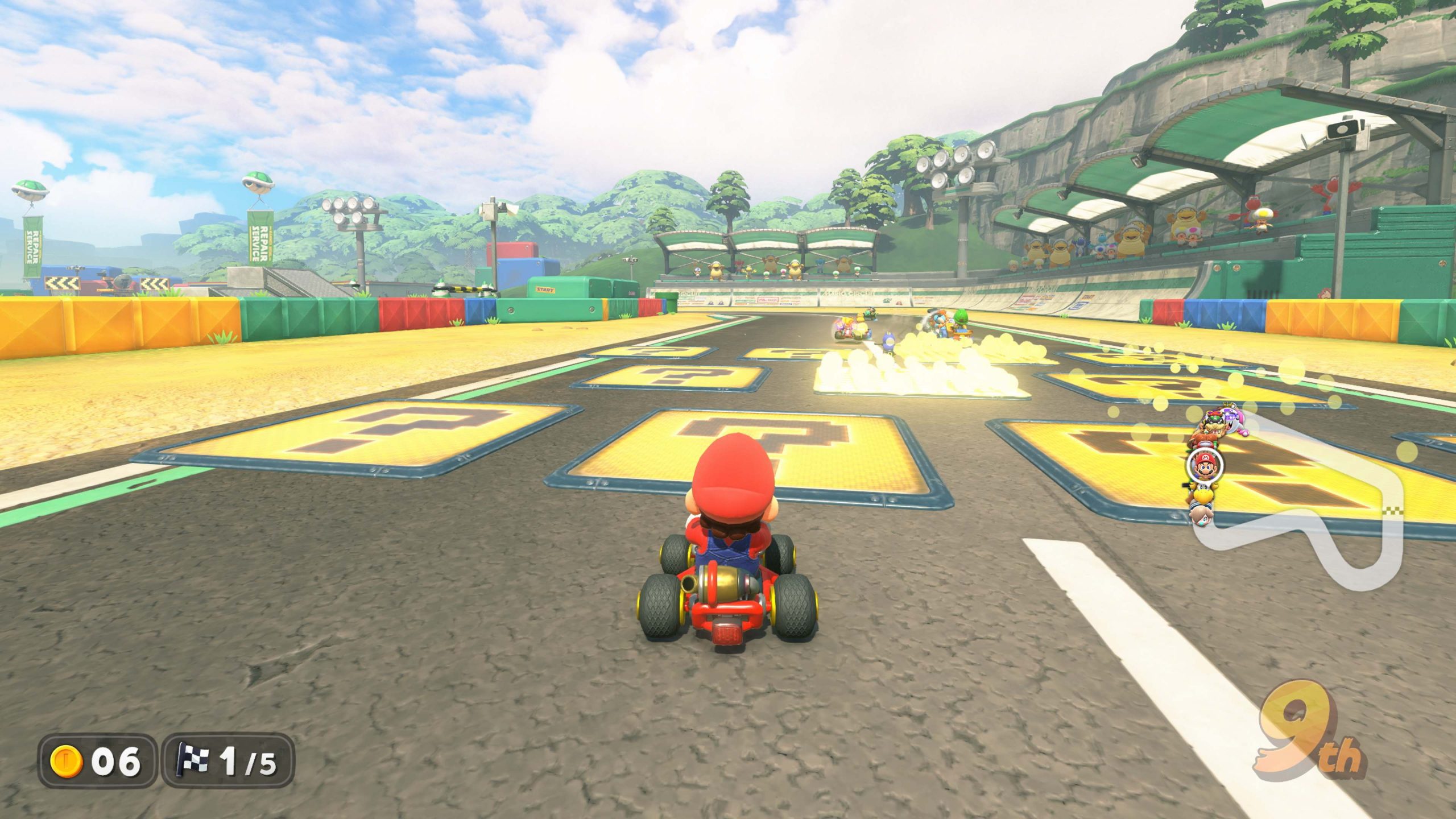
Item Panels in Mario Kart World are flat ?-marked panels that give you an item when you drive over them, replacing the usual floating Item Boxes on the 10 SNES courses added in version 1.8.0.
They are a deliberate throwback to the original Super Mario Kart rather than a new collectible or Free Roam puzzle. If you have just loaded one of the retro tracks and wondered why the familiar boxes have disappeared, the panels are the answer.
How Item Panels in Mario Kart World work
Item Panels in Mario Kart World sit directly on the racing surface. Drive across one during the SNES races and it grants an item, filling the same basic role that a standard Item Box normally would.
Nintendo specifically brought the mechanic back for the retro layouts because Super Mario Kart used ? Panels for item collection. That gives the 1992-inspired tracks a visual identity beyond their course shapes while keeping item play part of the race.
Which courses use Item Panels?
Item Panels in Mario Kart World appear on the 10 SNES courses introduced with update 1.8.0: Mario Circuit 1-3, Ghost Valley 1-3, Choco Island 1-2, Vanilla Lake 1 and Koopa Beach 1.
Those courses can be selected in VS Race, Time Trials, Online Play and Wireless Play. Our all 10 classic courses list shows the parent menu used to reach each one.
The Mario Circuit exception
Item Panels in Mario Kart World replace Item Boxes on the SNES courses themselves, but Nintendo calls out one useful exception. Normal Item Boxes still appear on the race that leads to Mario Circuit.
In other words, seeing an Item Box around the wider Mario Circuit route does not mean the update has failed. Select one of the three SNES Mario Circuit layouts and the retro-style panels are the item source there.
Do the panels need to be unlocked?
Item Panels in Mario Kart World are part of the retro courses rather than a feature you earn separately. Install version 1.8.0 or later, select one of the SNES tracks and the panels appear as part of that layout.
If you cannot find the retro courses at all, our classic-course unlock guide covers the version check and exact menu locations. Nintendo’s official update notes are also useful if you need to confirm the currently installed release.
Why Nintendo brought them back
The clever bit about Item Panels in Mario Kart World is that they make the new courses feel intentionally retro without forcing the entire game back into 1992 rules. You are still driving with Mario Kart World’s characters, vehicles and modern systems, but the item pickup is visually tied to Super Mario Kart.
That makes the panels more than decoration. Item Panels in Mario Kart World tell you immediately that you are on one of the SNES-inspired selectable layouts added by the free update. For the rest of version 1.8.0, including Spectator Mode and the two Knockout Tour routes, see our full update guide.