GTA 6 wanted level not going away even after you’ve escaped the search area? The November 23 update addresses a fault that prevented players from clearing their wanted stars. Install it before retrying a mission that has become stuck during a police chase.
There’s also a separate Heat and recognition system in GTA VI, which means the police can still recognise Jason, Lucia or their car after an active chase ends. The stars and the map tell you which situation you’re in.
GTA 6 Wanted Level Not Going Away: November 23 fix

On PS5, the quickest way to check is to highlight GTA VI on your home screen, press Options and choose Check for Update. On Xbox Series X|S, open My games & apps and use the game’s Manage game and add-ons → Updates menu. You’re looking for version 01.002.002 on PS5 or 1.0.2.2 on Xbox (or a later build), and it’s worth closing the game completely once the download has finished so you aren’t returning to an old session.
The November 23 fix covers stuck stars, but Rockstar hasn’t identified particular missions or checkpoints where the problem occurred.
GTA 6 Wanted Level Not Going Away? Read the search area
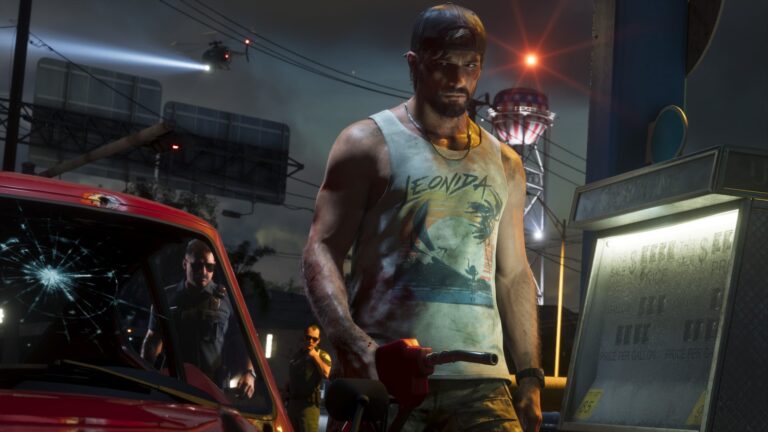
During an ordinary pursuit, look for the blue police search area on the map. You can hide without being seen or move beyond the search area’s boundary. When the stars flash, officers have lost visual contact but are still looking for you. Stay out of sight until the stars disappear and the Lose the Cops objective clears.
If the problem occurs during a story mission, keep an eye on the objective as well as the stars. Losing the police can be one part of a longer sequence, and arriving at a destination isn’t always enough to move the story forward.
Why Heat remains after the stars disappear
Once the stars disappear, a red Heat area may remain on the map around your last known position. This is different from the blue active search area. Recognition indicators track details such as your character’s appearance or the vehicle, and that lingering Heat is part of the normal system rather than evidence of a stuck wanted level.
The early Unwanted Attention mission introduces changing hats and glasses to reduce recognition. Changing clothes or accessories helps if your outfit or appearance is recognised; a respray or vehicle swap can address vehicle recognition. None is an established repair for a broken Wanted Level trigger, and committing another crime in the Heat area can bring the stars back.
When a wanted level blocks your mission

If the stars are still present at the end of a chase, check whether officers continue to spot you or the search indicator has become stuck. The distinction matters because a renewed pursuit can be perfectly normal even after you thought you had escaped. If the current objective still says to lose the police despite a successful escape, a checkpoint retry may be worth considering on the updated version.
Remember that manual saving generally isn’t available in a mission, so quitting can cost you whatever progress you’ve made since the last save. When you’re in free roam, use a separate manual slot before experimenting with a restart.
GTA 6 Wanted Level Not Going Away after a restart
If the same stars remain indefinitely after you’ve escaped the search area, close the game and reopen it on the latest version. Rockstar hasn’t confirmed that an already stuck checkpoint will always recover, so keep your earlier working save in case the same problem returns.
What to include in a bug report
If the stars keep getting stuck, include the mission name, number of stars, console and game version when reporting it. A screenshot of the search area and objective can also show whether the game is still treating the situation as an active chase.
Include whether the fault also occurs in free roam or only at a specific checkpoint. That helps distinguish a problem with the general police system from a mission-specific progression fault.
Official source: Rockstar Games — GTA 6 Wanted Level Not Going Away: official launch updates.