The Dandy’s World Alpha Player Badge is awarded for playing during the game’s Alpha period. With BlushCrunch Studio moving Dandy’s World to version 1.0 on Friday 20 November 2026, now is the time to check whether you’ve earned it.
There’s a good reason players are asking about it. The badge’s own Roblox description promises a reward when the game reaches full release. It doesn’t say what that reward will be. If you’ve played Dandy’s World before, you might already have the badge without needing to do anything else.
How to Earn the Dandy’s World Alpha Player Badge
Join the official Dandy’s World Roblox experience by BlushCrunch Studio while the game is still in Alpha. The condition on the Dandy’s World Alpha Player Badge page is simply playing during Alpha. It doesn’t mention completing a certain floor, buying a Toon or doing a special quest.
Once you’ve loaded in, give Roblox a moment to register your visit and check your earned badges. If you played Alpha earlier in the year, look for the badge before starting another run. It’s linked to the Roblox account you used, not to a particular computer or device.
When Is the Deadline to Get the Dandy’s World Alpha Player Badge?
The 1.0 release is scheduled for 20 November, with the official Roblox event starting at 20:00 UTC, or 8 pm GMT in the UK. Since this is an Alpha participation badge, joining before the launch is the safest move, especially if you’ve never opened the game before.
We haven’t found a separate developer announcement giving the exact second the badge will stop awarding. The Dandy’s World Alpha Player Badge is meant for Alpha players, so leaving it until a server changes to 1.0 is an unnecessary gamble. Get that first visit done ahead of Friday.
How to Check If You Already Have the Alpha Player Badge
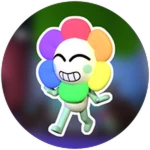
Roblox Support explains that earned experience badges appear in Inventory → Badges. Sign in to the account you played on, open the Badges category and look for Alpha Player!. The icon is the colourful Dandy image shown above.
You may also have a badge called Welcome to Dandy’s World!. That’s a separate achievement for first joining the game. Look for Alpha Player! by name rather than treating any Dandy’s World badge as proof that you have the Alpha reward eligibility.
What Reward Does the Dandy’s World Alpha Player Badge Give?
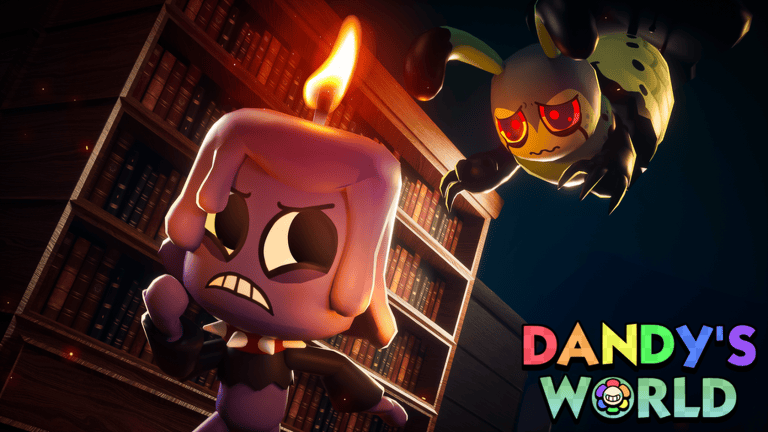
This is where some rumours get ahead of the evidence. The official Roblox badge page promises a future reward on full release, but it doesn’t identify a skin, trinket, sticker, profile item or amount of Ichor. BlushCrunch has not explained the claim process on that badge page either.
Having the Dandy’s World Alpha Player Badge is about taking part during Alpha. It isn’t a redeemable ICHOR code and doesn’t depend on signing up for the 1.0 event. If a guide is telling you to spend Robux or complete a secret unlock quest for the badge, that doesn’t match the published earning condition.
Do You Have to Finish a Floor to Get the Badge?
The official description says the badge is earned by playing during Alpha. There’s no floor-completion target or machine count attached to it. Joining the game and checking your Roblox badges is a better use of your time than trying to grind an achievement that doesn’t require grinding.
If your Dandy’s World Alpha Player Badge isn’t visible, check that you’re using the right Roblox account and looking in the full Badges inventory. Then try opening Dandy’s World again and checking after the inventory refreshes. If you’re sure you’ve played Alpha and it still hasn’t appeared, the developer’s official community is the best place to report it.
What Happens to the Badge After Dandy’s World 1.0?
Leaving Alpha changes the game’s version, but Roblox doesn’t automatically delete badges you’ve already earned. The separate question is when and how BlushCrunch will distribute the promised full-release reward. The public badge description doesn’t provide those details yet.
If you’re just returning for 1.0, check your Dandy’s World Alpha Player Badge now and then follow the two launch guides below. One covers the release time in different countries; the other takes you to the official Roblox event signup. They’re useful next steps, but neither replaces earning the badge during Alpha.
Official source: Alpha Player! badge by BlushCrunch Studio on Roblox.