
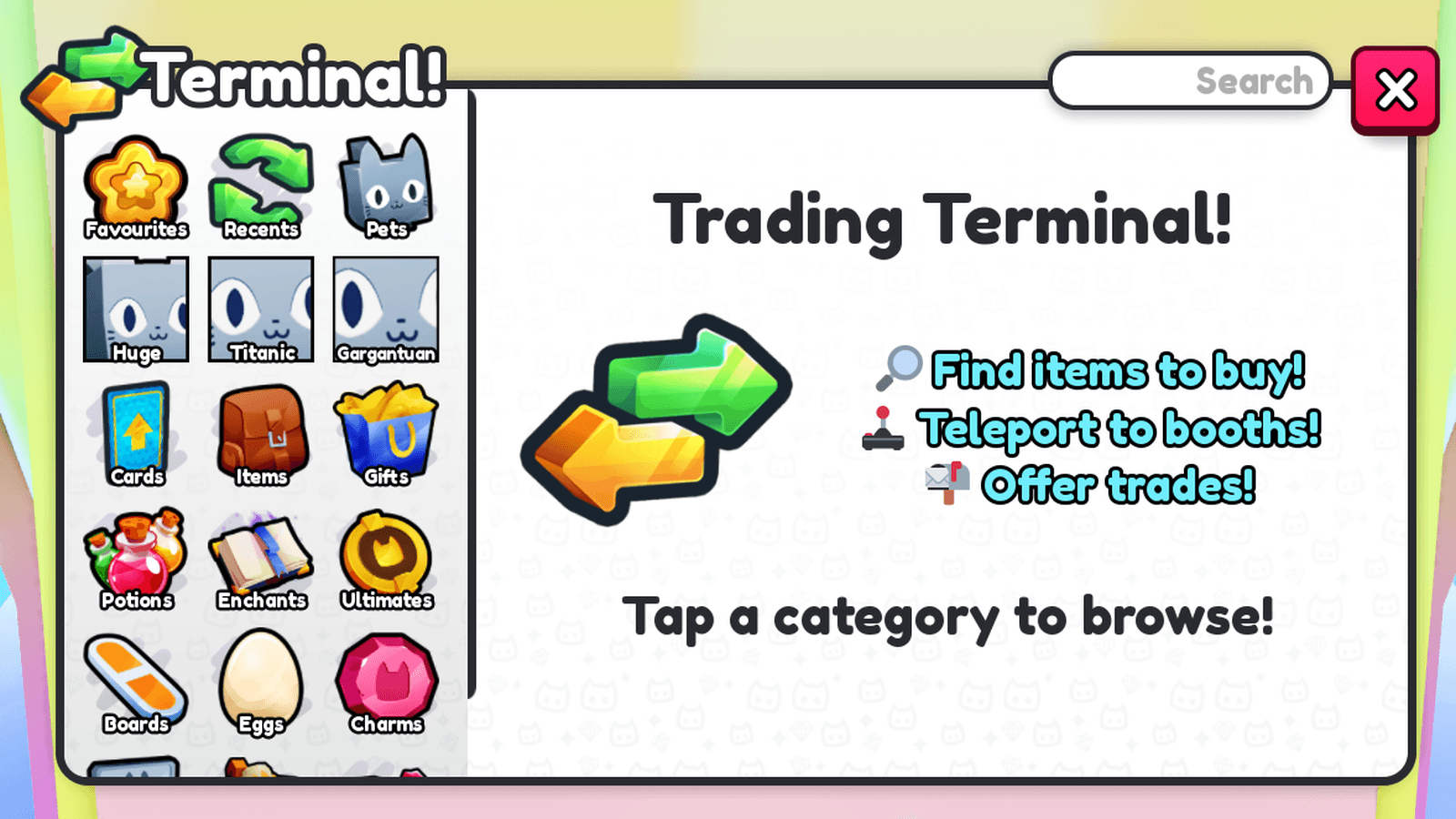
Pet Simulator 99 Trading Terminal gained a new filter bar, item Favourites and expanded trade support in Update 99 on October 24, 2026. BIG Games confirms that you can right-click or hold an item to Favourite it, filter tabs by variant and size, and trade Shiny Fruits, Garden Units and Garden Seeds.
If you’ve ever had to sift through pages of items looking for one particular variant, the new filters are the headline change. Favourites should help you keep track of items you care about, too. There’s also a separate change to which garden items you can trade, so let’s untangle what actually changed and where to find it.
What’s new in the Pet Simulator 99 Trading Terminal?
The Pet Simulator 99 Trading Terminal adds a filter bar that works on every tab. Variant and size are two explicitly confirmed options. This helps narrow a busy item list to the versions you’re interested in. BIG Games hasn’t published a complete filter-by-filter reference, so check the choices available on each tab rather than expecting every item type to support identical options.
The other major change is Favourites. Right-click any item with a mouse, or press and hold the item on a touch device, to Favourite it. The developer confirms this interaction for any item. It is useful for organising what you browse, but there’s no official claim that Favouriting changes trade value or permanently protects an item from being offered.
How to use the new variant and size filters
Open the Pet Simulator 99 Trading Terminal and choose the tab for the item you’re trying to find. Use the new filter bar to narrow results by properties such as variant or size. If you only want to compare a particular version of a pet, start with that setting rather than scrolling through every variation. If you’re hunting for a particular type of Huge pet, this should save time compared with looking through every available variant.
If a specific filter makes the list too small, clear or adjust it and compare the items that remain. The developer hasn’t announced new fixed selling prices or a standard valuation formula in Update 99. Filters help you find results; they don’t tell you whether an offer is good value. Check the actual item and price before making a trade.
The Pet Simulator 99 Trading Terminal update is particularly useful when you own several variations of an item. Organising the results by their properties gives you a clearer comparison than scrolling across unrelated items. BIG Games says the new filter bar covers every tab, though the announcement doesn’t list every supported filter on each individual tab.
How to Favourite an item
To use the Pet Simulator 99 Trading Terminal Favourite interaction, right-click the item on a computer, or press and hold it on mobile or another touch-enabled device. This was introduced in the same update as the new filters, giving players a quicker way to mark items they regularly check.
Update 99 also upgrades the normal Items inventory: you can collapse categories, pin up to 50 items into a Pinned row and retain your grid and sorting choices. These are related quality-of-life improvements, but 50 pinned items is an inventory limit, not a limit on Terminal Favourites or search results.
When dealing with another player, always check the items selected on the trade confirmation screen. A Favourite marker isn’t described by BIG Games as a trading lock. The Pet Simulator 99 Trading Terminal tools make navigation easier, but you still need to review the trade itself.
New tradeable items: fruits, units and seeds
BIG Games confirms that Shiny Fruits, Garden Units and Garden Seeds can now be traded. The Pet Simulator 99 Trading Terminal changes arrive alongside this expanded item support, giving collectors new reasons to check the available trading screens.
The patch notes don’t provide prices for these categories or say that all garden-related items have identical trade rules. Treat each offer separately: check the type of item, its quantity and the version shown, then decide whether the exchange works for you. The update confirms these three groups, without promising that every other previously untradeable item has been unlocked.
Trading Terminal versus Trading Booth changes
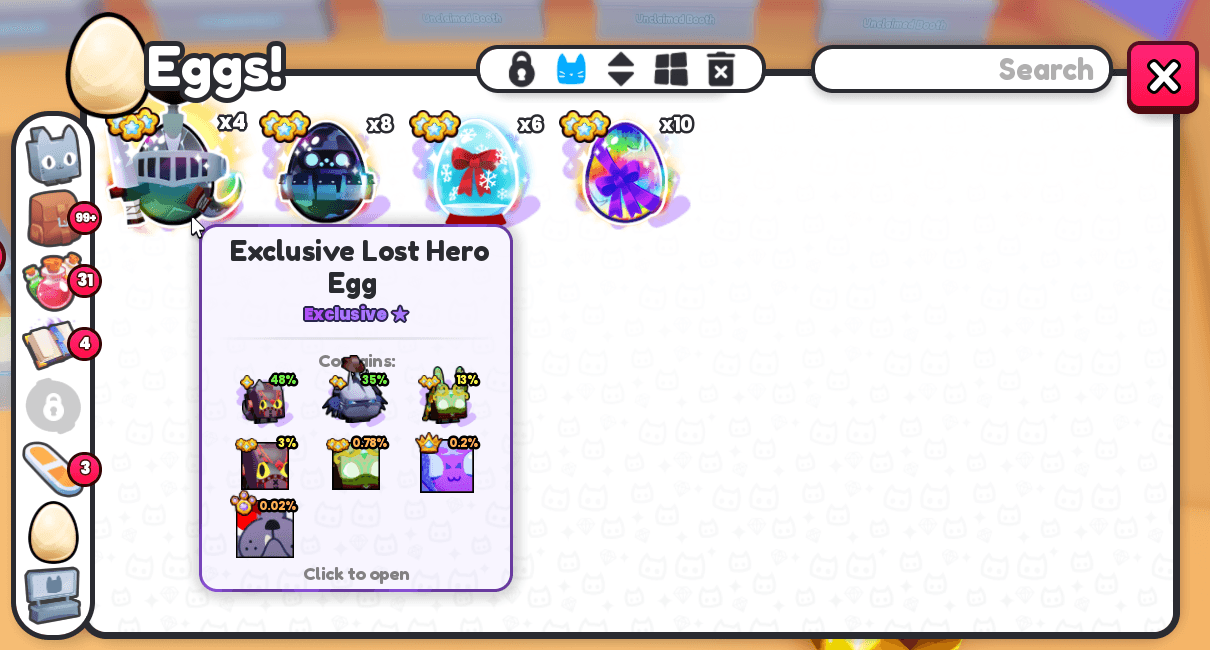
Although they arrived in the same patch, the Pet Simulator 99 Trading Terminal and Trading Booth changes solve different problems. Trading Booths can now show up to 50 listings, and previously non-stacking eggs, such as Exclusive Eggs, can combine into stacks in your inventory, trades and booths. Buyers can purchase several eggs from a single stacked listing.
Think of booth listings as offers made by sellers, while Terminal filters are a way to narrow your view of items. A stack can contain multiple matching eggs, so the 50-listing capacity doesn’t mean that sellers are limited to 50 individual eggs. The Pet Simulator 99 Trading Terminal filters and Favourites are separate changes from that capacity increase.
What else changed in Update 99?
Rank rewards gained a Claim All button, improvements to ranks 15–40 and Diamond bonuses ranging from 19,000 to 6.3 million. Settings now have grouped sections and tooltips, with options for Hatch UI and Keep Buttons Open. Mail and ready Daycare popups are also new, with controls to turn them off.
For a look at the ongoing mountain event, our Diamond Mountain guide explains the climb, while the Abominable Yeti guide details the boss. For the prior week see Update 98. The Pet Simulator 99 Trading Terminal overhaul is part of Update 99 and doesn’t change those event-specific unlocks.
Related Guides
Secret Trails · Expeditions · Yeti Leaderboard · Huge Hiker Raccoon
Official source: BIG Games Update 99 notes.





