
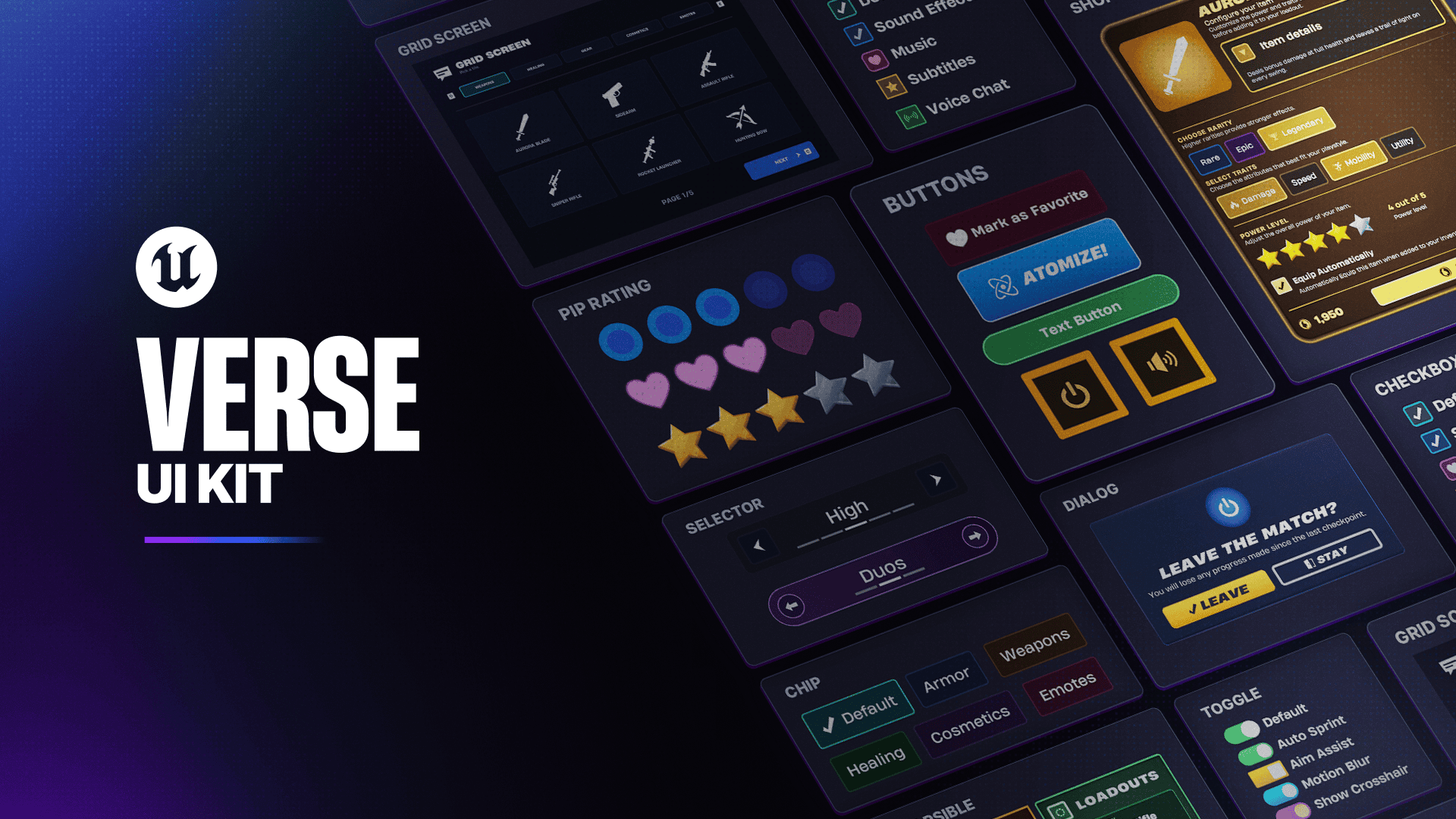
Fortnite UEFN Verse UI Kit is a free Epic-made source asset on Fab that gives creators editable UMG widgets, Verse classes, example screens and helper code for building interfaces in UEFN. It includes common controls such as buttons, toggles, sliders, tabs and toasts alongside larger examples like dialog boxes, settings panels and menu grids.
This is editable source, not a locked reference pack. You can drop Epic’s widgets into a project, restyle them, or open the Verse behind the examples and change how the interface behaves.
How to get the Fortnite UEFN Verse UI Kit
To get the Fortnite UEFN Verse UI Kit, open Fab on the web or use the Fab window inside UEFN and find Epic’s Verse UI Kit listing. Review the listing, select the available free licence and complete the zero-cost checkout so the kit is added to your Fab library.
Once it is in your library, add the source asset to the UEFN project where you want to use it. Because it is a UEFN source asset, the files are intended to be opened and edited directly rather than remaining as a locked external reference.
What is included in the Verse UI Kit?
| Included UI | What it gives you |
|---|---|
| Buttons | Ready-made button widgets to build into menus and screens |
| Toggles | On/off controls for settings and player choices |
| Sliders | Adjustable controls for values and settings |
| Tabs | Navigation between sections of a custom interface |
| Toasts | Short on-screen messages and notifications |
| Dialog boxes | Composite examples combining multiple controls |
| Settings panels | Larger example screens with Verse logic |
| Menu grids | Structured menu examples for more complex interfaces |
| Helper library | Reusable Verse code for common UI tasks |
The Fortnite UEFN Verse UI Kit includes example screens with the Verse code that drives them. That makes it much easier to follow how a button, tab or settings panel is wired up before you start changing it for your own island.
How to add the Verse UI Kit to a UEFN project
After the kit is licensed to your Fab account, open the project in UEFN and access your Fab library. Add the Fortnite UEFN Verse UI Kit to the project, then locate the imported widgets, Verse classes and examples in the project content.
If you are learning the system, start with one supplied example screen rather than an empty canvas. You can change something visible, find the matching Verse class and follow the connection between the widget and the code that drives it.
Can you edit and restyle the UI Kit?
Yes. Epic specifically describes the Fortnite UEFN Verse UI Kit as editable source. You can restyle the widgets to match your island, change the supplied layouts and alter the Verse code rather than being locked to the appearance in the examples.
Because the files become part of the UEFN project, you can pull the examples apart instead of treating them as something you can only look at. That is especially handy if you want the logic but not Epic’s default styling.
Is the Verse UI Kit really free?
Yes. Epic lists the Fortnite UEFN Verse UI Kit as a free collection on Fab. Other UEFN source assets can be paid products from third-party creators, so check the individual Fab listing before assuming every source asset has the same price.
The licence remains important even on free items. Add the kit through Fab rather than copying files from another creator’s project, because the Fab library is what records your licensed access and gives you the supported source package.
What can you build with it?
For island menus, settings screens, popups and notifications, the supplied dialog and menu examples give you a working starting point. You can keep the pieces you need and remove the rest instead of building every control from zero.
If you are new to custom UEFN interfaces, use one example first, make a visible change and follow the matching Verse class before trying to redesign the entire package. The Fortnite UEFN Verse UI Kit is as useful as a learning reference as it is a shortcut for production.
Related Guides
Epic explains the free kit and its included widgets, Verse classes and examples in the official UEFN source assets announcement.





