Xbox Controller Not Connecting can be a pairing problem, low power, firmware issue, cable problem, or a controller still trying to reconnect to another device. Xbox Wireless, Bluetooth, and USB are separate connection paths, which makes a wired test especially useful. That distinction matters because an aggressive reset can waste time or erase data without touching the actual cause.
Before changing anything major, note whether the problem affects one item or several. That single comparison often separates a bad game, card, controller, or drive from a wider console or service issue. Keep saves and screenshots backed up whenever the system is stable enough to do so.
Xbox Controller Not Connecting: What this message or symptom means
When Xbox Controller Not Connecting appears, the exact pattern matters more than the fact that something failed. One affected game, card, controller, drive, or connection usually points toward that item. The same failure across several unrelated items makes a console, storage, network, or system-software cause more plausible.
| The Xbox button flashes and never becomes solid. | Check whether this affects one item or several before moving to destructive steps. |
| The controller recently connected to a PC or phone. | Check whether this affects one item or several before moving to destructive steps. |
| The controller works over USB but not wirelessly. | Check whether this affects one item or several before moving to destructive steps. |
Quick checks before changing anything
Before treating Xbox Controller Not Connecting as a major hardware failure, capture the simple facts: what changed immediately beforehand, whether a restart changes the result, whether a second item behaves the same way, and whether an update is waiting. Those four checks prevent a surprising amount of unnecessary reinstalling.
- The Xbox button flashes and never becomes solid.
- The controller recently connected to a PC or phone.
- The controller works over USB but not wirelessly.
Xbox Controller Not Connecting: Step-by-step fix
Use this order for Xbox Controller Not Connecting. Finish one step, test again, and stop as soon as the original problem is gone. That keeps the troubleshooting useful because you know which change actually mattered.
- Replace or recharge the controller batteries.
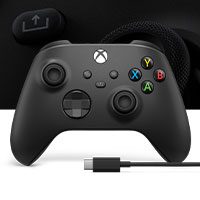
- Connect the controller to the console with a known-good USB cable and test it wired.
- Use the Pair buttons on the console and controller to establish Xbox Wireless again.
- Restart the console if pairing does not complete.
- Open Xbox Accessories and install any available controller firmware update.
- If another controller pairs normally, focus on the original controller rather than resetting the console.
Narrow down the cause
A controller that works perfectly through USB has power and basic input function, so the remaining problem is more likely to involve wireless pairing, firmware or radio conditions.
The useful thing about this sequence is that Xbox Controller Not Connecting becomes easier to classify as you go. A result that follows one accessory or storage device is different from a result that follows the console everywhere, and that difference should decide whether you reinstall, replace, or seek support.
Xbox Controller Not Connecting: When repair or support makes sense
Do not confuse Bluetooth pairing with the Xbox console’s Xbox Wireless connection. The same controller can support both, but the pairing method is different.
If Xbox Controller Not Connecting survives the official low-risk steps and the same failure can be reproduced with a second known-good accessory, card, drive, cable, game, or network where relevant, stop repeating the same resets. At that point the evidence is much more useful to official support or a repair centre than another round of guesswork.
Xbox Controller Not Connecting: quick checklist
- Confirm the exact Xbox Controller Not Connecting symptom before changing settings.
- Install relevant system, game, controller, or client updates.
- Test one known-good alternative where possible.
- Keep formatting, resets, and operating-system reinstalls until the end.
- Back up saves or local files before any destructive step.
Xbox Controller Not Connecting: common questions
Can an Xbox controller be used wired?
Yes. Microsoft’s current controller supports wired play through USB-C as well as Xbox Wireless and Bluetooth on supported devices.
Why does it keep connecting to my PC?
If it was recently used elsewhere, re-pair it with the Xbox console using the console and controller Pair buttons.
For most people, Xbox Controller Not Connecting is solved by identifying the layer that is actually failing rather than using the most dramatic fix first. Once the issue is stable again, keep the relevant software current and make a note of what solved it in case the same symptom returns after a future update or hardware change.
Click Flare: more platform fixes
- Xbox Installation Stopped
- Xbox Controller Keeps Disconnecting
- Is Xbox Live down?
- Xbox Disc to Digital Not Showing
- Xbox guides
- Xbox NAT Type Strict: How to Get Open NAT on Series X|S
- Xbox External Hard Drive Not Showing: How to Fix It
- Xbox Game Not Launching: How to Fix Games That Will Not Start
- Xbox Person Who Bought This Needs to Sign In: How to Fix It
Official support: Xbox Support.