Battlefield 6 Proximity Chat is live in REDSEC Battle Royale as a Battlefield Labs in Live test introduced with Tidal Strike. Nearby voices are positioned directionally and affected by the environment, so walls, indoor spaces and vehicles can change what you hear.
The feature is not yet a blanket voice system for normal Battlefield 6 Multiplayer. EA is testing it in Battle Royale first and plans to use live feedback before expanding it further.
How Battlefield 6 Proximity Chat works
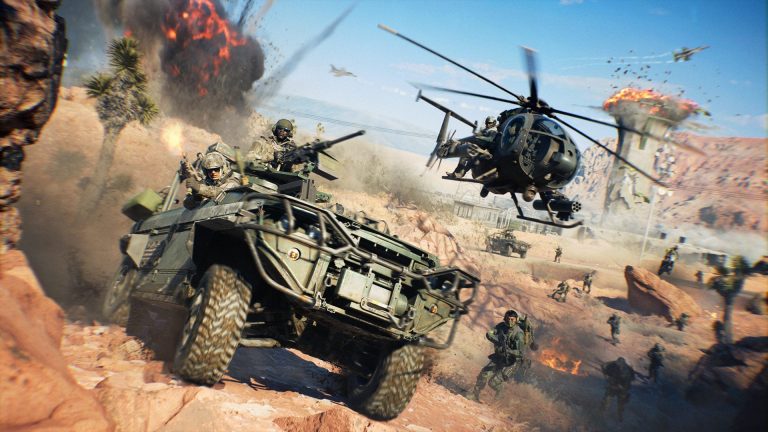
Battlefield 6 Proximity Chat Image Electronic Arts
Battlefield 6 Proximity Chat lets you hear nearby players based on their position relative to you. Voices are spatial rather than flat party audio: direction matters, physical obstructions can muffle communication and being inside a vehicle changes the sound.
EA also caps simultaneous nearby speakers at four. When that limit is reached, the UI warns you and additional speakers are temporarily squelched until a voice slot becomes available.
Who can hear you?
Battlefield 6 Proximity Chat is designed around nearby players in REDSEC Battle Royale rather than only your existing squad channel. Solo players and parties default to Game voice chat so they can take advantage of those interactions, which creates the possibility of hearing players outside your immediate premade group.
That is why moderation controls are built directly into the system. The Battle Royale scoreboard keeps a list of recent Proximity Chat users you heard, letting you select a name and mute, report or block that player through EA Connect.
How to turn it on or off
Battlefield 6 Proximity Chat can be controlled quickly from below the Commo Rose, where EA added channel switching and a global Proximity Chat toggle. That means you do not have to stay in the feature just because the live test is enabled for the playlist.
Our Proximity Chat settings guide walks through the control in more detail. If the option temporarily disappears, remember that EA says the feature may be switched on or off during testing while fixes and tuning are applied.
Is it in standard Multiplayer?
Battlefield 6 Proximity Chat is not yet available across regular Battlefield 6 Multiplayer. Battlefield Studios has said the current plan is to test it in REDSEC Battle Royale first, monitor live behaviour and then bring it to Multiplayer at a later date.
There is no confirmed Multiplayer rollout date in the Tidal Strike notes. Our Multiplayer Proximity Chat article separates the current REDSEC test from the planned wider release.
Why EA is treating this as a test
Battlefield 6 Proximity Chat affects more than audio range. EA wants live data on clarity, moderation tools and how nearby voice changes the flow of a Battle Royale round. Update 1.4.3.0 explicitly says the team may toggle the feature during testing while applying fixes and improvements.
Battlefield 6 Proximity Chat is therefore usable now, but it is not being presented as the finished final version. Try it in REDSEC, use the mute/report tools when needed and expect the exact behaviour to change as Battlefield Labs feedback feeds into the eventual Multiplayer implementation.
The safeguards built into the first Proximity Chat test
Battlefield 6 Proximity Chat includes more control than simply hearing every nearby microphone. The Battle Royale scoreboard can show recent players you have heard through Proximity Chat, and EA Connect then lets you mute, report or block them. EA also caps simultaneous nearby speakers at four; when the limit is reached, the interface tells you and additional speakers are temporarily muted until a channel opens.
This first rollout is explicitly a live test. Battlefield Studios says it is evaluating range, clarity, moderation and the effect on matches before expanding the feature, and Proximity Chat may be switched on or off while fixes are applied. That is why a player can have the correct settings and still find the feature temporarily unavailable during the testing period.