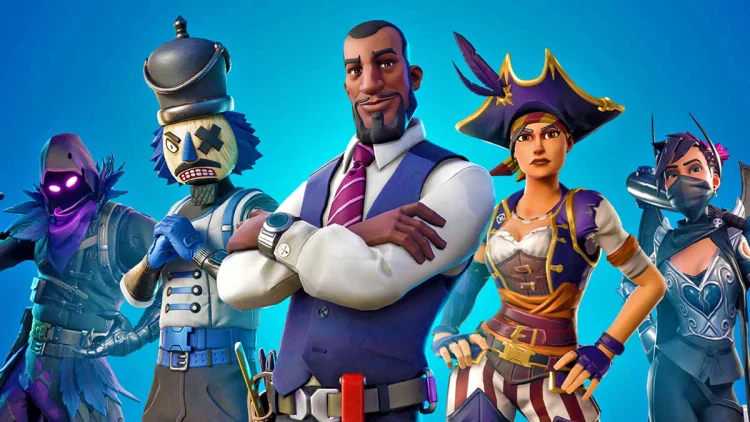
If you need to know how to refund a skin in Fortnite, open the Player menu, go to Support and Refunds, choose Return or Cancel Purchase, select the eligible cosmetic and confirm. Fortnite has two systems: Cancel Purchase for very recent unused purchases and Return Tickets for eligible purchases made within the last 30 days.
how to refund a skin in Fortnite with Cancel Purchase
The fastest version of how to refund a skin in Fortnite is Cancel Purchase. Epic allows this for an eligible Item Shop purchase during the first 24 hours, provided the item has not been used or equipped in a game mode. It does not consume one of your Return Tickets.
- Open Fortnite.
- Select the Player icon and open the menu.
- Choose Support and Refunds.
- Select Return or cancel purchase.
- Choose the eligible skin or cosmetic.
- Confirm the cancellation or return.
When Cancel Purchase works, how to refund a skin in Fortnite is essentially instant: the cosmetic is removed and the V-Bucks are returned to your account. However, each item can only be cancelled this way once. If you cancel it, buy the same item again and regret it again, the 24-hour cancel option will not simply reset.
How Return Tickets work
If the first 24 hours have passed, how to refund a skin in Fortnite usually means using a Return Ticket. Tickets cover eligible purchases made within the previous 30 days. When a ticket is used, the item leaves your account and the V-Bucks spent on it are restored.
| Refund method | Main rule |
|---|---|
| Cancel Purchase | Within 24 hours and item not used/equipped |
| Return Ticket | Eligible purchase within the last 30 days |
| Ticket supply | Accounts start with 3 and regain 1 every 365 days |
| Maximum tickets | 3 at one time |
For bundles, how to refund a skin in Fortnite may require returning the complete eligible bundle rather than cherry-picking one part. Always read the confirmation screen before using a ticket, because once the return is completed the included items are removed from the account.
Which Fortnite purchases cannot be refunded?
Not every purchase qualifies for how to refund a skin in Fortnite. Epic excludes gifted purchases, passes, pass levels, Premium Reward Tracks, Level Up Quest Packs, certain Save the World purchases and purchases made inside developer-made islands from the standard Cancel Purchase and Return Ticket systems.
- Gifted purchases cannot be returned by the recipient.
- Passes and pass levels are excluded.
- Level Up Quest Packs are excluded.
- Developer-made island transactions use separate rules.
- Real-money purchases may need to be handled by the platform or payment provider.
Can you refund a skin after using it?
Using or equipping a cosmetic matters for the 24-hour Cancel Purchase route. If you have already used the skin, that immediate option may disappear. how to refund a skin in Fortnite can still be possible with a Return Ticket if the purchase is eligible and remains inside the 30-day window.
This is why how to refund a skin in Fortnite is worth checking before spending another ticket. If the purchase is only minutes old and unused, Cancel Purchase preserves your limited Return Ticket balance for something older.
Can Epic Support give you a refund without a ticket?
Epic Support does not normally bypass the Return Ticket system just because you changed your mind. If you are outside both refund windows, how to refund a skin in Fortnite may simply have no self-service route. The safest habit is to check new purchases quickly and use Cancel Purchase before its 24-hour window closes.
For eligible purchases, though, how to refund a skin in Fortnite is straightforward and the returned V-Bucks appear as part of the completed refund flow.
Before confirming any refund, read the item list shown on screen. Bundles may be returned as a complete purchase, and styles or attached cosmetics can disappear with the bundle. If you still actively use part of the purchase, make sure the V-Bucks refund is worth losing the whole eligible bundle.
For current Item Shop availability, account features and official game information, visit the official Fortnite website.
More Fortnite from The Click
Fortnite guides, events, news and updates