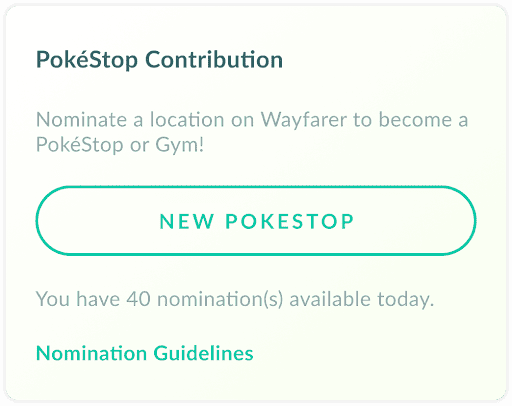
To nominate a PokéStop Pokémon GO players must currently be at least Trainer level 35, choose an eligible real-world place and submit it through the game’s Uploads menu and Scopely Explore Wayfarer. A successful Wayspot nomination can become part of the shared map, but acceptance does not guarantee that it will appear as a PokéStop or Gym in Pokémon GO.
Who can nominate a PokéStop Pokémon GO?
You need a level 35 or higher account to nominate a PokéStop Pokémon GO. Child accounts are not eligible for this feature. The process now hands the submission into the Wayfarer system, where nominations are evaluated against mapping and Wayspot criteria rather than being automatically approved by the game.
To begin, open the Main Menu, go to Settings, choose Uploads and tap New PokéStop. The wording still says PokéStop in Pokémon GO, but you are effectively proposing a Wayspot for the shared real-world map. That distinction matters when you nominate a PokéStop Pokémon GO because accepted Wayspots can be used differently across games.
What makes a good nomination?
A strong place to nominate a PokéStop Pokémon GO should encourage exploration, exercise or social interaction and be safe and identifiable in the real world. Good examples often include public art, notable community locations, trail markers, historic features, parks and gathering places that meet the current acceptance rules.
- Use a clear title that identifies the place
- Take a sharp main photo without people dominating the image
- Add an accurate description, not game-specific promotion
- Use supporting information to explain why the place is eligible
- Place the map marker accurately and safely
Do not nominate a PokéStop Pokémon GO for something just because your area needs more stops. Generic or unsafe locations can be rejected even if they would be convenient in-game. Schools for young children, private residential property and temporary or low-quality objects are common reasons a submission can fail.
What happens after you submit?
After you nominate a PokéStop Pokémon GO, the nomination appears in your Wayfarer account where you can monitor its status. It may be reviewed by the community and automated systems. Review time varies substantially, so there is no reliable promise that a nomination will be decided in a few days.
If the Wayspot is accepted, it still may not become a Pokémon GO location. Map-density rules and other game-specific factors decide which accepted Wayspots become PokéStops or Gyms. This is why two players can nominate a PokéStop Pokémon GO successfully yet see no new stop appear at the exact location they expected.
Tips before using a nomination
Before you nominate a PokéStop Pokémon GO, check whether the object is already represented nearby and take the photos while you are physically there. A duplicate nomination wastes time, while poor photos can sink an otherwise excellent candidate. Accurate supporting text is usually more useful than a sales pitch about how much local players want another stop.
The best mindset is to nominate a PokéStop Pokémon GO because the place is genuinely useful or interesting on the real-world map. If it also becomes a PokéStop, brilliant. That approach produces stronger nominations and avoids the frustration of treating every acceptance as a guaranteed new in-game stop.
A nomination should also be easy for a reviewer to verify. If the object is hidden by trees on satellite imagery or sits inside a large park, use the supporting photo and explanation to show the pedestrian approach and surrounding context. That helps reviewers distinguish a genuine public feature from a misplaced marker or inaccessible object.
Titles and descriptions should describe the real place rather than Pokémon GO. Avoid phrases such as “good PokéStop” or “players need this here,” because they do not prove eligibility. A concise factual title, a description of what the object is, and supporting information explaining its community, exercise or exploration value give reviewers much more useful evidence.
You can also review your own submission before sending it. Check the map pin, spelling, main photo and supporting photo one final time. Small mistakes are much easier to fix before submission than after a reviewer has already judged the wrong location or an unclear image.
For current events, bonuses and official game updates, check the official Pokémon GO website.