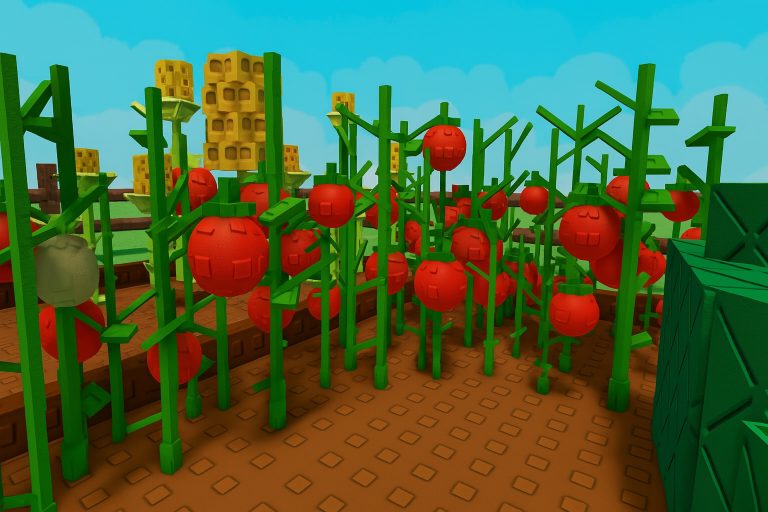
Grow a Garden codes can give you free rewards to use in the hugely popular Roblox farming game, including limited cosmetics that can be added to your collection without spending Robux. There are not always many working codes available at the same time, so it is worth claiming new rewards while they are still active.
We regularly check the latest Grow a Garden codes and remove anything that is no longer working. The codes below were last checked in November 2026.
Grow a Garden Codes (November 2026)
2 working codes currently listed.
BEANORLEAVE101x Green Bean Chamber cosmeticRDCAward1x RDC Award cosmeticWhat do Grow a Garden codes give you?
Grow a Garden codes can provide free items that would otherwise be unavailable or more difficult to obtain.
The rewards vary depending on the code being offered. Current codes include cosmetic items, while previous rewards have also been released alongside updates and special occasions.
Because Grow a Garden codes can be temporary, it is worth redeeming any reward you want as soon as possible rather than assuming it will remain available indefinitely.
You can see the reward attached to each working code in the list above before you redeem it.
How to redeem Grow a Garden codes
You can redeem Grow a Garden codes directly from inside the game through the Settings menu.
- Launch Grow a Garden on Roblox.
- Click the Settings gear icon in the top-left corner of the screen.
- Scroll down to the Redeem Codes section.
- Enter or paste a working Grow a Garden code into the code box.
- Click Claim to receive your reward.
Using the Copy button beside any code above is the easiest way to make sure it is entered correctly. Once a valid code has been claimed, its reward should be added to your account.
Why is my Grow a Garden code not working?
If one of the Grow a Garden codes above is not working, first make sure you have entered it exactly as shown.
Codes can contain capital letters, numbers or other characters that are easy to mistype. Copying a code directly from the working list above can help avoid simple errors.
You may also have already redeemed the code. Roblox codes generally only provide their reward once per account, so entering the same one again will not give you another copy of the item.
Another possibility is that the code has expired. Grow a Garden codes can stop working after updates, events or promotional periods end, and there is not always advance warning before a code is removed.
When we confirm that a code no longer works, we move it out of the active section so the main list remains focused on rewards that are still available.
When are new Grow a Garden codes released?
There is no fixed schedule for new Grow a Garden codes.
New rewards may appear alongside updates, events, milestones or other announcements from the developers. That means there can sometimes be long periods without a new code, followed by several rewards arriving much closer together.
Major Grow a Garden updates are particularly worth watching if you are waiting for another free item.
We check for new Grow a Garden codes regularly and add working rewards to the list above when they become available.
Do Grow a Garden codes expire?
Yes, Grow a Garden codes can expire.
There is no universal expiry period that applies to every code. Some rewards can remain available for a long time, while others may only be active around a particular update or event.
That makes it difficult to know exactly how long you have to redeem a code unless the developers give a specific end date.
If there is a working Grow a Garden code offering an item you want, claiming it sooner rather than later is usually the safest option.
Expired codes are kept separate from the working list, making it easier to see which rewards are currently worth trying.
Are Grow a Garden codes case-sensitive?
The safest approach is to enter Grow a Garden codes exactly as they are displayed.
Even when a game accepts different capitalisation, copying the complete code avoids the risk of replacing the wrong letter or number.
Some codes can be relatively long, so using the Copy button beside each working code above is quicker than entering everything manually.
Can I redeem every working Grow a Garden code?
You can normally redeem each available code individually, meaning you do not have to choose just one reward from the working list.
If several Grow a Garden codes are active at the same time, you can enter each code separately and claim the corresponding reward, provided you have not already redeemed it on your account.
A code that you have already used may still appear in the working list because it remains available to other players who have not yet claimed it.
Where is the code button in Grow a Garden?
The Grow a Garden code redemption area can be found through the Settings menu.
Open the game, select the Settings gear in the top-left corner and scroll until you reach the Redeem Codes section. You can then paste a working code into the box and select Claim.
If you cannot immediately see the code box, make sure you have scrolled far enough down the Settings menu.
Are there any new Grow a Garden codes?
The working list at the top of this page contains the latest Grow a Garden codes we have found and checked.
There may only be a small number of active codes at certain times, but new rewards can appear following updates, events or developer announcements.
If you play regularly, bookmark this page and check back after major updates. We will continue checking for new Grow a Garden codes, adding working rewards and removing codes that have expired.