Roblox Annoying Sound IDs include the repeated songs and short joke clips people search for when they want something silly to play in a Roblox experience. Baby Shark, Raining Tacos and the Skibidi Toilet meme are among the familiar names in the list below, alongside older game and television theme codes.
This is a collection of historically shared IDs, not a claim that every recording is working in 2026. Roblox controls audio access and individual games can restrict playback, so test a number inside the experience where you want to use it. The table preserves the original Roblox Annoying Sound IDs for readers who know which sound they want.
Roblox Annoying Sound IDs: 15 familiar clips and songs
To try Roblox Annoying Sound IDs, copy the numeric code from the table into an experience that supports user-selected audio. Sound names are the labels used in older player lists; those names alone cannot establish what a currently accessible audio asset contains.
| Sound | Shared Roblox audio ID | Type |
|---|---|---|
| Baby Shark | 1272130833 |
Repetitive novelty song |
| Skibidi Toilet | 109829522404772 |
Short viral-meme recording |
| Raining Tacos | 142376088 |
Catchy novelty song |
| Me Llamo Jeff | 731971019 |
Quick spoken reaction |
| Who Are You? | 525182327 |
Reaction clip |
| Hell Nah | 885589466 |
Spoken meme response |
| Ima Firin My Lazer | 145099824 |
Classic internet meme |
| Mine Turtle | 138112414 |
Novelty-meme effect |
| Wii Sports Theme | 5899797296 |
Familiar game soundtrack |
| Mii Channel Music | 143666548 |
Repetitive menu music |
| Squid Game Theme | 7535587224 |
TV soundtrack attribution |
| GTA San Andreas Theme | 4571975095 |
Game soundtrack attribution |
| Sandstorm | 166562385 |
Dance-music attribution |
| Leeroy Jenkins | 138132240 |
Gaming meme voice clip |
| Mayonnaise | 340688214 |
SpongeBob meme attribution |
Which Roblox Annoying Sound IDs should you try first?
For quick reactions, try an asset associated with Me Llamo Jeff, Hell Nah or Who Are You? These are short phrases, so they make more sense for a soundboard or a single button press than a continuous song. Check the uploaded audio before deciding whether it is the clip you remember.
For repetitive music, Baby Shark, Mii Channel Music and Raining Tacos are better-known choices. A Boombox may play the whole recording, stop after a fixed time or prevent looping. That behaviour comes from the game, not the number in the table. Our troll music guide focuses on songs instead of short reaction clips.
Older Roblox Annoying Sound IDs lists also include Sandstorm, GTA San Andreas and Wii Sports. These names are useful search references, but copyrighted songs and themes may have been restricted or removed. A number you remember from several years ago is not evidence that the uploader still permits public playback.
How to use Roblox Annoying Sound IDs in a Boombox
For Roblox Annoying Sound IDs, join a game with a Boombox, music player or custom-audio field. Open the audio entry, paste just the number and choose Play. First make sure the game accepts custom audio at all: some experiences only let the developer choose songs, while others require an in-game pass before you can use the player.
If you cannot find a music input, entering an ID somewhere else will not unlock a Boombox. Check the game’s instructions or the Boombox access guide before spending Robux. When a sound plays, check its volume and range; some audio is only local to the player.
For Roblox Annoying Sound IDs, the right sound is the one actually permitted in that experience. An asset may work in a creator’s game but fail in an unrelated one because access depends on the audio’s settings and the experience’s permissions.
Why Roblox Annoying Sound IDs stop working
When Roblox Annoying Sound IDs are silent, three things are worth checking: whether the game supports player-selected audio, whether the asset still exists and is accessible, and whether the uploader has allowed that experience to use it. The game may show a silent player even if you entered a valid numeric ID.
Test an audio option suggested by the game itself. If that works and your chosen one is silent, the problem is more likely with the particular asset or its permissions. Entering the same number again cannot grant an experience access to someone else’s private recording.
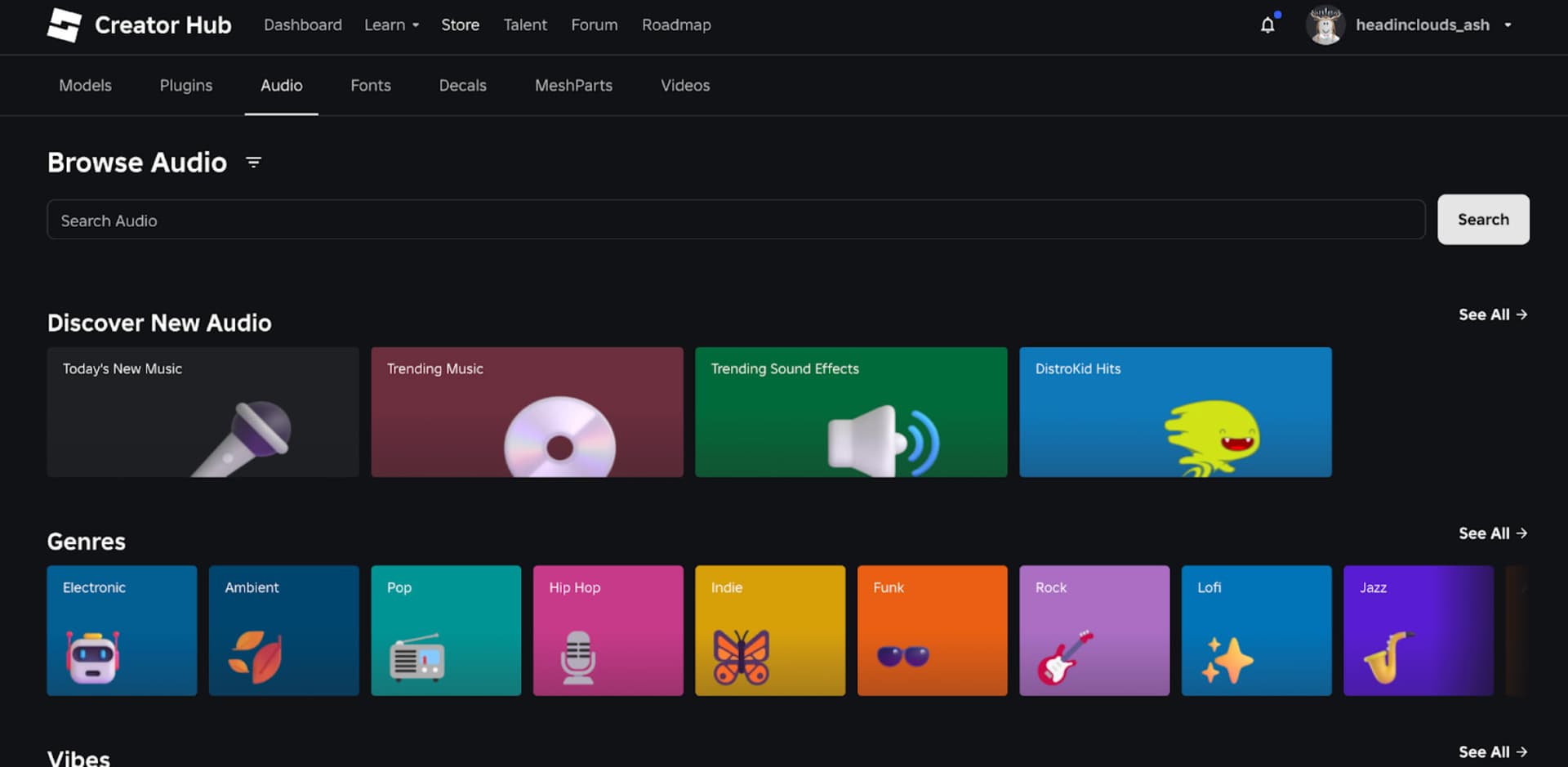
Roblox’s Creator Store lets developers search and preview audio, but finding an asset there does not guarantee that every social game accepts it through a Boombox. The Roblox music IDs not working guide explains silent playback, and the audio compatibility guide covers experience-specific restrictions.
Are Roblox Annoying Sound IDs different from meme sounds?
A Roblox Annoying Sound IDs entry is simply an audio asset number. A meme sound is usually a brief clip; a Boombox code is a number entered into a supported music player; a kill sound triggers when a particular game’s mechanic allows it. The same recording can serve different purposes, but its availability is never universal.
Use funny sounds for light reaction clips, meme sound IDs for recognisable viral references, and kill sound IDs for games with a custom hit or elimination sound setting. The sound effects guide includes a wider mix of short soundboard-style noises.
The point of keeping these Roblox Annoying Sound IDs is to make familiar numbers easy to find while giving readers a way to check them. Try an asset in the specific experience, and if it fails, look at the game’s audio access rather than assuming the same code will work everywhere.
Related Guides
Official source: Roblox Creator Hub: asset privacy and permissions.