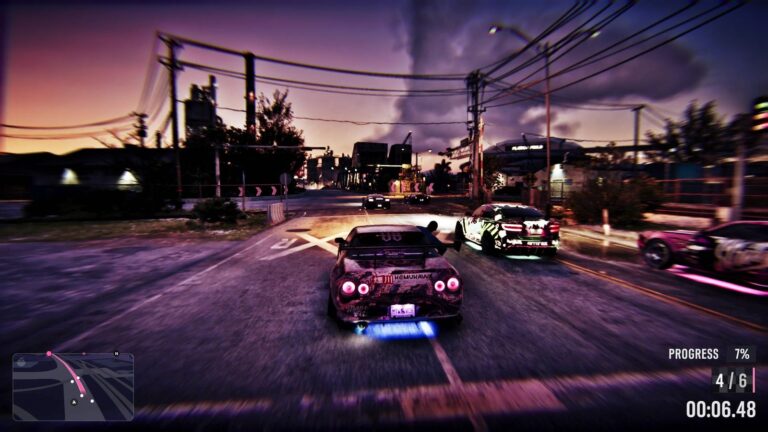
GTA 6 How to Use Turn Signals is surprisingly simple: tap D-pad Left for the left indicator or tap D-pad Right for the right one. The shortcuts are the same on PS5 and Xbox Series X|S, as long as you’re driving with the Default controls.
It’s easy to open a menu by mistake. The D-pad has a second set of functions when you hold the buttons, so the difference between a tap and a hold is what matters here.
GTA 6 How to Use Turn Signals: left and right inputs
Enter a road vehicle, steer as normal and give D-pad Left a short press before a left turn. Tap D-pad Right to indicate right. Both controls are labelled in the game’s Land / Water Vehicles scheme, not in the standard On Foot controls.
The indicator is just a visual signal. On foot, D-pad Left serves the radio controls instead, and a bicycle has its own control scheme. These driving inputs belong to the Land / Water Vehicles layout, so check that tab when switching vehicle types. It won’t steer the vehicle, turn off hazards for you or guarantee other traffic will make room. Keep watching the road as you turn or merge; even the NPC drivers in Vice City have their moments.
Why holding Left opens a vehicle menu
Hold D-pad Left and you’ll get the vehicle menu instead. That’s where the game puts radio, lighting, window and other car functions. The shortcut is useful, but it isn’t the input for a normal left turn signal.
If the menu keeps appearing every time you try to indicate, use a lighter, quicker tap. The same goes for D-pad Right: holding it opens the partner interaction menu in situations where Jason and Lucia can communicate.
How headlights and hazards differ
Circle on PS5 and B on Xbox are the headlight shortcuts. The indicators live on D-pad Left and Right. If you’re looking for hazard lights, inspect the vehicle menu rather than trying to press both D-pad directions simultaneously.
There may be differences between vehicles and what equipment their menus offer. The important thing is to use the choices actually shown for your car, not a made-up button combination.
GTA 6 How to Use Turn Signals with another control layout

Pause the game, choose Settings > Control Scheme, then open Land / Water Vehicles. The on-screen diagram will show the current bindings. Classic and Left-Handed schemes can change how some actions feel, especially if you’ve recently switched from GTA 5.
You can test the indicators safely while parked before heading into city traffic. Once you know how quickly to release the button, turning them on takes hardly any thought.
Are indicators required for missions?
The available evidence confirms that the car has working left and right signals, but it doesn’t establish a general punishment for not indicating or a mission that requires using them. Think of them as part of the game’s more detailed driving controls rather than a compulsory rule.
For GTA 6 How to Use Turn Signals, that’s really all you need: quick left/right D-pad presses while driving, and a hold only when you want one of the menus.
Click Flare: GTA 6 How to Use Turn Signals — Related Guides
Official source: Grand Theft Auto VI — Rockstar Games.