To join Minecraft Beta on Android, open Minecraft’s official Google Play listing, scroll down to Join Beta, and confirm. Android Beta replaces the regular Minecraft app while you’re enrolled, so back up important worlds before you do this.
You might want to join Minecraft Beta on Android to try the Deep Freeze winter features before the finished update is released. The Android Beta tests the same Bedrock development series as Preview on other platforms; you don’t need an unofficial APK.
How to join Minecraft Beta on Android through Google Play
First back up your Minecraft worlds. On Android, the Beta replaces the client you normally open; it doesn’t install as a separate Preview app beside it.
Open Google Play on the Android device you use to play. Find Mojang’s official Minecraft listing and make sure you’re signed into the account that owns the game.
Scroll to the Beta section and select Join Beta, then confirm. Google Play may take a little while to enrol your account and offer the update.
Once Google Play offers the update, install it normally and open Minecraft. The version on the title screen should match a current Beta/Preview changelog. That’s the simplest way to check whether your attempt to join Minecraft Beta on Android worked.
How to check whether the Android Minecraft Beta is installed
Compare the title-screen version against Mojang’s Beta & Preview patch notes. Android calls its test channel Beta; Windows, Xbox, PlayStation and iOS use Preview. If you see the standard release number, check Google Play for the pending update.
If you expected new winter blocks but still see the regular version, give Google Play time to finish enrolment and make sure the update actually installed. Restart the Play Store or check again later if the Beta option has not appeared. Avoid downloading third-party APK files from sites advertising the latest Minecraft Beta on Android build.
Can I play Deep Freeze features in Minecraft Beta on Android?
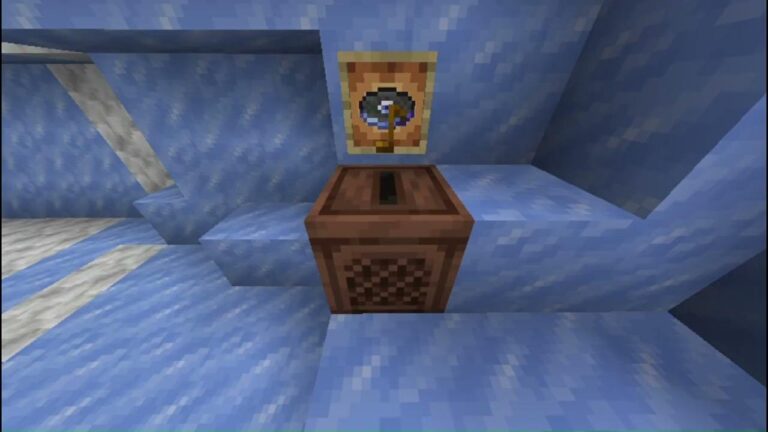
Yes, provided the current Android Beta includes the relevant preview content. The 26.70 testing series covers the winter Deep Freeze changes, including updated Calcite blocks, the Flurry music disc and fixes to freezing mechanics. A feature appearing in a changelog doesn’t mean it appears in every old world automatically, so create a separate test world and check the exact build.
If your goal is only to see early Ice Caves and Frostbites, regular Bedrock 26.60 offers a Drop 4 of 2026 world experiment. That avoids joining the full Android Beta. Use the experiment guide if you don’t want your normal Minecraft app replaced with a development build.
How to leave after you join Minecraft Beta on Android
To leave, return to the same Google Play listing and select Leave in the Beta section. The normal release should become available after unenrolment. If you join Minecraft Beta on Android again later, keep your testing worlds separate rather than trying to downgrade them.
Back up the worlds you care about before changing versions. Mojang’s support centre specifically recommends preserving your worlds because the Beta replaces the regular Android client. Don’t uninstall or clear Minecraft’s storage while you’re trying to leave unless you’ve confirmed your world backups are safe. Losing the app’s local data may be much harder to recover from than waiting for the correct release update.
Keep any world created or modified in the Beta separate until the public game catches up. A newer test world may include blocks or world data that the older stable client cannot understand. This is why Minecraft Beta on Android is best used with a fresh test save instead of your only family or server world.
Minecraft Beta on Android vs Preview on iPhone
Android uses the Google Play Beta. An iPhone or iPad uses Minecraft Preview through Apple’s TestFlight, which has limited spaces. Mojang says iOS Preview openings are often available around the first of a month when the programme is full. Don’t search the Android Play Store for the TestFlight instructions or the iOS App Store for Android’s Beta enrolment.
These different installation routes still test broadly the same Bedrock features, aside from platform-specific differences. Everyone joining a Beta or Preview multiplayer game needs a matching compatible test version. Ordinary release-version Realms aren’t the same as dedicated Preview/Beta Realms.
Why isn’t Join Beta showing on Google Play?
If Join Beta is missing, check the Play Store account and the official game listing. A full or unavailable test programme can also prevent signups. Don’t use an APK from an unofficial site to join Minecraft Beta on Android.
The Minecraft Beta on Android route can also be confusing if you use a Chromebook or an alternative Android store, since Mojang’s official instructions specifically describe Google Play on supported Android devices. Don’t treat an APK with a matching version number as a safe substitute for the official store.
Will I lose achievements or my existing worlds?
Joining the Beta is not intended to erase your account, but it does change the game client. Development versions can introduce instability, and experimental world settings can affect achievements in individual saves. Make a backup before opting in and keep important Survival worlds out of the test build if you can. After leaving, continue using your clean release-version world rather than trying to force a newer Beta save backwards.
It makes sense to join Minecraft Beta on Android when you’re interested in testing new Bedrock content. If you only want the earlier Ice Caves, regular Bedrock 26.60 also has a Drop 4 experiment without replacing the entire app.
join Minecraft Beta on Android: Related Guides
Official source: Mojang’s guide to installing and leaving Minecraft Beta on Android.