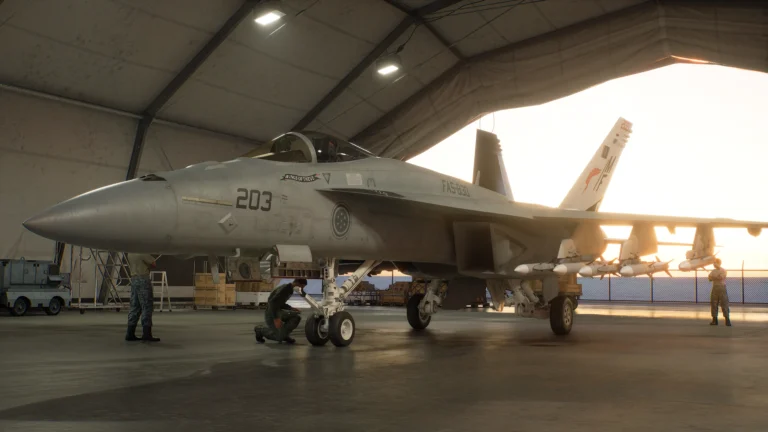
Ace Combat Zero Ace Style is determined by the yellow targets you destroy or spare. Shoot them and Cipher leans towards Mercenary; leave them alone and he moves towards Knight. A mixture of both choices keeps him closer to Soldier. It’s not a difficulty setting, and you don’t choose it from a menu.
The gauge is worth watching because it changes the pilots you meet later, what people say about Cipher and which aircraft become available. If you are trying to face a particular ace squadron, your decisions in the missions before that fight matter.
Ace Combat Zero Ace Style: What Changes the Gauge?
You’ll find the Ace Combat Zero Ace Style gauge on the debriefing screen after each sortie. Mercenary is on the left, Soldier is in the centre and Knight is on the right. The bar carries over to the next mission, so don’t expect to start from the middle every time you take off.
| What you do | Effect on your Ace Style | What to remember |
|---|---|---|
| Destroy a yellow optional target | Pushes towards Mercenary | Extra credits, but it affects your reputation |
| Leave a yellow optional target alone | Pushes towards Knight | You give up those extra credits |
| Destroy some yellow targets and spare others | Helps maintain a Soldier balance | Watch the gauge; there is no universal magic ratio |
| Finish required red TGT objectives | Completes the mission objective | Do not mistake red targets for the yellow-target choice |
| Help allies during certain missions | Can support the Knight side | Only some missions have this additional influence |

Yellow Targets, Green Enemies and Red TGTs
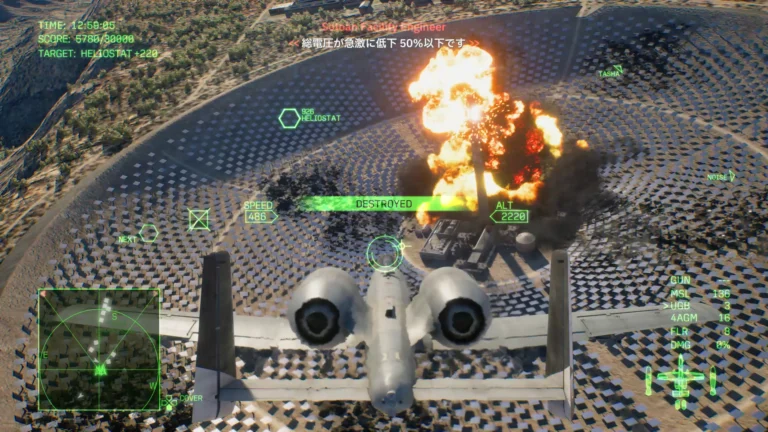
You can tell which targets affect Ace Combat Zero Ace Style from their HUD markers. Red TGTs are required objectives; green markers are other enemy units. Yellow markers identify low-threat, optional or neutralised targets, including some civilian facilities. Destroying the red targets completes the mission. Choosing what to do with yellow ones shapes Cipher’s reputation.
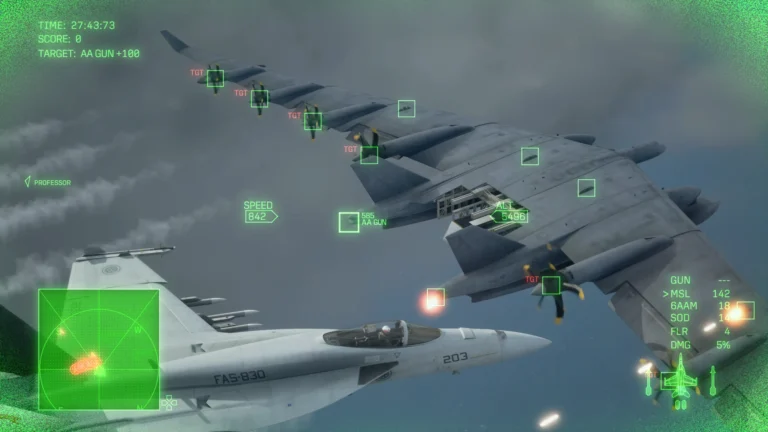
Some enemy aircraft turn yellow after taking critical damage and attempt to escape. The game labels them NEUTRALIZED. You can finish them off, but sparing a retreating aircraft pushes the gauge towards Knight, while destroying it pushes towards Mercenary. Those aircraft can have a greater effect on the bar than an ordinary yellow ground target.
Mercenary, Soldier and Knight: Which Should You Choose?
Mercenary: For Ace Combat Zero Ace Style on the Mercenary side, destroy yellow optional targets as well as your mission objectives. You’ll earn more credits but encounter more aggressive ace teams. Mission 02, Annex, gives you an early opportunity to move left before the first Round Table fight.
Knight: Leave the yellow targets alone, let disabled aircraft retreat and help allies when the mission offers that choice. You can still shoot down active fighters and complete every red TGT. You simply don’t take the extra kills the game offers you.
Soldier: Keep your Ace Combat Zero Ace Style near the centre by destroying some yellow targets and sparing others. Check the bar after each mission. There isn’t a dependable 50/50 kill rule, partly because neutralised aircraft can move the gauge more than ground targets.
How Ace Combat Zero Ace Style Changes Enemy Squadrons
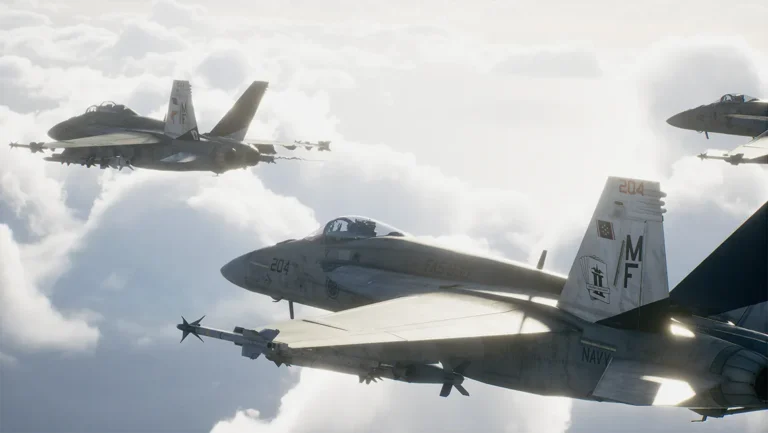
Ace Combat Zero Ace Style decides who shows up in Mission 03, The Round Table. Mercenary pilots face Rot Team in four Typhoons, Soldiers face Grun Team in four F/A-18Cs, and Knights face Indigo Team in four JAS-39Cs. The same branching idea returns in Missions 10 and 16, while Gelb Team in Mission 06 appears regardless of style.
Finishing a campaign with a particular Ace Combat Zero Ace Style unlocks that style’s paint scheme for your aircraft. These are different from Special schemes earned through named ace encounters and the Wingman colours for the F-15C and F-16C. Aircraft unlocks can also depend on the style used to clear a specific mission: for example, Mission 03 unlocks the Typhoon on Mercenary and the Gripen C on Knight.
Can You Change Your Ace Style Late in the Campaign?
You can change the gauge later, but Ace Combat Zero Ace Style reflects decisions across campaigns, not just your latest mission. A new campaign keeps your previous gauge position. Free Mission doesn’t move it at all. Most yellow ground targets disappear after Mission 14, so if you’ve stayed at one extreme, you’ll have fewer opportunities to reach the other.
Start steering your Ace Combat Zero Ace Style early, especially if you’re chasing a particular team, medal or paint scheme. Watch the debriefing bar instead of relying on a fixed number of yellow targets. Supreme Mercenary and Supreme Knight need the indicator at or near the appropriate edge; Supreme Soldier needs it very close to the centre.
Does This Work in the 2026 Port?
Bandai Namco says the version of Zero provided with eligible Ace Combat 8 preorders is a port of the 2006 original, not a remaster. That means this Ace Style guidance is for Zero, not the aircraft-tree or campaign-currency systems in Ace Combat 8.
Related Guides
- Ace Combat Zero Preorder Bonus: How to Find and Play the Game
- Ace Combat 8 Ace Combat Zero Bonus: Steam Access and Standalone Status
- Ace Combat 8 Preorder Bonuses: F-14A and Ace Combat Zero
- Ace Combat 8 ADFX-02 Morgan Pixy Unlock
- Ace Combat Zero Knight Ace Style: How to Spare Yellow Targets
- Ace Combat Zero Mercenary Ace Style: How to Change Your Reputation
- Ace Combat Zero Round Table Aces: Rot, Grun and Indigo Team Triggers
These Ace Combat 8 guides cover a different game’s systems; do not use its unlock rules for Zero.
Official source: Bandai Namco’s original Ace Combat Zero Ace Style system overview.