
99 Nights in the Forest Badge Tracker: Track Every Badge
The 99 Nights in the Forest Badge Tracker lets you record every badge you have completed, check which challenges remain and monitor your overall achievement progress. With dozens of survival, combat, exploration, collection and secret badges to unlock, keeping track of everything inside the game can quickly become difficult.
Use the interactive 99 Nights in the Forest Badge Tracker below to mark badges as complete. Your selections are saved automatically on your current device, allowing you to return later and continue working through the full badge collection.
The tracker also displays your completion percentage, completed badge total and known Diamond rewards. Search for a specific badge or use the filters to separate standard, event, completed and incomplete challenges.
Use our interactive trackers to record every badge, class, tameable animal and item you have discovered.Track Your 99 Nights in the Forest Progress
99 Nights in the Forest Badge Tracker
Mark every badge you have completed. Your progress is saved automatically on this device.
Known Diamond totals exclude badges whose rewards have not yet been confirmed.
How to Use the 99 Nights in the Forest Badge Tracker
The 99 Nights in the Forest Badge Tracker is designed to provide a simple checklist for every badge currently included in the game.
Select a badge card whenever you complete its requirement. The tracker will immediately update your completed total and overall percentage.
Your progress is stored locally in your web browser. You do not need to create an account, enter an email address or connect your Roblox profile.
To use the tracker:
- Search for a badge by name or requirement.
- Use the category filters to narrow the list.
- Select a badge after completing it.
- Check your updated completion percentage.
- Return after future games to continue your progress.
Progress saved on one browser or device will not automatically appear on another device. Clearing browser storage may also reset the tracker.
What Are Badges in 99 Nights in the Forest?
Badges are permanent Roblox achievements awarded for completing specific objectives during 99 Nights in the Forest.
Some badges are unlocked through normal survival progression, such as reaching a particular day. Other badges require players to defeat enemies, use certain tools, complete difficult challenges or discover hidden interactions.
The 99 Nights in the Forest Badge Tracker includes several types of achievements:
| Badge Type | Typical Requirement |
|---|---|
| Survival badges | Reach a specific day during a run |
| Combat badges | Defeat enemies or defend the camp |
| Exploration badges | Discover locations or complete map objectives |
| Collection badges | Find or obtain specific items |
| Tool badges | Use or upgrade specialist equipment |
| Team badges | Complete objectives with other players |
| Secret badges | Perform a hidden or unusual action |
| Event badges | Complete limited-time seasonal objectives |
Badge requirements can vary significantly in difficulty. Some can be completed during a normal beginner run, while others require careful preparation, a specific class or a coordinated multiplayer team.
How Many 99 Nights in the Forest Badges Are There?
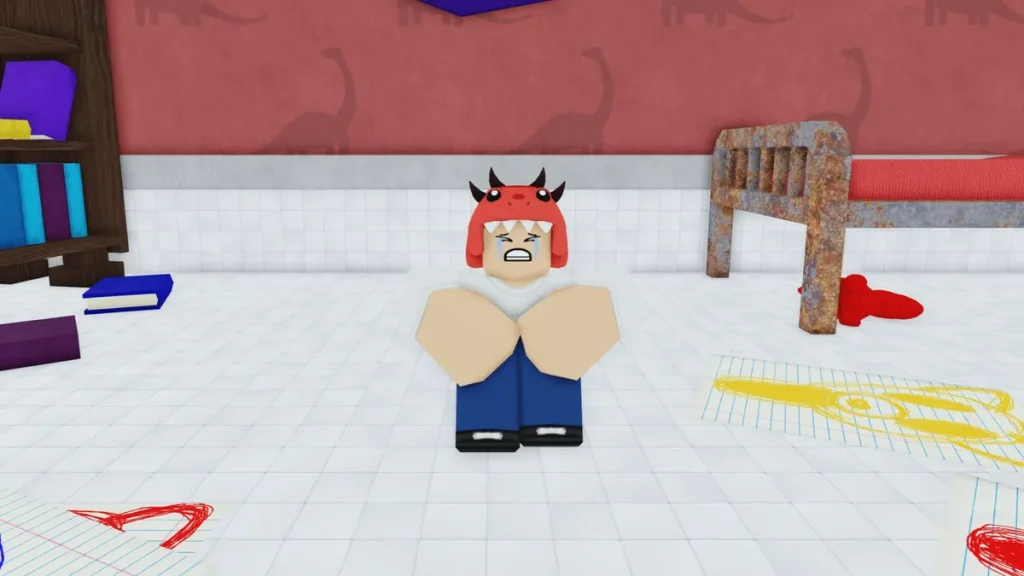
The 99 Nights in the Forest Badge Tracker currently contains 66 badge entries covering standard achievements and event-related challenges.
The total can change whenever Grandma’s Favourite Games releases a new update. Major additions may introduce new locations, classes, tools and objectives, creating additional badges for players to complete.
The tracker will need updating whenever new badges are added. A badge that appears in the game but is not yet shown here may have arrived through a recent update.
Older event badges may remain visible in the tracker even when their original event is no longer active. These are separated from standard badges so players can distinguish permanent objectives from limited content.
Do Badges Give Diamonds?
Many badges award Diamonds when completed for the first time.
Diamonds are a permanent currency used for unlocking classes and accessing other progression features. Completing badge challenges is therefore one of the best ways for new players to build an initial Diamond balance.
The number of Diamonds awarded depends on the badge. Straightforward objectives generally provide a smaller reward, while difficult, secret or time-consuming achievements may provide more.
Some recent or event badge rewards may not be confirmed. The 99 Nights in the Forest Badge Tracker only includes a reward in the Diamond total when a dependable value is available.
For additional currency methods, see our [How to Get Diamonds in 99 Nights in the Forest] guide.
Best Badges to Complete First
New players should begin with badges that naturally overlap with ordinary survival progression.
Focus on early survival milestones, gathering objectives, simple crafting tasks and introductory combat achievements. These can often be completed during the same game without requiring a specialised class.
A practical badge route is:
- Complete early survival milestones.
- Gather wood and upgrade the camp.
- Defend the camp from Cultists.
- Craft essential survival equipment.
- Rescue the missing children.
- Complete tool and trading objectives.
- Attempt difficult combat badges.
- Finish secret and specialist challenges.
Check the 99 Nights in the Forest Badge Tracker before starting a run. Selecting several compatible objectives can prevent you from repeating an entire game for one missed requirement.
How to Complete More Badges in One Run
The most efficient method is to group badges that use the same activity.
A survival run can potentially progress day milestones, food challenges, camp upgrades, child rescues, enemy kills and Stronghold objectives simultaneously.
Before entering the forest, choose several badges that complement one another. Do not attempt challenges requiring completely different strategies unless the team has enough time and resources.
For example, a normal completion run can include:
| Run Objective | Related Badge Progress |
|---|---|
| Reach Day 99 | Survival milestones |
| Rescue every child | Rescue and progression badges |
| Clear the Stronghold | Combat and exploration badges |
| Upgrade tools | Tool progression badges |
| Build camp equipment | Crafting and base badges |
| Play with friends | Team-based badges |
| Hunt animals | Combat, food and pelt badges |
Secret Badges in 99 Nights in the Forest
Secret badges usually hide some or all of their requirements.
These achievements may involve unusual deaths, hidden locations, specific item combinations or actions most players would not perform during an ordinary run.
The Humiliation badge is a well-known example. It requires the player to die to their own Bear Traps rather than being defeated by a normal enemy.
Secret badges can be difficult to discover without guidance because their descriptions may provide limited information. The 99 Nights in the Forest Badge Tracker identifies secret achievements where possible, allowing players to separate them from straightforward progression tasks.
We can create individual guides for the hardest secret badges and link them directly from this page.
Event Badges in 99 Nights in the Forest
Event badges are connected to temporary seasonal content or limited updates.
A Christmas, Valentine’s or other seasonal badge may require an item, location or character that is unavailable after the event finishes. These badges are separated inside the 99 Nights in the Forest Badge Tracker to prevent players from repeatedly attempting an inactive requirement.
Events can return or be replaced with new versions in future updates. When limited content becomes available again, the related badges may become obtainable for players who missed them previously.
Always check the current game update before beginning an event badge. A badge may remain visible even when its original activity is no longer running.
Why Is a Badge Not Unlocking?
A badge may fail to unlock because the full requirement has not been completed, the player left too early or another source caused the final action.
Common reasons include:
| Problem | Possible Solution |
|---|---|
| The requirement was only partly completed | Repeat the objective and finish every stage |
| Another player completed the final action | Attempt the objective alone or coordinate the team |
| The wrong tool was used | Check the exact item or weapon requirement |
| The player left before completion | Remain until the badge notification appears |
| An event has ended | Wait for the event to return |
| The server is outdated | Join a newly created server |
| The badge is temporarily bugged | Retry after a game update |
Some hidden challenges are very precise. A badge involving a particular death or enemy may fail when unrelated damage contributes to the result.
Does Badge Tracker Progress Affect Roblox?
No. The 99 Nights in the Forest Badge Tracker is an independent checklist provided by The Click.
Marking a badge as complete does not unlock it inside Roblox. Likewise, completing a badge in Roblox will not automatically tick it on this page.
The tracker gives players a convenient way to record their collection without repeatedly checking several menus. You must still complete every requirement in the official game to receive the Roblox badge and any associated reward.
How to Reset the Badge Tracker
Use the reset option inside the 99 Nights in the Forest Badge Tracker to clear all saved selections.
Resetting cannot normally be undone. Only use it when you want to begin a fresh checklist or the saved progress no longer matches your Roblox account.
Players sharing one computer should consider using different browser profiles. The tracker saves progress to the browser rather than identifying individual Roblox accounts.
Frequently Asked Questions
What is the 99 Nights in the Forest Badge Tracker?
The 99 Nights in the Forest Badge Tracker is an interactive checklist that lets players record completed badges, search the collection and monitor their achievement progress.
Does the badge tracker save progress?
Yes. Progress is saved locally in your browser and should remain available when you return using the same device and browser.
Do I need to register?
No. The tracker does not require an account, email address or Roblox login.
Does completing a tracker card unlock the Roblox badge?
No. The tracker is a personal checklist. You must complete the actual requirement inside 99 Nights in the Forest to unlock the official badge.
Can badges give free Diamonds?
Many badges provide a one-time Diamond reward. The amount depends on the difficulty and requirement of the achievement.
Are event badges included?
Yes. The 99 Nights in the Forest Badge Tracker includes a separate event category for limited and seasonal badge challenges.
Will new badges be added?
The tracker can be updated as new badges arrive through future game updates.
Why has my progress disappeared?
Tracker progress may disappear after clearing browser storage, changing browsers, using another device or browsing in a private window.
Can I use the tracker on mobile?
Yes. The badge cards and controls are designed to work across desktop, tablet and mobile screens.
The 99 Nights in the Forest Badge Tracker provides a much easier way to manage the growing list of survival, combat, collection and secret achievements. Mark each completed challenge, check how many badges remain and return whenever you are ready to continue the collection.
Completing badges can also provide valuable Diamonds for unlocking classes. Combine the 99 Nights in the Forest Badge Tracker with our class, animal and item trackers to monitor every major part of your account and gameplay progress.