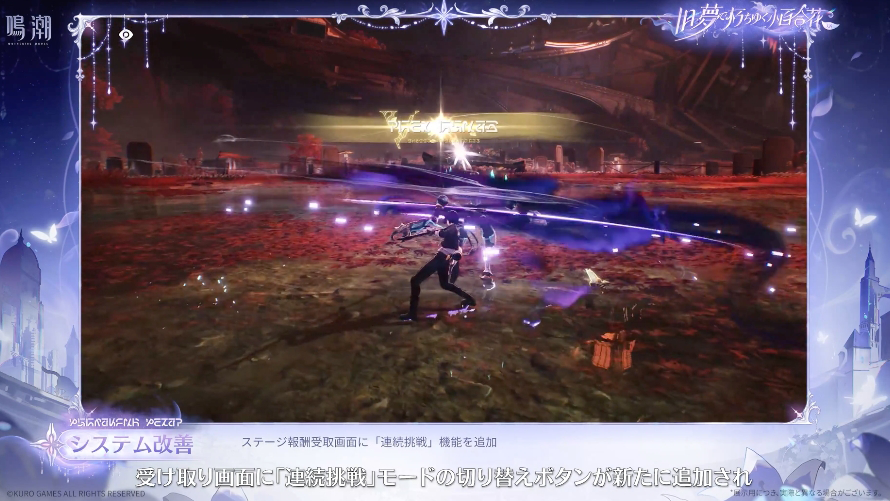
Wuthering Waves Blitz Mode is a faster way to repeat material challenges after the Version 3.8 update. Once you’ve finished a supported challenge, the new option lets you start another run while collecting your rewards, without going through the usual loading and re-entry process.
It works alongside a new Material Locator that helps you find challenges dropping the upgrade items you need. The two changes should make ascension farming less awkward, but they serve different purposes: Material Locator gets you to the right challenge, while Blitz Mode gets you straight into the next run.
How does Wuthering Waves Blitz Mode work?
Clear a material collection challenge as normal, then look for the Blitz Mode option when you claim your rewards. Kuro says selecting it restarts the challenge immediately. You don’t need to exit, open the activity again and wait for another loading screen.
This is a restart shortcut, not an automatic clear. You’ll still need to fight through the next attempt to earn its rewards. Kuro hasn’t announced extra drops or a reduced Waveplate cost for using the feature, so don’t factor either into your farming plans.
Kuro describes Wuthering Waves Blitz Mode specifically for material collection challenges. It doesn’t confirm that the new restart button works for every boss, weekly activity or Tactical Hologram challenge. Stick to the supported challenges shown in-game rather than expecting it everywhere.
How to use Material Locator
The new Material Locator appears in two places: the Guidebook’s Material Collection page and the Resonator Ascension Planner. It shows relevant challenges for the material you’re looking for and offers a way to travel to or start an eligible one.
- Open the Guidebook’s Material Collection page or Resonator Ascension Planner.
- Select the material you need for your Resonator or weapon upgrade.
- Use Material Locator to find a challenge that drops it.
- If the challenge is unlocked, teleport to it or start it using the available option.
- Complete the challenge, claim your rewards and choose Blitz Mode when you want another run.
The important word is unlocked. The locator isn’t a shortcut past story requirements or activities your account hasn’t opened yet. If a challenge isn’t available, you’ll still need to meet its normal entry conditions.
Can you farm materials without loading screens?
For eligible repeat runs, that’s the point of Wuthering Waves Blitz Mode. It cuts out the separate exit-and-restart sequence. It doesn’t mean every screen in the farming process disappears or that you never need to travel to a challenge for the first attempt.
With Wuthering Waves Blitz Mode, the practical routine is simple: locate the material, enter the challenge, clear it, claim rewards and restart. The time saved will depend on how many runs you do. It should be most noticeable when you’re farming the same material repeatedly for an ascension or weapon upgrade.
When will Blitz Mode be available?
The feature arrives with Version 3.8 on 12 November 2026. Maintenance is scheduled to end at 03:00 UTC on 12 November, which is 3:00 AM GMT or 10:00 PM EST on 11 November. That’s an estimated finish time; the servers could stay offline longer if maintenance is extended.
If you’re still playing Version 3.7, there won’t be a Wuthering Waves Blitz Mode button to find yet. Once 3.8 is installed, check a supported material challenge’s reward screen. The exact button wording in the live menu should be checked after release rather than guessed from a preview.
Does Blitz Mode change Waveplate costs?
Kuro’s preview doesn’t say it does. It describes a way to restart after a completed challenge, not a new reward system. Until the finished update confirms otherwise, plan around the normal requirements for each run and treat the quicker reset as a convenience feature.
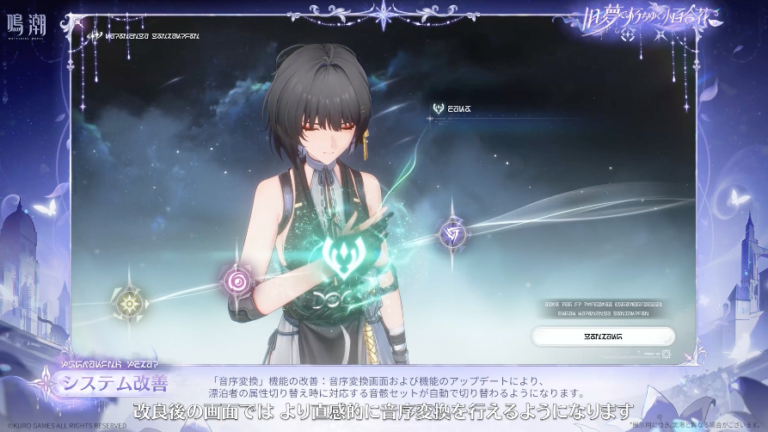
The Resonator Ascension Planner is also getting an Overview tab in 3.8. That’s separate from Material Locator and Blitz Mode, although all three additions should make it easier to plan and complete your material farming.
If you’re preparing a character now, check the items you actually need before starting. Our Suoming ascension materials guide is an example of how to map out a full upgrade, while our Version 3.8 update guide covers when these changes go live.
Official source: Kuro Games’ November 2026 Version 3.8 gameplay announcement.