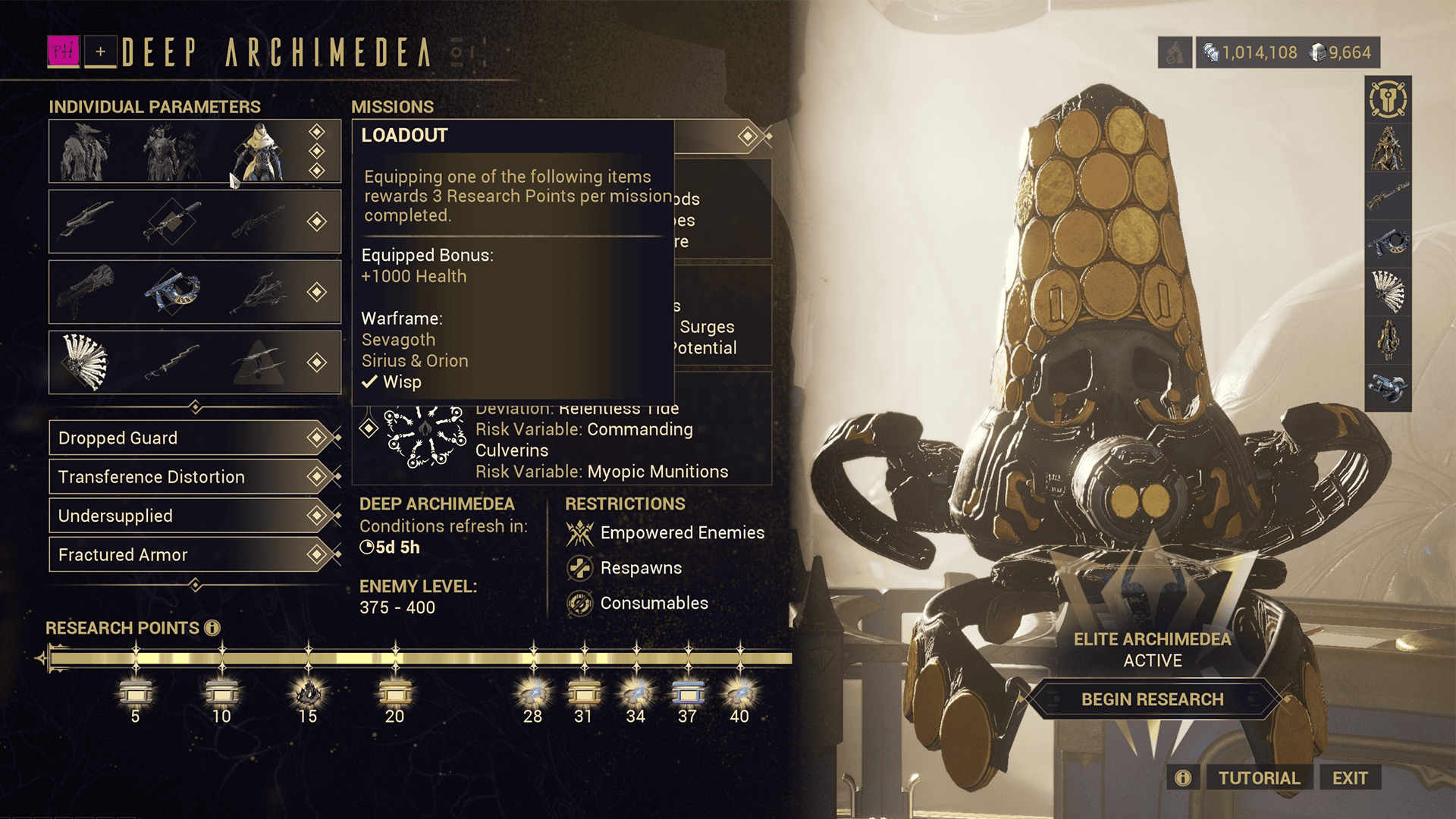
Warframe Archimedea Arsenal Boosts are the new positive buffs attached to the Individual Parameters you match when entering Deep Archimedea or Temporal Archimedea. Instead of the weekly suggested Warframe and weapons only limiting your loadout, Update 44 now gives each matching slot a meaningful stat bonus that can turn an awkward selection into something genuinely worth building around.
The confusing part about Warframe Archimedea Arsenal Boosts is that the boosts are personal. Players comparing the September 28 reset are seeing different values on their own accounts, so copying somebody else’s screenshot is not enough. You need to inspect your own Archimedea screen, read the boost tied to each parameter, then decide which suggested item makes the best use of it.
Warframe Archimedea Arsenal Boosts: What the New Buffs Actually Do
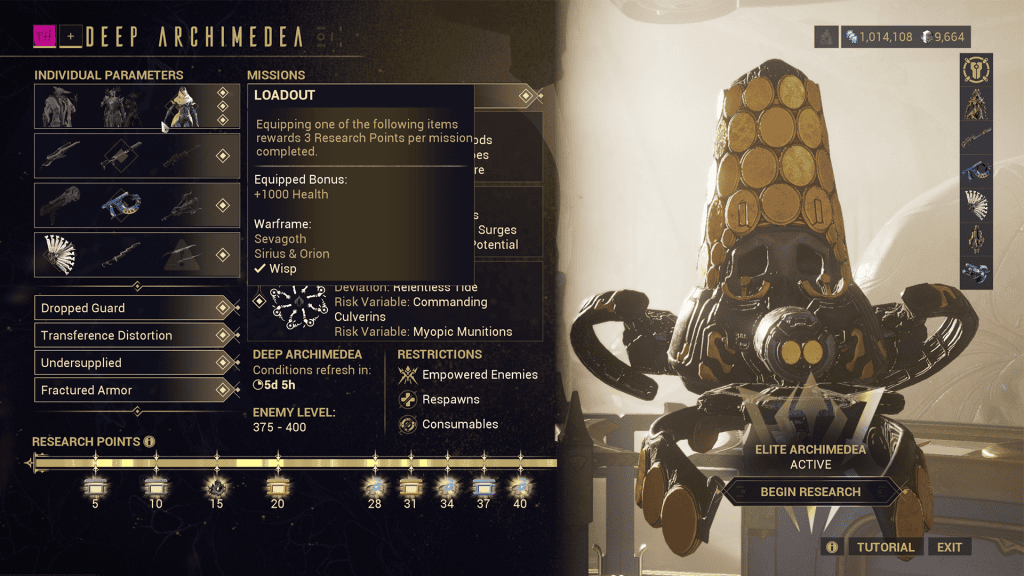
Warframe Archimedea Arsenal Boosts apply when your current Warframe or weapon matches the corresponding Individual Parameter. Digital Extremes says the buff is the same for every option within that parameter category, so the Primary boost does not change just because you swap from one suggested Primary weapon to another. The decision is therefore about which of your offered weapons benefits most from the stat that week.
This makes Warframe Archimedea Arsenal Boosts different from the Personal Modifiers that make a run harder. Arsenal Boosts are a reward for accepting the suggested gear, while Personal Modifiers are restrictions you activate for Research Points. Read both sides of the setup before committing, because a huge weapon bonus can offset a rough weekly restriction without removing that restriction.
| Parameter | How the boost works | What to compare |
|---|---|---|
| Warframe | A positive Warframe stat boost applies when you use a listed Warframe. | Strength, Duration, survivability or other displayed benefit versus the frame kit. |
| Primary | The displayed Primary boost applies to any matching listed Primary choice. | Whether your offered weapon scales well with the shown stat. |
| Secondary | The Secondary parameter carries its own weekly personal boost. | Critical, status or other displayed scaling on the suggested choices. |
| Melee | The Melee slot receives the boost shown beside that parameter. | Starting combo or another melee-focused stat versus your weapon build. |
Warframe Archimedea Arsenal Boosts: Where to See Your Buffs
You can see Warframe Archimedea Arsenal Boosts on the Archimedea preparation screen before launching the mission. Open the mode through its usual vendor interface, then look at the Individual Parameters and the loadout panel on the right side. The relevant boost is displayed with the parameter rather than hidden in the Arsenal after you have already committed.
If Warframe Archimedea Arsenal Boosts look different from a friend’s screen, that is expected based on the first live reset. Current players are reporting different personal combinations, which fits the system’s role as an account-specific weekly loadout puzzle. Compare strategies with other players, but use your own UI for the numbers that actually apply to your run.
Warframe Archimedea Arsenal Boosts: September 28 Examples
The first live week of Warframe Archimedea Arsenal Boosts has produced some extremely strong combinations. Players have reported examples such as +200% Ability Strength, +300% Status Chance, +150% Critical Chance with +150% Critical Multiplier, +40 Melee Starting Combo, +1000 Health and +300% Weak Point Multiplier. These are examples from individual accounts, not a universal September 28 list.
That distinction matters because Warframe Archimedea Arsenal Boosts are not a fixed guide answer where everybody equips the same frame and weapon. A +200% Strength week strongly favors a frame that can turn that bonus into damage, buffs or survivability, while a huge status bonus is wasted on a weapon that was never built to make good use of status effects.
Warframe Archimedea Arsenal Boosts: How to Choose the Best Loadout
The easiest way to use Warframe Archimedea Arsenal Boosts is to start with the largest bonus, then work backward through the actual gear you own. Check whether the suggested item is built, forma’d and comfortable enough for Archimedea, then look at the weekly mission modifiers. A spectacular bonus does not rescue a weapon that cannot handle the mission objective or a frame that clashes badly with the Personal Modifiers.
You also do not have to chase every one of the Warframe Archimedea Arsenal Boosts if your Research Point target lets you leave a parameter behind. Update 44 raised the value of the selected Warframe parameter and moved the final reward to 40 points, which gives experienced players more room to choose one strong comfort weapon instead of forcing every suggested slot.
Warframe Archimedea Arsenal Boosts: How They Fit With Modifier Groups
The September 28 reset is also the first week using the new four-group Personal Modifier system, so Warframe Archimedea Arsenal Boosts should be read alongside those four weekly negatives. One modifier is selected from each group to avoid the most punishing combinations, but the Arsenal side still determines whether the offered gear feels good enough to take advantage of the positive buffs.
In practice, Warframe Archimedea Arsenal Boosts make the weekly preparation screen more important than it used to be. Spend a minute reading the boost on every parameter, pick the gear that genuinely scales with those stats, and only then decide how many restrictions you need for the reward tier you are targeting.
More Warframe Guides
- Warframe Archimedea Personal Modifier Groups Explained
- Warframe Deep Archimedea Reset: Modifier Groups and Weekly Changes
- How to Lock Riven Traits in Warframe: Cost, Rules and Best Uses
- How to Get Entropic Kuva in Warframe: Best Farming Methods and Uses
- How to Kill Entropic Eximus in Warframe: Bubble, Melee and Iceblade Buff
- How to Get Narin in Warframe: Blueprints, Entropic Kuva and Drop Locations
- How to Unlock Yuvan Peak in Warframe: Quest Requirements and Location
- Warframe Hidden Narin Puzzle: Neote Rapier Requirements and LR1 Check
Official source: Warframe Update 44: Iceblade of Narin