The Division 2 Twitch Drops not showing after you have watched a qualifying stream? Before changing accounts or starting another four-hour watch session, check whether Twitch actually marks the reward as Claimed. Reaching a watch milestone and claiming the reward are two separate steps.
For The Division 2, the other common point of confusion is account linking. Twitch must be connected to the Ubisoft Connect account associated with the PC, PlayStation or Xbox profile where you play. If the progress bar is complete but nothing has turned up in the game, work through these checks in order.
The Division 2 Twitch Drops not showing: first checks
Start with the Twitch side. Open your Drops Inventory and find the campaign and reward you were actually watching for. There are three different situations, and each needs a different response:
| What you see | What to do |
|---|---|
| Progress is not at 100% | Keep watching an eligible, Drops-enabled partner stream while the campaign is running. |
| Reward is unlocked but not claimed | Use the Claim control in Twitch Drops Inventory. |
| Reward says Claimed, but the game has no item | Check Ubisoft Connect and your linked gaming platform before contacting support. |
If your progress is not moving, check the stream itself. Ubisoft specifies partnered content creators with Drops enabled, not every person broadcasting The Division 2. Moving between eligible channels is fine because the watch time accumulates. Having two streams playing at the same time is not a reliable way to double that progress.
If The Division 2 Twitch Drops not showing is the problem during Echoes of Central Park, check the event dates. The launch drops ran from 3 to 10 November 2026; the Event Pass drops run from 10 to 17 November 2026. Each campaign has different rewards.
The Division 2 Twitch Drops not showing: check Ubisoft Connect links
When The Division 2 Twitch Drops not showing is the issue even though Twitch says Claimed, check your Ubisoft Connect account. Twitch and the PC, PlayStation or Xbox profile you play on should link to the same Ubisoft account. A completed claim on an old login won’t help your usual character.
- Confirm which Twitch login earned and claimed the drop.
- Confirm that Twitch login is linked to the intended Ubisoft Connect account.
- Check that your PC, PlayStation or Xbox profile is associated with the same Ubisoft account.
- Sign into The Division 2 on that platform after claiming the reward.
- If the item is still missing, keep a screenshot of the Twitch tile showing its claimed state and reward name for Ubisoft Support.
A common reason for The Division 2 Twitch Drops not showing is an old Ubisoft account link. A reward claimed with a spare Twitch or Ubisoft account won’t automatically move to your regular gaming profile. Check which account you used before assuming the drop has disappeared.
Avoid repeatedly disconnecting and reconnecting accounts as a first move. Changes to linked platform accounts can have restrictions; Ubisoft’s campaign announcement does not promise that relinking will instantly move an already claimed reward to another account. Verify the existing connections before making changes.
The Division 2 Twitch Drops not showing? Check the right campaign
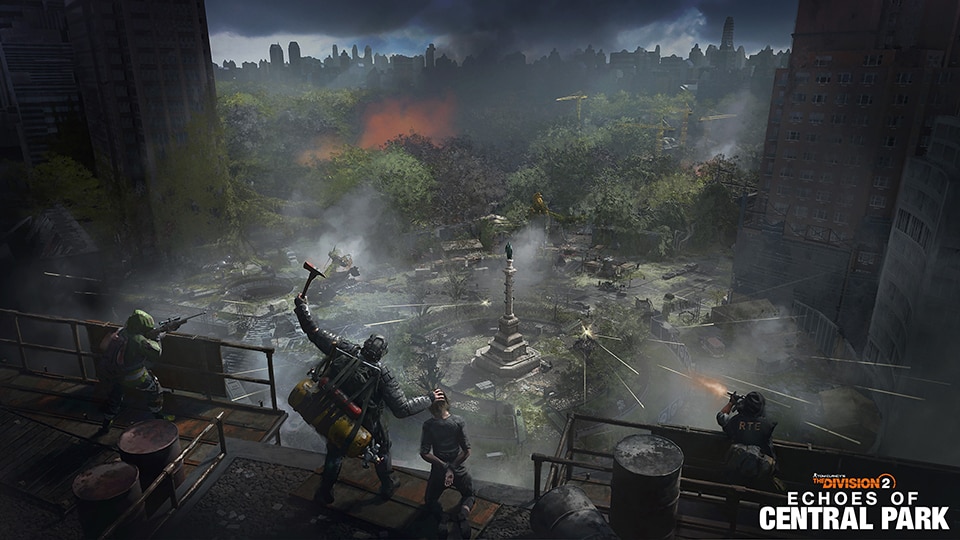
The 10–17 November Event Pass Twitch campaign contains five rewards: Gnarled Arm Patch at 30 minutes, Named Cache at one hour, Wrong Path Arm Patch at two hours, Exotic Cache at three hours and The Block Weapon Skin at four hours. Those times represent total eligible viewing time in that campaign.
If you were expecting The Block at four hours but only have an Outfit Token, you may be remembering the earlier 3–10 November launch Twitch Drops. That earlier campaign offered Central Park Arm Patch, Named Cache, Bird Skull Backpack Trophy, Exotic Cache and Outfit Token instead. The two reward lists are not interchangeable.
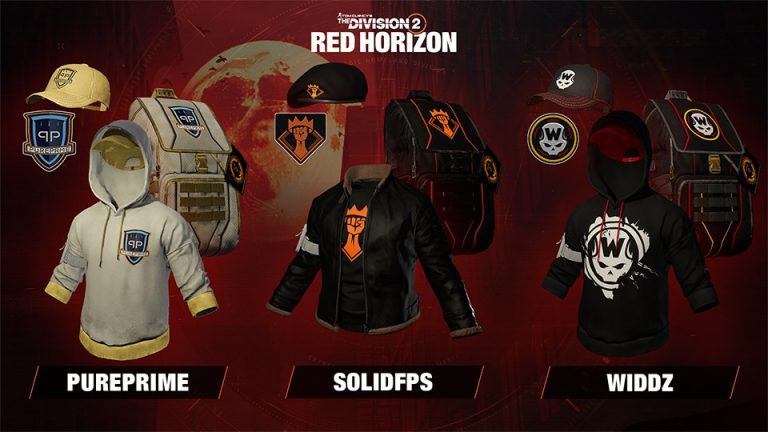
Also remember that the free Event Pass track is not a Twitch Drop. Its Mire Mask, Thorn Mask, matching weapon skins, Guardian Outfit and two Named Item Caches are earned through Event Pass progression, not Twitch watch time. If one of those is missing, inspect the game’s Event Pass progress rather than Twitch Inventory.
What if The Division 2 Twitch Drops are still not showing after claiming?
After confirming Claimed status and the correct linked accounts, sign out of the game and start it again on the intended platform. Give account delivery a little time to catch up. Ubisoft’s announcement says to log into the game after claiming, but it does not publish a universal delivery guarantee measured in minutes or a single inventory screen for all reward types.
If The Division 2 Twitch Drops not showing remains the problem, contact official Ubisoft Support. Include the campaign name, the exact reward, your platform and a screenshot showing the Twitch item as Claimed. That gives support something concrete to check. Do not include passwords, two-factor codes or recovery details.
Do not assume the 24 November Event Pass deadline keeps the Twitch promotion open until then. For the current Echoes of Central Park drop campaign, Ubisoft gives 17 November as the closing date; no exact UK cutoff hour was given in its public news post. Use the Twitch campaign countdown for the precise remaining window.
How to avoid The Division 2 Twitch Drops not showing next time
Before you start another campaign, make a quick habit of checking the Ubisoft Connect link, your gaming platform, the creator’s Drops-enabled status and the campaign dates. Keep the Twitch Drops Inventory open between milestones and claim the rewards as they appear. It is far easier to spot a stalled progress bar after 30 minutes than after an entire evening watching the wrong channel.
For this event, the four-hour reward is the Block weapon skin. If that particular skin is what you want, follow our separate The Block weapon skin guide after sorting the account connection. It explains the final milestone without mixing it up with the premium Event Pass cosmetics.
The Division 2 Twitch Drops not showing: related guides
- The Division 2 Echoes of Central Park Twitch Drops: Five Rewards
- The Division 2 The Block Weapon Skin: Four-Hour Twitch Drop
- The Division 2 Echoes of Central Park Free Event Pass
- The Division 2 Echoes of Central Park Premium Event Pass
- The Division 2 Red Moon Unleashed Twitch Drops
- The Division 2 Legacy Twitch Drops
- The Division 2 Creator Collaboration Rewards
- The Division 2 Red Moon Unleashed Event Keys
Official publisher source: Ubisoft’s The Division 2 Event Pass Twitch Drops announcement.