Knowing how to sell items to collectors in Storage Hunter Simulator can help you unlock rewards that you won’t get from an ordinary pawnshop sale. Collectors want specific goods, so load the requested item into your vehicle, park close to the collector and speak to them to hand it over.
These deliveries build favour instead of bringing in the cash you’d get from a pawnshop. Check a collector’s wishlist before selling anything unusual.
How to Sell Items to Collectors in Storage Hunter Simulator
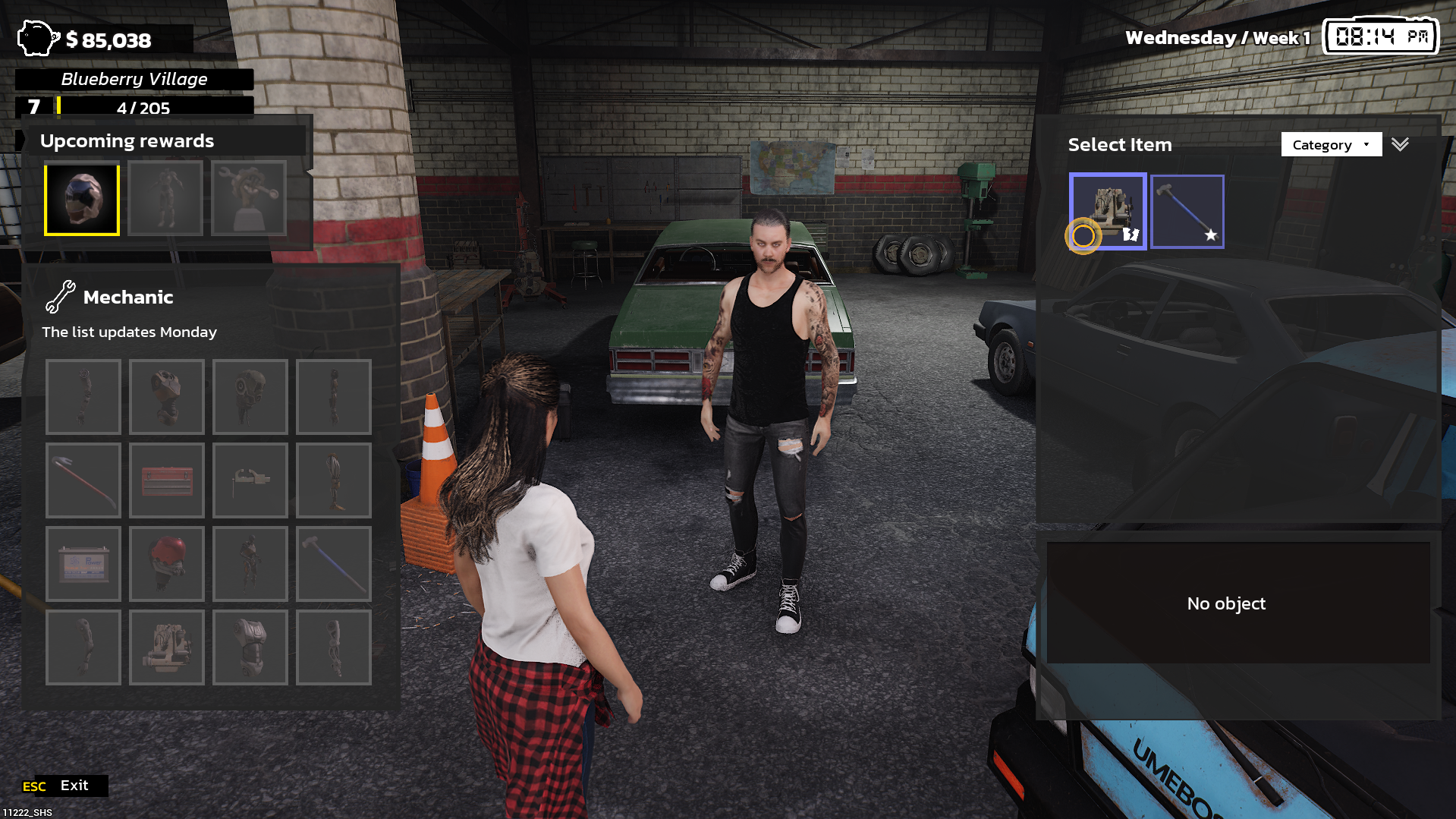
A good place to start is the Mechanic in Blueberry Village, across the road and slightly north of the pawnshop. Look for the wrench icon on your map. Speak to him and look at the requested items on the left of his screen. The selection panel on the right shows goods available to give him. Bring the correct item in your vehicle, park near him, select the item and choose Give.
Check the item’s rarity as well as its name. A collector asking for a common screwdriver may not accept a screwdriver of a different rarity, even though the objects look alike. The same applies to android parts and other equipment, so compare both details with the wishlist before making the trip.
When Do Collector Wishlists Refresh?
The Mechanic, Archaeologist and Doomsday Prepper have a weekly allowance for deliveries, with a fresh set of requests each Monday in game. Your accumulated favour carries over, so you can finish earning a reward across several weeks. Once you’ve fulfilled a request, you can keep spare copies for another week if you’ve got room at home. There’s no need to keep driving back to the same collector with identical goods after they’ve accepted the current request.
Vehicle-part collectors work differently. Their lists track the individual parts needed for a collection rather than rotating through weekly requests. Check which parts are still missing before deciding what to store. A duplicate of a part you’ve already handed in won’t advance that collection again.
How to Sell Items to Collectors in Storage Hunter Simulator if an Item Isn’t Showing Up
If the goods aren’t appearing in the selection panel, move your vehicle nearer to the collector and check the wishlist again. If you’ve packed the item inside another container, try taking it out and carrying it over to the collector. Recheck its rarity and whether you’ve already fulfilled that request before making another journey.
If you’re learning how to sell items to collectors in Storage Hunter Simulator, the collector symbol on the item information is particularly useful. On PC, an illuminated symbol indicates that the item is currently wanted. An item associated with a collector isn’t necessarily requested right now, particularly if you’ve already completed that week’s request.
Collector Rewards and Co-op Progression
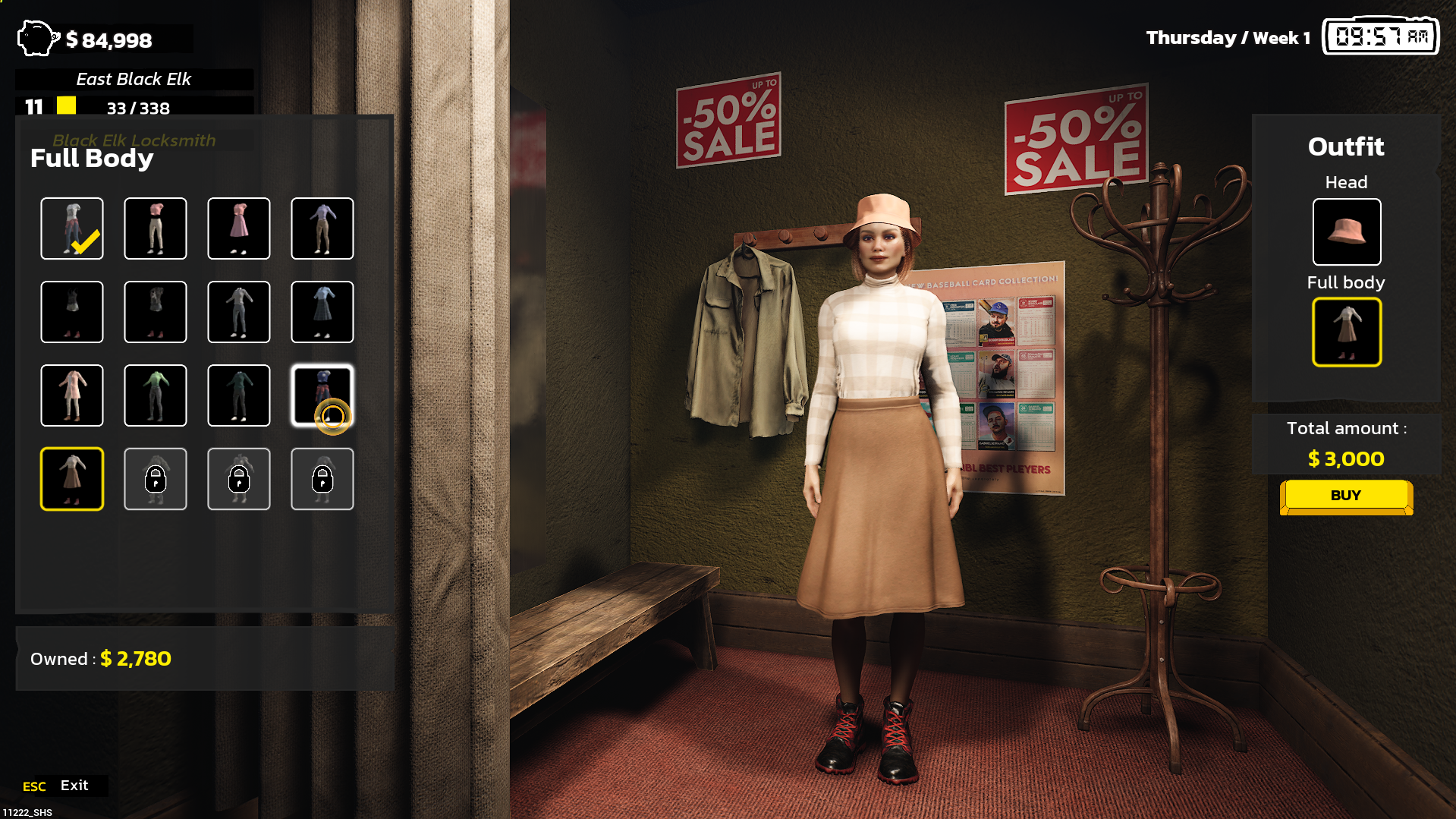
Rewards include special outfits and statuettes, while vehicle-part collections can lead to exclusive cars. In co-op, collector progression and unlocked purchase options are shared across the group. Keep your teammates informed about reserved items before anyone sells them at the pawnshop.
If you’re working towards a particular collection, check its reward panel first. It’s worth keeping the right items in your house storage rather than mixing them in with stock headed for an employee-managed pawnshop.
Official source: Collectors and Customization update.
Related Guides
Knowing how to sell items to collectors in Storage Hunter Simulator is especially useful when you’re sorting auction finds. These guides cover the rest of the process, from bidding to preparing stock for sale.
How to Change Your Appearance in Storage Hunter Simulator
How to Appraise Items in Storage Hunter Simulator
How to Sell Items in Storage Hunter Simulator
How to Win Storage Auctions in Storage Hunter Simulator
How to Win Blind Auctions in Storage Hunter Simulator
How to Automatically Sell Items in Storage Hunter Simulator