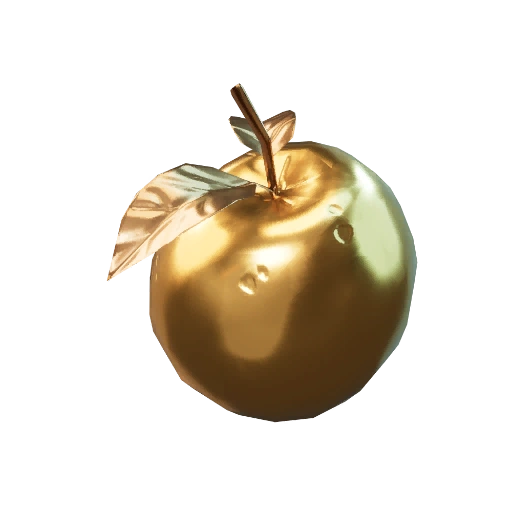
Fortnite low gravity 500 metres quest is about travelling 500 metres through the air while low gravity is active. The easiest way to try it in Treasure Hunters is with a Golden Apple. Eat one, start jumping, and keep moving while the effect lasts.
You don’t need a special location or a boss fight. You do need the low-gravity effect running as you move through the air. That’s the part to pay attention to if the challenge counter won’t budge.
How to complete the Fortnite low gravity 500 metres quest
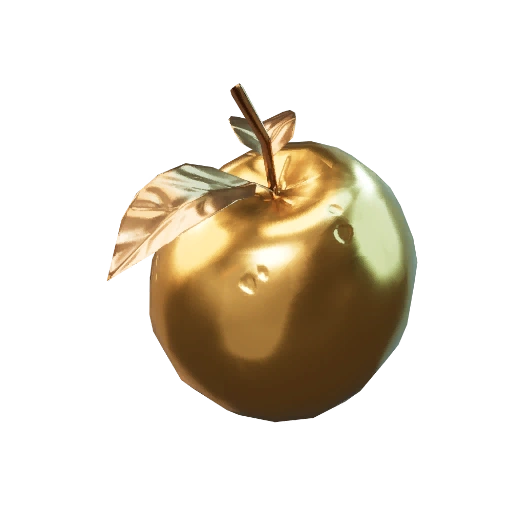
Track the Week 1 objective in your Quests tab, then find a Golden Apple. Once you’ve eaten it, jump repeatedly and move forward while airborne. Check the counter after the effect wears off. If you’re short of 500 metres, look for another apple and repeat.
- Search for a Golden Apple while looting, particularly in Produce Boxes.
- Move to an area where you can jump or travel through the air without falling into a dangerous fight.
- Consume the Golden Apple to activate its low-gravity movement effect.
- Jump and keep moving while the effect lasts, preferably from safe, modest slopes or gaps rather than a fatal drop.
- Check the challenge tracker, then repeat with another apple if you still need distance.
The Fortnite low gravity 500 metres quest doesn’t ask you to cover the distance in one huge jump. A series of smaller jumps is safer, especially near the edge of the island. Walking or sprinting on the ground isn’t the same as travelling through the air.
Where to find Golden Apples in Treasure Hunters
Look for Produce Boxes while looting. Epic increased the chance of finding Golden Apples in them when Treasure Hunters launched, but there’s no guaranteed box or exact drop rate. Search kitchens and other places where you find produce boxes, and carry on if a spot comes up empty.
Golden Apples also restore 40 effective health, with excess healing able to reach your Shield. That helps you survive, but the challenge is about the movement effect, not the healing.

Best route for the Fortnite low gravity 500 metres quest
A quiet stretch of land with a gentle slope is ideal. Save the apple until you’re somewhere you can move without being shot at. As soon as you eat it, run and jump along your intended route rather than stopping to search more buildings.
Crossbones Isle has cannons for quick travel, but there’s no need to make the Fortnite low gravity 500 metres quest depend on a cannon launch. The simplest method is to jump while the apple’s low-gravity effect is visible and watch the tracker.
Why isn’t low-gravity distance counting?
If your counter stays at zero, check the timing. The Golden Apple’s low-gravity effect is temporary, so travelling after it expires won’t help. Epic says the effect lasts slightly longer than before, but hasn’t given a precise duration in seconds.
Make sure you’re actually airborne. Jumping after the buff ends, running on the ground or travelling with some unrelated mobility effect won’t necessarily meet the wording. Stick to regular jumps under low gravity if a more elaborate attempt isn’t counting.
Does the Fortnite low gravity 500 metres quest reset each match?
You can build up the 500 metres over several jumps. The objective doesn’t specify in a single match, unlike some other Treasure Hunters challenges. Keep an eye on your live quest progress so you know how much is left.
Completing the Fortnite low gravity 500 metres quest awards 20,000 XP. If you find a Golden Apple while working on other weekly quests, it’s worth using the low-gravity time instead of saving the item indefinitely.
Official source: Epic Games’ Treasure Hunters update notes.