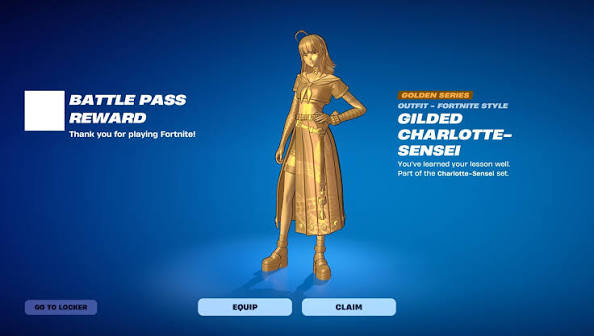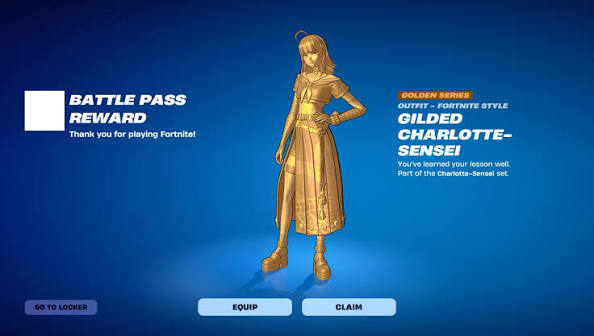
Fortnite Gilded Charlotte-Sensei not showing up after the Battle Pass reward screen? You’re not the only one. Both of the accounts we checked at The Click on November 24 received the notification, but neither could find the gold outfit in the Locker afterwards.
One of those accounts is almost level 200. We checked the regular Charlotte outfit’s edit styles there, too, with no sign of the gold version. The other account hadn’t even unlocked regular Charlotte yet. That makes this more interesting than an ordinary case of a player missing a Battle Pass level.
Fortnite Gilded Charlotte-Sensei not showing up: What we saw in-game
The notification identifies Gilded Charlotte-Sensei as a Golden Series outfit for Fortnite Style and calls it a Battle Pass reward. There are buttons to claim it, equip it and go straight to the Locker. We can confirm the notification appeared, but we haven’t established whether the game successfully added the cosmetic to either account.
Fortnite Gilded Charlotte-Sensei not showing up: Check the Outfit category
Before writing off the reward, try Epic’s usual missing-item checks. Open the Locker and select Outfits, then open Sort and Filter at the top right. Clear any active filters and apply the changes. If the heart beside the search bar is filled in, turn it off so that you can see outfits that aren’t marked as favourites.
Search for Charlotte and Gilded separately. A broad search is worth trying in case the hyphen or the full cosmetic name is making it harder to find. If your search is still empty, head back into Sort and Filter and choose Archived. An archived outfit stays on your account but is hidden from your normal collection. If you find it there, unarchive it.
Fortnite Gilded Charlotte-Sensei not showing up in Edit Style?
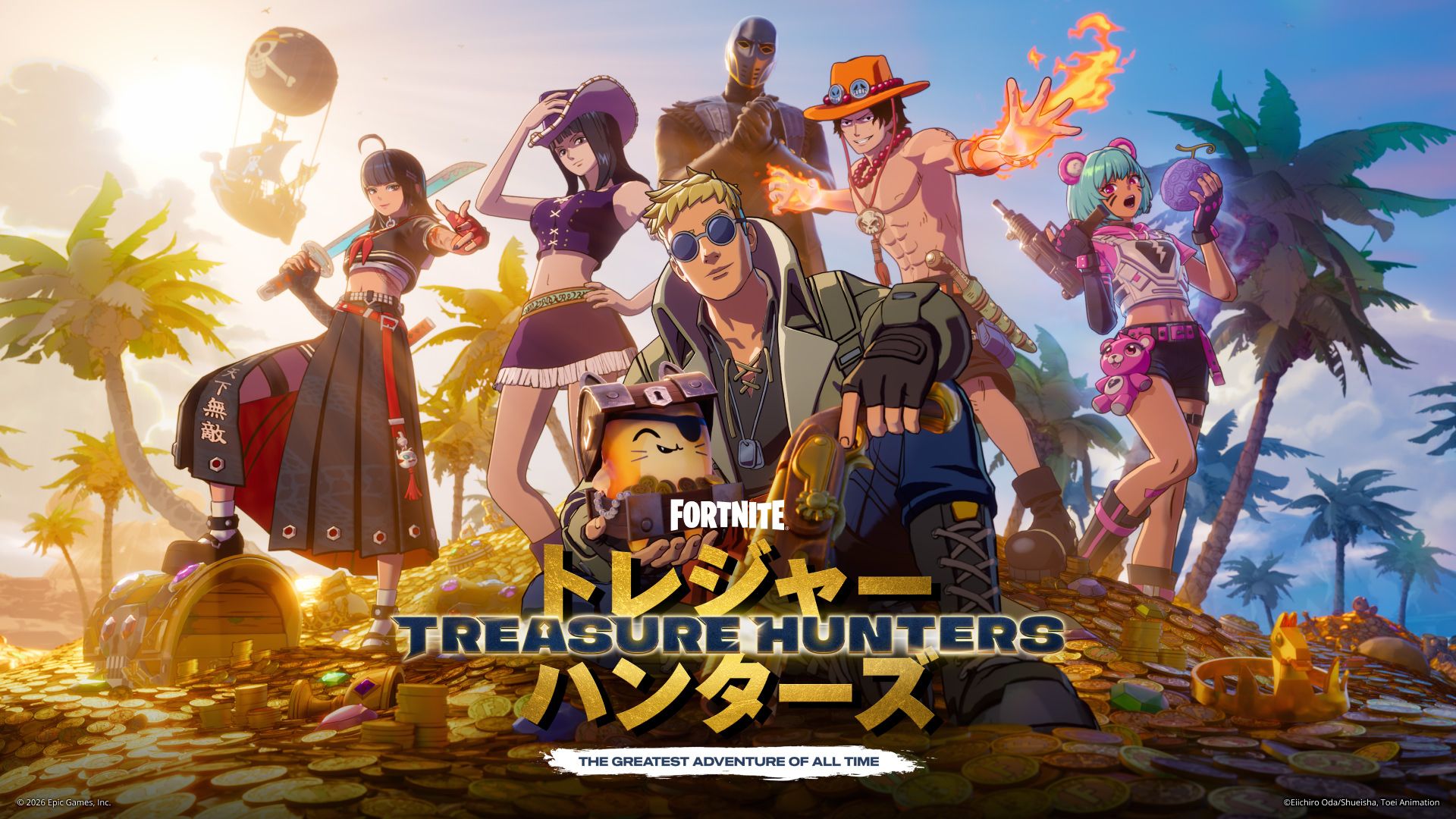
Players who already own Charlotte-Sensei can inspect her edit styles, although we tried this without success. If you haven’t unlocked the original Charlotte outfit, that doesn’t prevent the gold reward screen from appearing: we saw it ourselves on an account in that position.
There’s no verified requirement to claim Charlotte’s regular outfit before using this one, so buying Battle Pass levels isn’t a reliable solution. The screen describes a new outfit, not a style unlock.
Fortnite Gilded Charlotte-Sensei not showing up after restarting Fortnite?
If you haven’t already restarted the game, it’s worth closing Fortnite completely and logging back into the same Epic account. That’s a general refresh of the game, not a proven fix for this reward. Epic also recommends checking you’re viewing the right account when cosmetics are missing, especially if you play across different platforms.
Fortnite Gilded Charlotte-Sensei not showing up: Has Epic confirmed a fix?
As of our November 24 checks, we haven’t found a Charlotte-specific acknowledgement or a verified fix from Epic. A missing reward on two accounts doesn’t establish how widely this is happening, or whether the problem is with the grant itself or the Locker.
If the outfit remains missing, Epic recommends searching its support site for the exact cosmetic name to check for a known issue. If none is listed, contact support with your platform, approximate login time, Battle Pass progress and a screenshot of the reward. Mention whether you selected Claim or Equip if you remember. That gives support something more specific to investigate than a report about an unnamed gold skin.
Related Guides
- Fortnite Gilded Charlotte-Sensei
- Fortnite Treasure Hunters
- Fortnite Treasure Hunters Reward Missing From Locker
- Fortnite Gold Outfit Chest Animation
- Fortnite You Found Treasure But No Reward
- Fortnite Treasure Hunters Week 4 Quests
- Fortnite Chapter 8
- Fortnite Chapter 8 Release Date
- Fortnite Treasure Hunters Landing Spots
- Fortnite Golden Week
Official source: Epic Games’ missing Fortnite Locker item guidance.