Fortnite cross-progression lets you use the same Fortnite progression, Locker and most purchased content across supported platforms when those platforms are linked to the same Epic Games account. You are not transferring progress back and forth each time you change device; every linked platform is accessing the Fortnite data stored on that Epic account.
How Fortnite cross-progression works
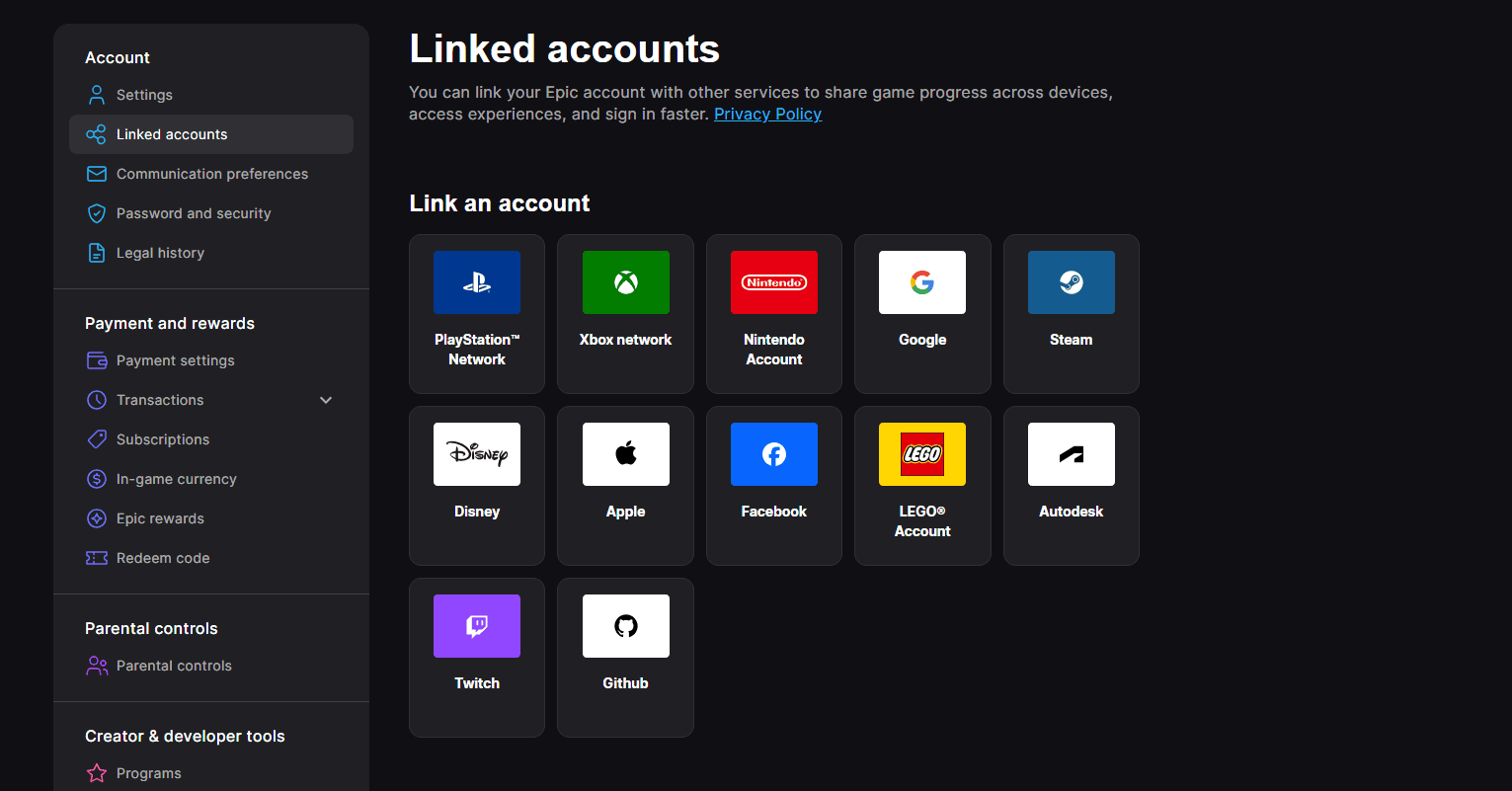
The foundation of Fortnite cross-progression is the Epic Games account. Link your PlayStation, Xbox, Nintendo and other supported accounts to the same Epic account, then sign into Fortnite on those devices. When the links are correct, the same Fortnite progression appears across them.
- Battle Pass and account progression follow the Epic account.
- Locker cosmetics are available across linked platforms.
- Most purchased Fortnite content is shared.
- Friends and other Epic-account data follow the same account.
- Separate Epic accounts do not automatically merge when you connect a console.
What does Fortnite cross-progression share?
Epic says Fortnite items are shared between platforms linked to the same Epic account. That makes Fortnite cross-progression especially useful if you move between PC and console, replace a console, or sometimes play Fortnite on mobile. Buying an Outfit on one linked platform normally makes that Outfit usable on the others.
The major currency exception is Nintendo Switch V-Bucks. Epic states that V-Bucks bundles purchased on other platforms are not shared with Nintendo Switch, and Switch-purchased V-Bucks are not shared with the other platforms. Items bought with those V-Bucks still become normal Locker items tied to the Epic account.
How to set up Fortnite cross-progression correctly
- Identify the Epic account that contains the Fortnite progression you want to keep.
- Sign in to that account on the Epic Games website.
- Open Linked accounts.
- Connect each platform account you want to use.
- Launch Fortnite on each device and verify the same Locker and progression appear.
The most important step in Fortnite cross-progression is choosing the right Epic account before linking a console. If your good Fortnite Locker is on Epic Account A and you accidentally link the new console to Epic Account B, the console will show Account B’s progression instead.
Does Fortnite cross-progression merge two Fortnite accounts?
No. Fortnite cross-progression does not merge separate Epic accounts. Epic explicitly says Fortnite progress from two different Epic accounts cannot be combined. If you have one set of skins on one Epic account and another set on a second account, linking a console does not pour both collections together.
This is also why unlinking and relinking should not be treated as a transfer tool. The Fortnite progress remains attached to whichever Epic account earned or purchased it.
What happens when you buy a new console?
You do not need to start again. With Fortnite cross-progression, sign into or link the new console profile to the same Epic account that owns your Fortnite progress. Once connected correctly, the new device should show the same Locker and progression.
If the new console already has a different Fortnite account attached, stop and identify what is linked before changing anything. Epic can place restrictions on swapping platform accounts of the same type, and removing a linking restriction is not something you can repeatedly do whenever you like.
Common Fortnite cross-progression problems
- Empty Locker: you are probably using the wrong Epic account.
- Different V-Bucks balance on Switch: this can be normal because of the wallet exception.
- Old console name on Epic: linked-account display names can take time to sync.
- Two different progress sets: they cannot be merged into one Epic account.
When Fortnite cross-progression is configured correctly, changing device should feel uneventful: sign in, launch Fortnite and continue where you left off. If the Locker suddenly looks wrong, investigate the account link before buying anything or creating another Epic account.
The simplest rule for Fortnite cross-progression is one main Epic Games account, with every platform you use linked to that account. Keep that structure consistent and your Fortnite progression stays far easier to manage.
A useful final check is to open Fortnite on each linked platform before you retire or sell an old console. Confirm the Locker, recent quests and account level match. That quick comparison can expose a wrong Epic login while you still have easy access to the older device.
For current game news, platform availability and official Fortnite information, visit the official Fortnite website.
More Fortnite from The Click
Fortnite guides, events, news and updates