Dead by Daylight Discord linking unlocks a Discord Logo Badge and one million Bloodpoints on PC, alongside the option to invite Discord friends straight into your party. The feature arrived with update 10.3.0 on 24 November and can be set up through the game itself.
You’ll find the linking option in both your Friends List and the Social tab of Settings. If you’re on console, however, you won’t see the feature yet, since the integration is currently limited to PC.
How to Set Up Dead by Daylight Discord Linking
Open the in-game Friends List on PC and select the Discord icon beside Add Friend. From there, choose Link Account, complete the authorisation in Discord and return to the game, where you’ll see the confirmation once your accounts are connected.
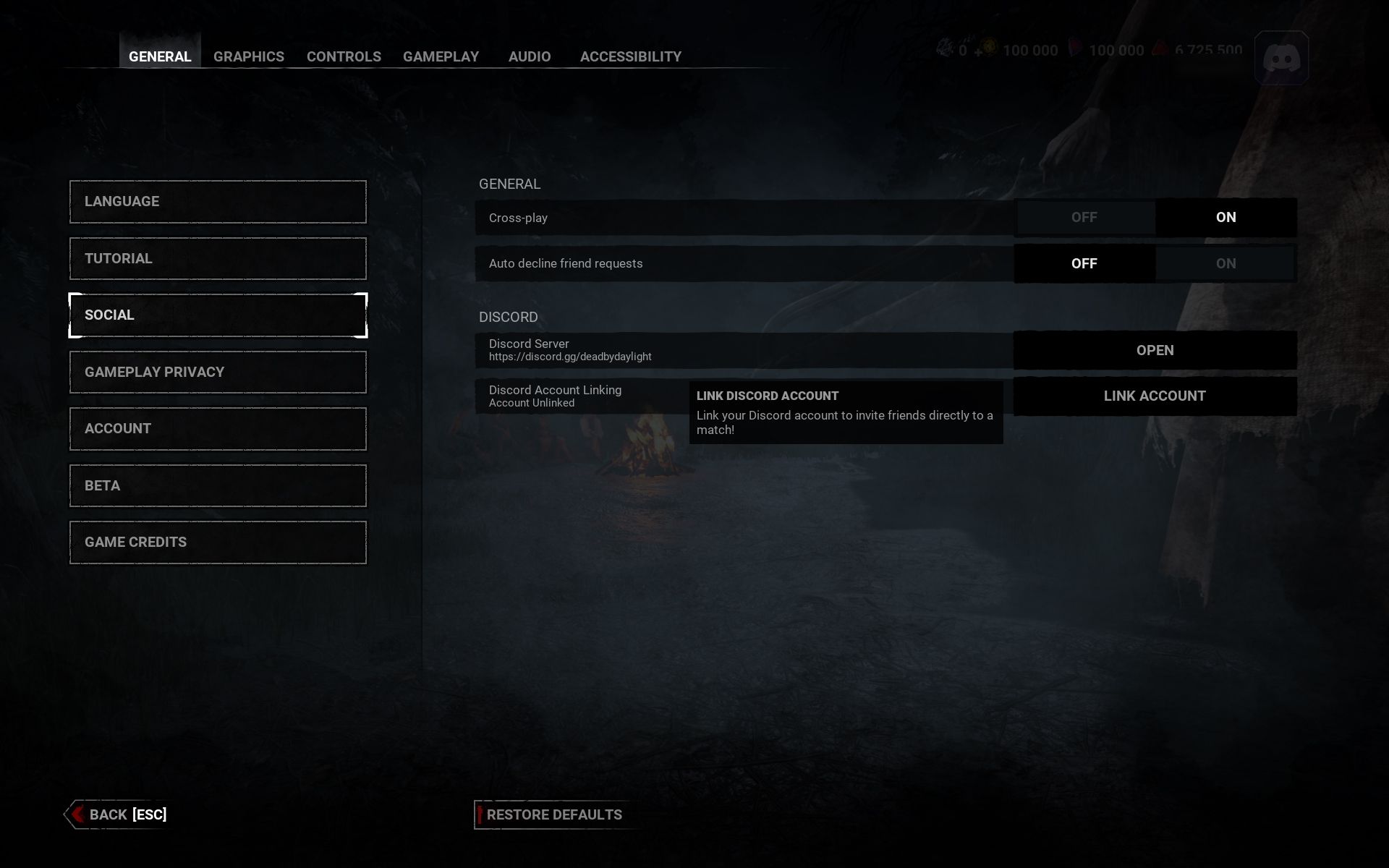
Alternatively, open Settings, switch to the Social tab and select Discord Linking. Choose Link Account to bring up the same authorisation screen, so there’s no need to go through both menus.
You can start Dead by Daylight Discord linking without opening the game’s settings, too. When you see the Dead by Daylight logo beneath a player’s name in Discord, select it to open the overview, choose Link your account! and then select Authorize.
How to Get the Free Discord Badge and Bloodpoints
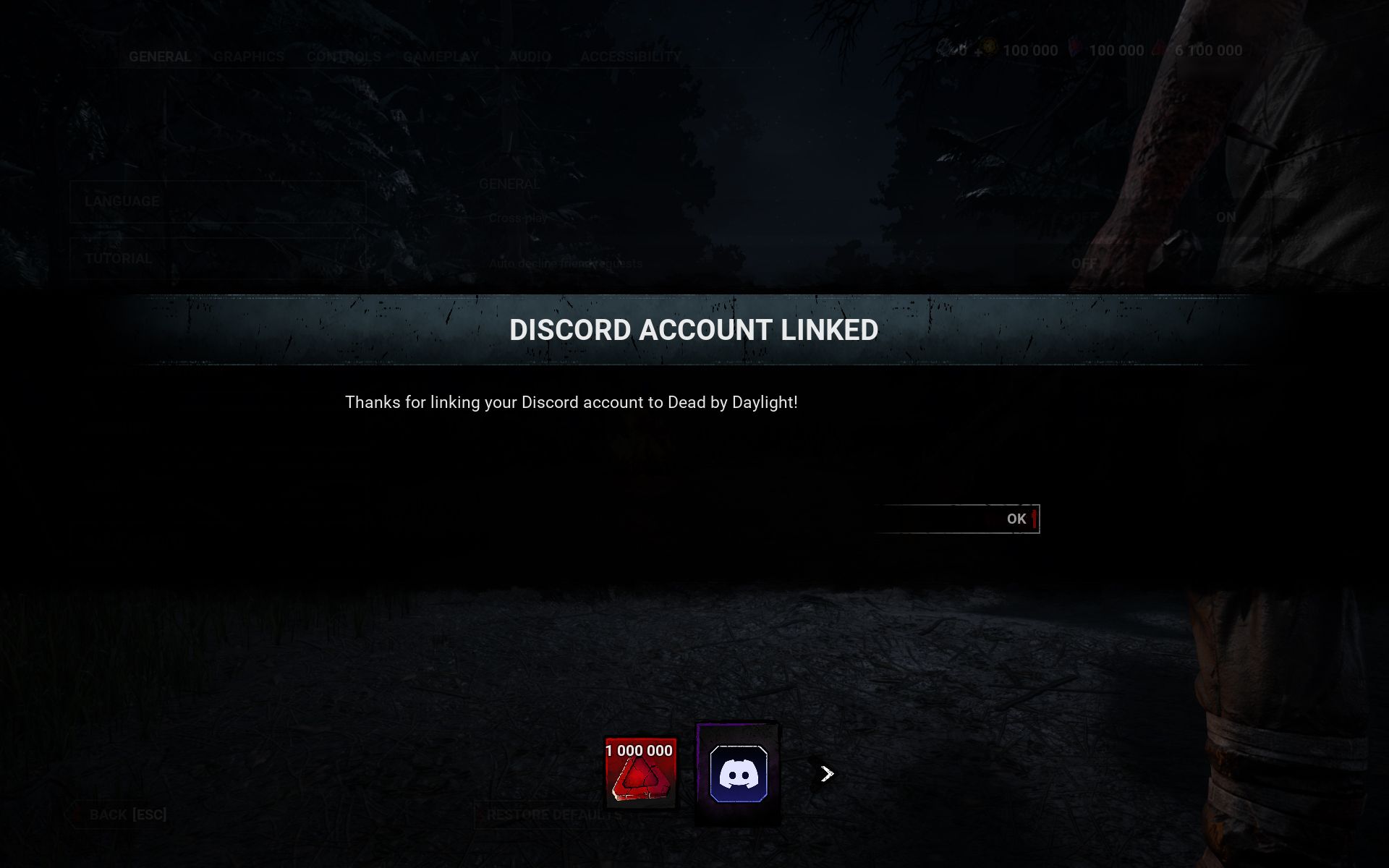
Once you’ve connected the accounts, the in-game confirmation screen displays the Discord Logo Badge and 1,000,000 Bloodpoints. If you use more than one Discord account, make sure you’re signing into the one you actually want linked before you confirm.
Dead by Daylight Discord linking is available without buying the Terrifier DLC. The badge and Bloodpoints are rewards for connecting your accounts, separate from the charm and banner that come with the paid chapter.
Why Are My Discord Friends Not Showing Up?
Sharing a Discord server with someone isn’t enough to make them appear in your in-game Friends List. You’ll need to be friends on Discord, and they’ll need an existing Dead by Daylight account that they’ve also connected to Discord.
If a friend can’t see your invitation, ask them to close and relaunch both Discord and Dead by Daylight so any available updates can install. It’s also worth checking whether they’ve completed Dead by Daylight Discord linking themselves, rather than simply having Discord open in the background.
Only one Dead by Daylight account can be linked to a single Discord account, so use the account you normally play on. If you need to change it later, you can manage or remove the connection through the in-game settings.
Dead by Daylight Discord Linking: Lobby Invite Stuck
If an invitation sits on an ellipsis in Discord and the lobby never loads, there’s a known issue in 10.3.0 affecting players who are friends on Discord but not within Dead by Daylight. Adding each other through the in-game Friends List before trying again is worth a shot, although a fix for the bug hasn’t been confirmed.
If your badge or Bloodpoints haven’t appeared, check the confirmation screen and make sure you’re playing on the account you linked. If the rewards are still missing, contact Dead by Daylight support rather than repeatedly disconnecting and reconnecting your accounts.
Is Dead by Daylight Discord Linking Available on Consoles?
For now, you’ll need to be playing on PC to use the integration. There’s no console release date, although console support is being explored.
Dead by Daylight Discord linking is restricted to regions where both services are supported, and it only covers social features such as finding friends and joining parties, rather than adding Discord voice or text chat to the game.
With the connection set up, you can bring linked Discord friends into your party through the in-game Friends List without having to keep switching applications.