Wondering how to change your appearance in Storage Hunter Simulator after you’ve already started playing? Head to the bathroom in your house and interact with the mirror. You can give your character a completely different look without starting over or losing the progress you’ve made at auctions.
If it’s your clothes you’re bored of rather than your hairstyle, head to a clothing shop instead. There are outfits you can buy with money you’ve earned from auctions, as well as special options tied to the collectors.
How to Change Your Appearance in Storage Hunter Simulator
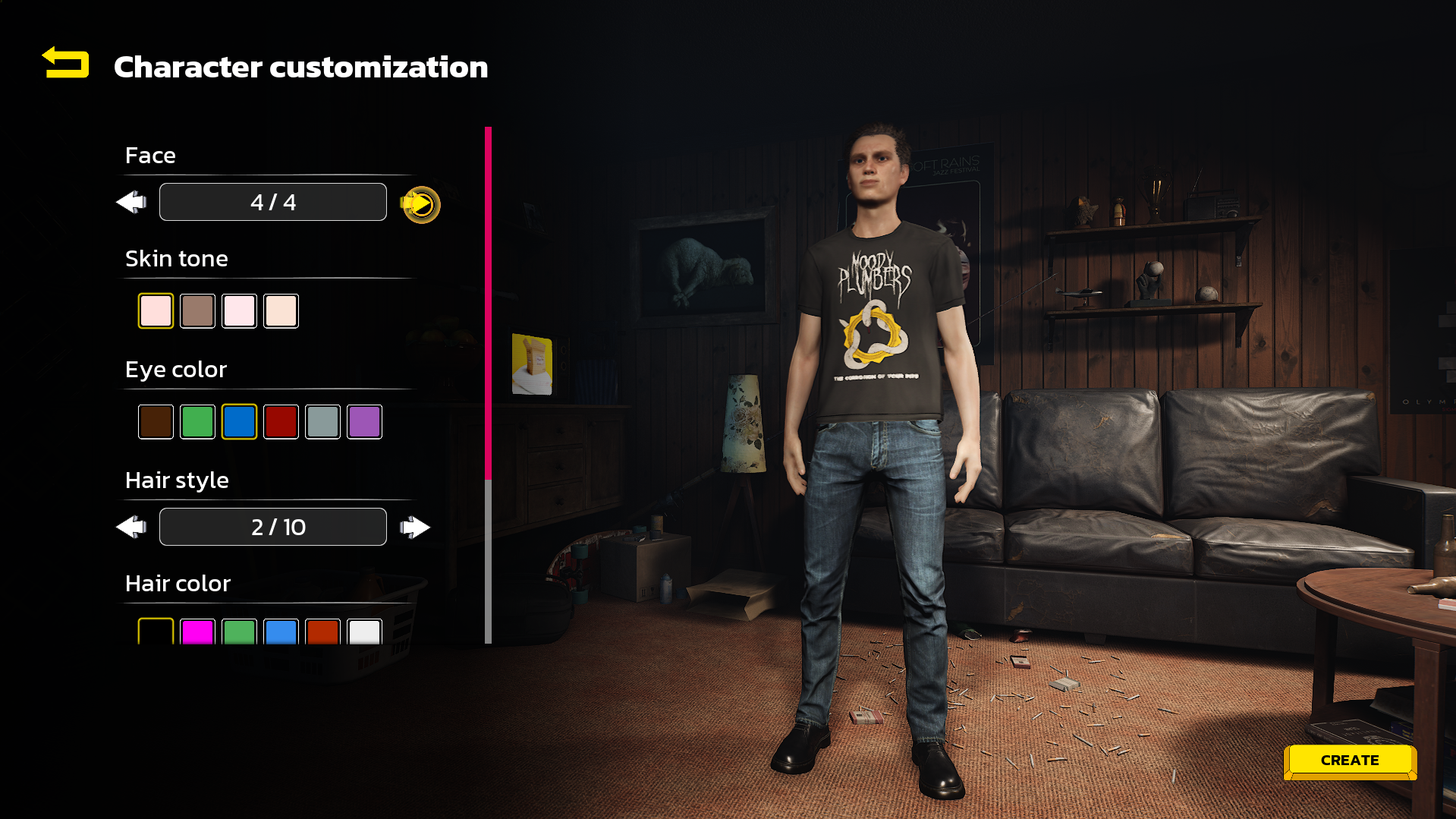
The bathroom mirror opens the character customisation options. You can choose a different face or hairstyle and change your skin tone, eye colour and hair colour. The preview changes as you browse, so you can try a different combination before settling on one.
You can use the mirror throughout an existing game. If you’ve moved to a different property, look in its bathroom rather than making the journey back to your first house. The developers added the mirrors to every house when they introduced character customisation.
Where to Buy and Change Clothes
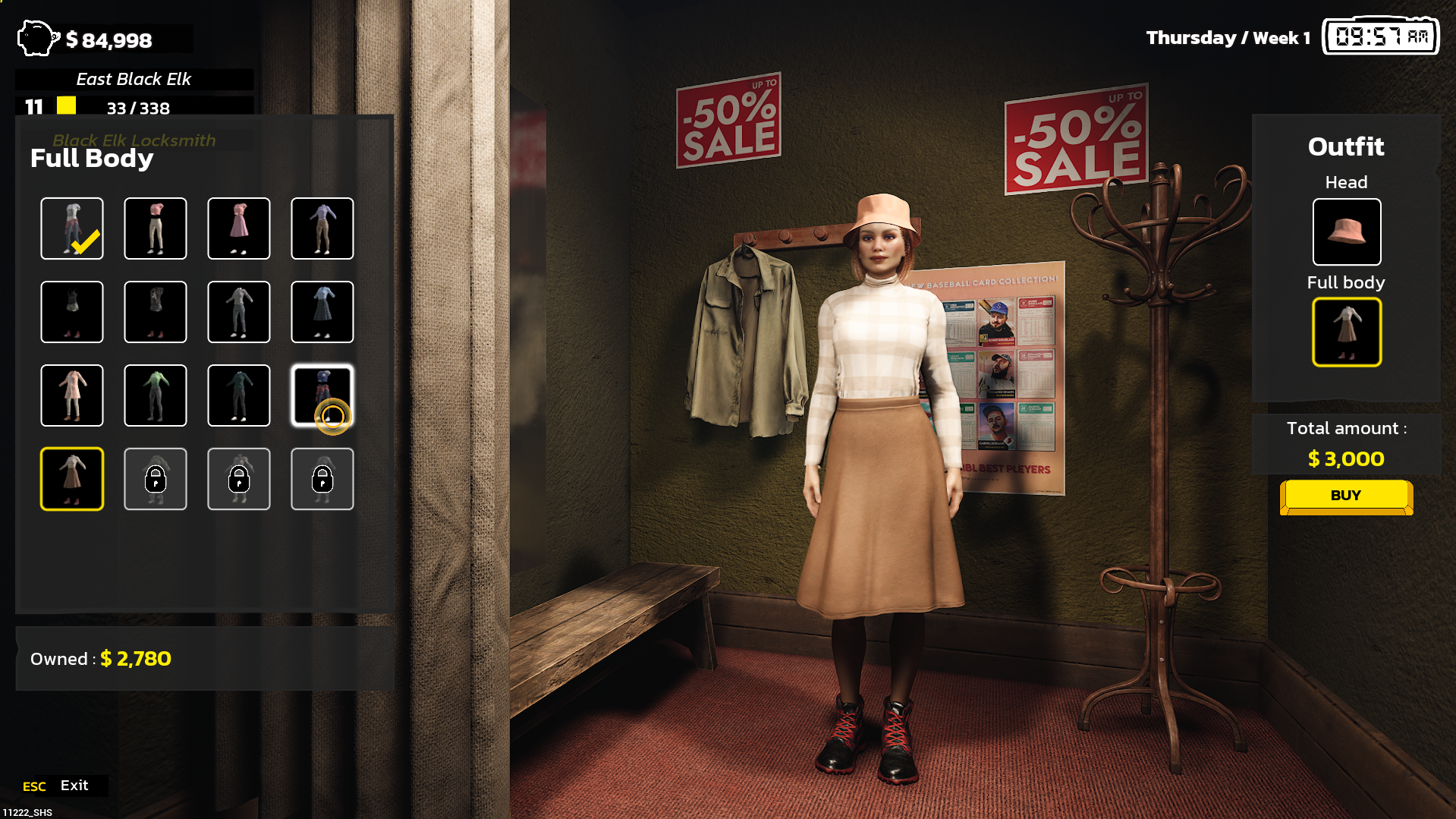
Head towards the northern part of Black Elk to find a clothing shop. One is in the northwest of West Black Elk, between the pawnshop and blind auction warehouse. Its outfit screen separates headwear and full-body clothing, so you can browse hats and complete outfits together. The character preview lets you see the combination before buying it.
The total price appears on the right side of the screen alongside the Buy button. Some entries display a padlock, so check which clothes are available before choosing an outfit. If you’re unable to shop there yet, check your local renown. Access to shops can depend on your progress in that district.
How to Unlock Collector Outfits
If you’ve already been looking through the shop’s wardrobe and wondering about those locked entries, speak to the collectors. Some of their progression rewards include exclusive clothing. The Mechanic in Blueberry Village, for instance, has a panel showing the upcoming rewards alongside the items he wants.
Delivering the requested goods earns favour with the collector. The ordinary collectors refresh their requests on Mondays in the game’s calendar, giving you another chance to work towards their next reward when you’ve finished the current list. Check the rewards before deciding whether to keep an auction find for a collector or sell it through your pawnshop.
Can You Customise Your Character in Co-op?
If you’re working out how to change your appearance in Storage Hunter Simulator while playing with friends, the character unlocks belong to each player. Although everyone shares ownership of houses and collector progress, your outfit and appearance unlocks are individual. Unlocked purchase options from collectors are shared, but each player can choose their own look.
Official source: Collectors and Customization update.
Related Guides
Once you’ve worked out how to change your appearance in Storage Hunter Simulator, these guides will help you unlock more of the map and earn money for your next outfit.
How to Sell Items to Collectors in Storage Hunter Simulator
Storage Hunter Simulator Beginner Guide
How to Play Multiplayer in Storage Hunter Simulator
How to Make Money Fast in Storage Hunter Simulator
Storage Hunter Simulator Districts