To add friends in Arkheron, open the game’s social panel, choose Add Friend and exchange the in-game friend code with the person you want to play with. Once they appear as an online friend, open their profile and send a party invitation. Arkheron supports teams of three, so you can bring two friends into your squad.
You can add friends in Arkheron across Xbox Series X|S, PS5 and Steam PC because the game supports crossplay. Your teammate does not have to be on the same platform’s friends list. You can connect through Arkheron itself and use the normal party flow before choosing a match.
How to add friends in Arkheron using a friend code
Bonfire Studios’ help centre explains that the friend list is available from the Echo icon at the bottom-right of the game’s main screen while online. Select Add Friend to see the option for sharing your own code or entering somebody else’s. The friend code is the simplest way to find the correct person across platforms.
- Launch Arkheron and make sure you have signed in successfully.
- Open the social panel using the Echo icon near the lower-right of the main menu.
- Choose Add Friend.
- Copy your own in-game friend code to send to a teammate, or enter the code they sent you.
- Send the friend request and have the other player accept it.
- Open their profile when they are online to invite them into your party.
The friend code is the best way to add friends in Arkheron across platforms. A Steam friend request, a PlayStation Network request or an Xbox friend add is not the same thing as completing this in-game process. If you cannot find somebody across platforms, try their in-game code rather than their usual console gamertag.
How to invite friends to your Arkheron party
After you add friends in Arkheron, return to your friend list and select the profile of somebody who is online and in the game. Bonfire’s support guidance says this profile provides the option to send a party invitation. Your team can contain a maximum of three players, including yourself.
Once you add friends in Arkheron, invite the first teammate and then the second to complete your three-player squad. Once both have joined, agree on a game mode before queueing. The Early Access patch notes also describe a Join Party option for open parties, so your friend may be able to join directly when the leader’s party settings allow it.
Bonfire’s 17 November hotfix also introduced party spectators. Friends can watch without using one of the three active team places; in Spires, someone spectating a match can join at the next checkpoint on the team’s current floor. That’s newer than the help centre’s original party-size explanation.
Can you invite Xbox, PS5 and PC friends?
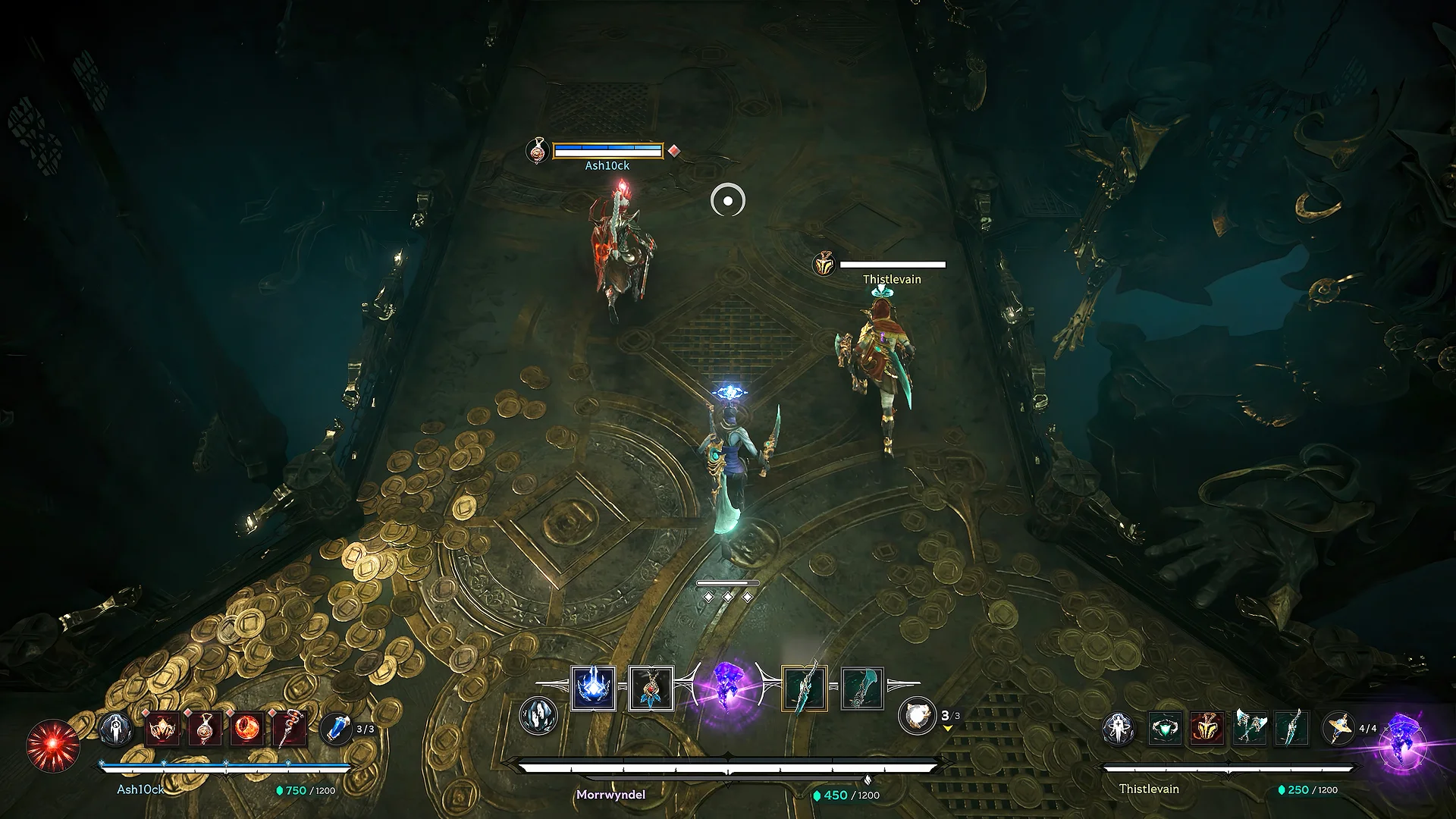
Yes. The official Arkheron crossplay announcement covers Xbox Series X|S, PlayStation 5 and PC through Steam. Use the in-game friend system to connect with players on different platforms, then invite them as you would someone on your own device.
You can add friends in Arkheron even when each person plays on a different supported platform. For example, a player who owns Arkheron on Xbox can party with a Steam or PS5 player using the free Friend Pass. Bonfire confirms that the Friend Pass supports crossplay, although a free user needs an owner in the party to enter Spires or Ascension outside the universal free weekend.
What if your friend cannot join the party?
If you cannot add friends in Arkheron, first check that both players are online and using the current client. Confirm the request was accepted in Arkheron’s own friends list, not just on Steam or console. If an invite fails, check whether all three active team slots are already filled or the squad is queueing for a match.
Bonfire’s provisional Early Access notes explain that open parties cannot always be joined while queueing, and that Open Party is off by default. The party leader can change that under Settings, Gameplay and Social if they want friends to join without a direct invite. Party members generally need to be at the main menu to use the direct Join Party flow.
The 5 November patch notes include a fix for PS5 players who could not invite Xbox friends. That was a test-build problem, not evidence it will still affect the 27 November release.
Can you invite friends through Discord?
Bonfire’s 5 November provisional patch notes describe new Discord integration on PC. With Discord’s desktop app running and activity sharing enabled, people can use Join on a friend’s activity or join party and custom-game invites shared in a Discord channel. These are useful alternatives when the in-game friend code has already been exchanged.
Discord integration is not proof that the same controls appear in the Xbox or PS5 Discord interface. On a console, stick to Arkheron’s own social panel unless the current game build explicitly offers another route.
Can you add friends without buying Arkheron?
Yes. The free Friend Pass is designed to let non-owners train and join an owner’s team. You can add friends in Arkheron and use party invitations without every person buying a copy. Bonfire says a paid owner enables free friends to enter Spires and Ascension; Tutorial and Training are available to Friend Pass users independently.
The game’s opening weekend from 27 to 29 November 2026 also gives everyone free full-game access. If you are teaching several people to play at launch, share friend codes first, make sure your three-player party is formed, and use the separate Friend Pass and crossplay guides for the rules that apply after the promotion.
Official source: Bonfire Studios. Images: Bonfire Studios.
The Click Flare: Related Arkheron Guides
- Arkheron Release Date: When It Launches on Xbox, PS5 and PC
- Arkheron Game Pass: Which Plans Get It on 27 November?
- Is Arkheron Free to Play? Price, Free Weekend and Ways to Play
- Arkheron Friend Pass: How to Play for Free With Friends
- Arkheron Crossplay: Can Xbox, PS5 and PC Play Together?
- Arkheron Editions: Standard vs Supporter, Prices and Bonuses
- Arkheron Armored Swan Pack: How to Get the Launch Bonus