A Monopoly GO Tycoon Club home screen shortcut puts the Club website one tap away on your phone. If you’ve ever gone looking for a free spin only to find the Club button missing, this is a much nicer way to get back in.
A Monopoly GO Tycoon Club home screen shortcut is especially useful if the Club button has disappeared from your game menu. The shortcut opens the official website, and the steps are slightly different for Android and iPhone.
How to create a Monopoly GO Tycoon Club home screen shortcut on Android
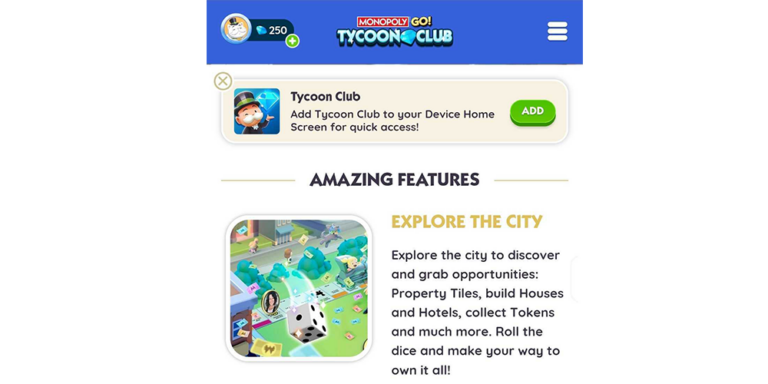
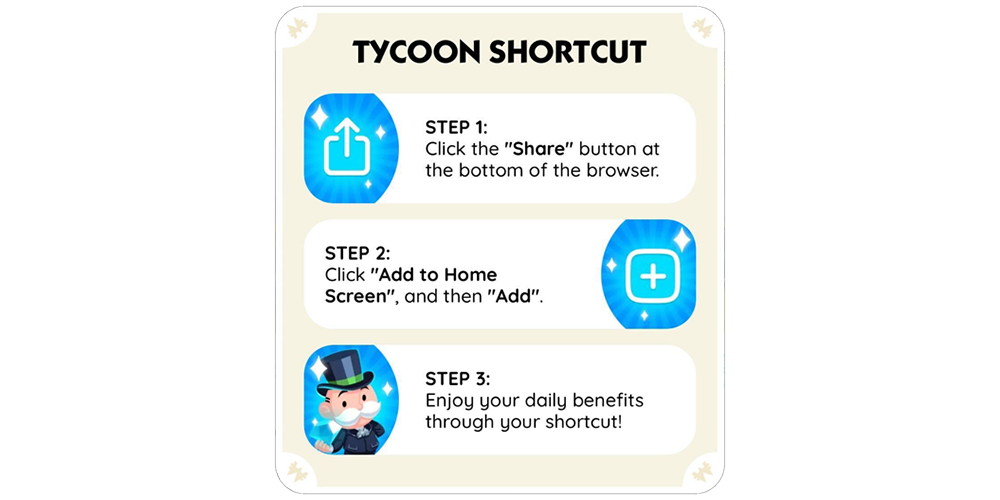
On Android, visit monopolygo.com in your browser and sign in to Tycoon Club. Scopely says an Add prompt can appear. If it does, tap Add and confirm, and the Club shortcut will be placed on your home screen.
Once it’s there, you can tap straight into Tycoon Club to check your gifts. No digging through the game menu, no extra app, and no need for another account. We think that’s worth doing if you visit the Club every day.
How to add the shortcut on iPhone
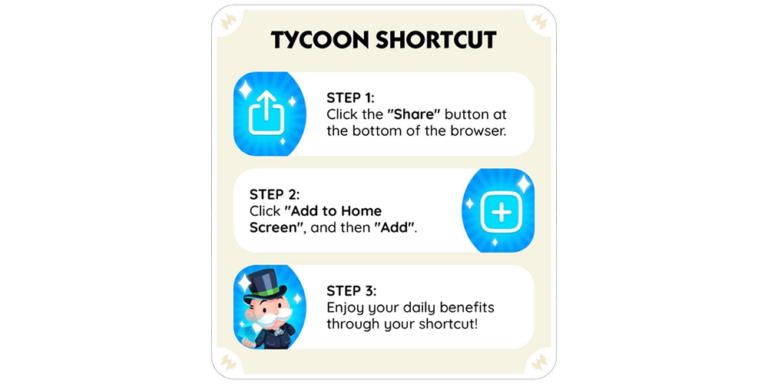
On iPhone, the Monopoly GO Tycoon Club home screen shortcut starts in Safari. Open monopolygo.com and log in. Tap Share, choose Add to Home Screen and confirm Add. Scopely shows this exact sequence in its official shortcut instructions.
It looks like an app icon, but it’s simply a shortcut to the website. You’ll still be using your usual MONOPOLY GO account.
Will it give you extra wheel spins?
Sadly, the shortcut doesn’t come with a second Daily Wheel spin. It just saves time. Your usual rewards still follow the same daily schedule.
While you’re there, remember to check both tabs. Benefits has the wheel, and Shop has a separate free Gift Box. Two places worth visiting, one handy shortcut.
Will the shortcut keep you signed in?
Scopely says the Club can remember your login for up to 90 days. That makes the shortcut convenient, although you might occasionally need to sign in again before then.
If the website asks you to log in again, use your MONOPOLY GO credentials or linked Facebook sign-in on the official site. The shortcut itself doesn’t store an unlimited number of free rewards and isn’t a reason to share your account information with anyone.
What if you can’t find the in-game Club button?
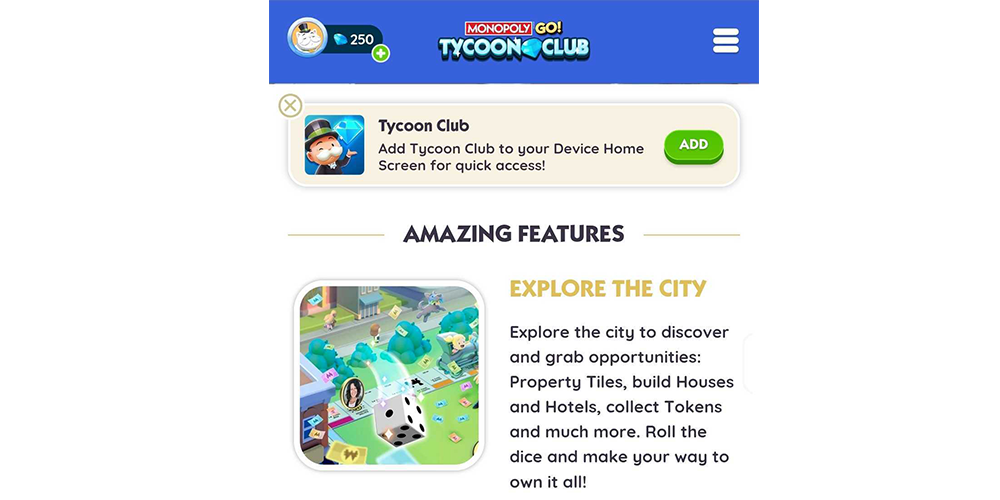
Scopely supports the browser route even if the Club entry is missing from the game. That’s a good reason to keep the shortcut on your phone, especially if the menu changes after an update.
If the browser opens the wrong profile, check how you logged in. If you are on the correct account and your benefits still aren’t there, contact MONOPOLY GO support rather than trying an unofficial fix.
Can you remove the shortcut later?
You can remove the shortcut from your home screen without deleting the game or losing your progress. It’s only a saved link to the website.
If you change phones, just open the official website again and follow the steps for your new device. The Monopoly GO Tycoon Club home screen shortcut is handy because it gets you back to the same rewards in a couple of taps.
Related Guides
Official source: Scopely’s Tycoon Club home-screen setup instructions.