Pokémon Champions HOME transfer not working? First check whether the species is actually available in Champions. Only supported Pokémon can visit from Pokémon HOME, even if you’ve owned one for years in another game. An account-link problem or a move that Champions cannot use can also stop the process, so it’s worth checking those before trying the transfer again.
There are also differences between a Pokémon brought over as a visitor and one recruited at Roster Ranch. Visitors can return to HOME, but Pokémon obtained inside Champions cannot be deposited there. Here are the common reasons a transfer is unavailable, what you can fix and what needs an official roster expansion instead.
Pokémon Champions HOME transfer not working: check the roster
The Pokémon Company states that Pokémon HOME can only send Pokémon that actually appear in Pokémon Champions. If a species is absent from the current Champions roster, it cannot visit, even if the same species is supported by Legends: Z-A, Scarlet and Violet or Pokémon GO. Confirm the species rather than trying different versions of HOME repeatedly.
If the Pokémon is eligible, check that your Nintendo Account is linked to both services. You should be signing in as the same account that holds the Pokémon in HOME. When a HOME listing looks empty, verify the source boxes and account connection before concluding the Pokémon has disappeared.
What happens when a Pokémon has incompatible moves?
Pokémon brought to Champions may know moves that the battle game does not support. The official recruitment guidance says you will need to change those moves through Champions’ training feature. This is a move-compatibility task, not proof the entire species is banned.
Check the Pokémon’s current moves in HOME, look at the compatible moves offered in Champions and adjust the required slots once the visitor is available to train. You should also understand that Champions training does not permanently rewrite the Pokémon’s training in HOME; it is stored within Champions for the same visitor if it returns later in the same form.
Why a Pokémon trained in Champions lost its changes
According to the official game guide, training performed in Champions is retained for a visiting Pokémon when it returns to Champions in the same form. If that Pokémon comes back in a different form, however, the changes it previously received in Champions are lost. This can look like an accidental reset when you have swapped a form outside the battle game.
Before investing VP or Training Tickets in a HOME visitor, decide whether you plan to change its form. If you already changed form and the Champions training is gone, the published rule describes that behaviour as intentional, rather than a transfer bug that can be fixed by relinking your accounts.
Can Roster Ranch Pokémon be sent into HOME?
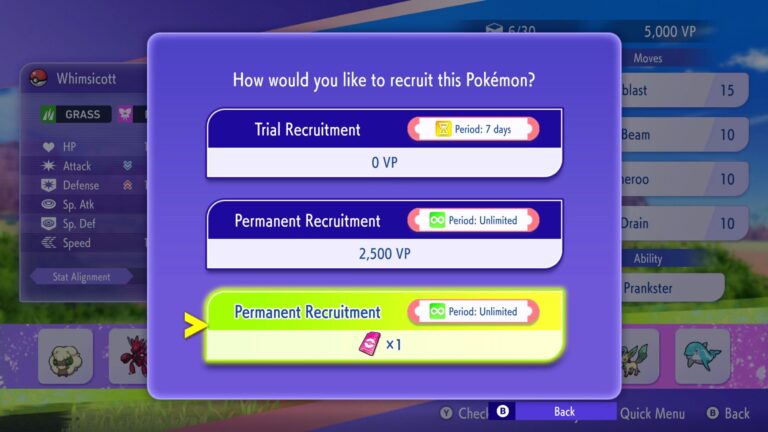
No. The official restriction is one-way for Pokémon recruited inside Champions: they stay in that game’s roster, not in your HOME collection. This applies whether you trial recruited the Pokémon or permanently recruited it. Don’t spend VP or Teammate Tickets expecting to move the resulting teammate to other Nintendo games.
Pokémon visitors are different. Eligible creatures you previously caught in compatible games and stored in HOME can visit Champions and later return to HOME. That distinction is central to deciding whether to invest in a permanent recruitment or bring an existing competitive Pokémon over.
Checklist if HOME still cannot connect
Start with the account and connection: make sure both services are available, linked to the correct Nintendo Account and updated to versions that support each other. Confirm the Pokémon is not blocked by the official Champions species roster. Check whether you are selecting a visitor or attempting to export a Champions-native recruit, which is not permitted.
If the issue is confined to particular moves or a form, use the corresponding training or compatibility guidance. For server errors or a failure affecting every Pokémon, inspect Pokémon’s official service notices before treating it as an individual species issue. The site’s HOME transfer guide covers the ordinary transfer steps and account setup in more detail.
Official source: The Pokémon Company, Pokémon Champions.