World of Warcraft Discord guild chat lets guild members keep talking between a linked Discord text channel and the game. To set it up, players connect their Battle.net and Discord accounts, while a guild leader or authorised officer links the guild to a permitted Discord channel.
The feature works in modern WoW and WoW: Forever. There are two separate links: your personal Battle.net account and the guild’s Discord channel. Both matter.
How to link World of Warcraft Discord guild chat
Start with your own account. Guild members need a personal link for their in-game messages to appear properly in Discord.
- Sign in to Discord, then open World of Warcraft.
- Press Escape to open the Game Menu and choose Options.
- Open Social and find Enable Discord Functionality.
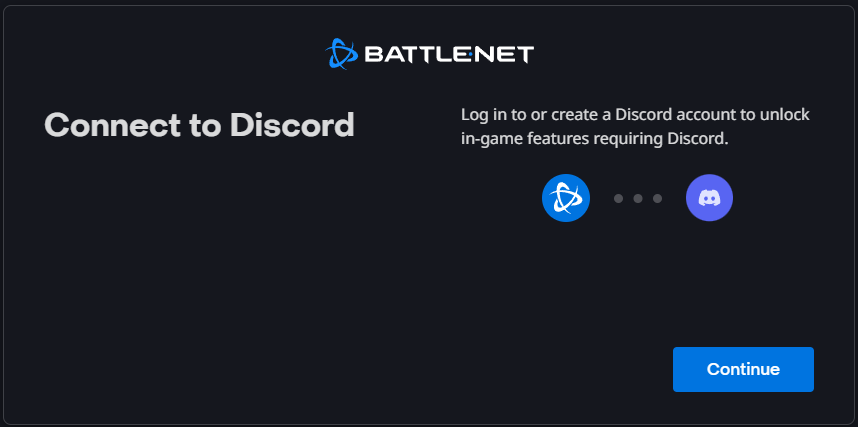
- Follow the connection prompts. Read the account-sharing and permissions screen, then approve the Battle.net and Discord connection.
- Return to the game once the confirmation is complete. You can now move to guild-channel setup if you have the required permissions.
Once Discord confirms the connection, your account is linked. Connecting the guild channel is a separate step.

How guild leaders link World of Warcraft Discord guild chat to a channel
A Discord server administrator needs to allow Manage Channels, View Channel and Send Messages for the integration. The guild leader or an officer with suitable in-game permissions can then choose which eligible Discord channel to connect.
- Open Guild & Communities in World of Warcraft using J.
- Select the Roster tab, then Guild Settings at the lower-right corner.
- Open the Guild Control dropdown and select Discord Settings.
- Choose the correct Discord server from the available list.
- Choose a channel that has the required linking permissions, then select the link option.
If you cannot select the intended channel, check that the right Discord account has access to it.
World of Warcraft Discord guild chat: /guild or /discord?
World of Warcraft Discord guild chat can appear inside the usual /guild channel, or in a dedicated /discord channel in the game. That choice is managed in the guild’s Discord settings, not separately by every member.
Only seeing messages in /discord? Ask your guild leader which channel they selected. You can then set up your chat tabs to keep it visible.
What happens if a guild member has not linked Discord?
A guild-wide link does not override personal account consent. According to Blizzard, messages sent in-game by a player who has not linked their account do not appear as that player’s normal chat message in Discord. Instead, Discord displays a notice that the player has spoken in guild chat without linking.
If one player’s messages are missing, check their personal account link first. A working guild-wide connection doesn’t automatically link every member.
World of Warcraft Discord guild chat display-name settings
Under the Discord-related Social options, the Display Name setting controls how your identity appears for messages coming from Discord into the game. Blizzard lists three choices:
- Default: the game’s current default, which Blizzard describes as Last Online Character.
- Last Online Character Name: the last character on your Battle.net account used in that guild.
- Discord Global Name: the name from your Discord account.
These settings change the name shown for incoming Discord messages. They don’t affect channel permissions.
Why World of Warcraft Discord guild chat is not working
- No Discord option in WoW: check that you’re using a supported modern WoW or WoW: Forever client and that Discord functionality is enabled under Social.
- No server or channel in the list: confirm you’re signed into the intended Discord account and that the administrator has provided Manage Channels, View Channel and Send Messages permissions.
- Guild messages not appearing on Discord: first check whether the sender linked their own Battle.net and Discord accounts.
- Messages go to /discord instead of /guild: the guild may have separated the traffic intentionally. Check the guild-side Discord settings.
- Account connection does not finish: return to the link prompt and check which Discord account you are authorising.
The integration mirrors guild text chat, not private messages, unrelated Discord channels or voice calls.
Can you use the same Discord link in WoW: Forever?
Yes. World of Warcraft Discord guild chat also works in WoW: Forever. Blizzard confirmed it for the game’s November 2026 launch. Use the same account and guild-channel steps above.
You can link your own account as a guild member. Connecting or changing the guild channel requires a leader or authorised officer.
Related World of Warcraft Guides
- World of Warcraft Forever Controller Support Explained
- Can You Play World of Warcraft Forever With a Controller?
- WoW Forever Two-Part Names: Surnames and How to Hide Them
- WoW Forever Legacy System: Challenges, Perks and Rewards
- WoW Forever Camping System: Profession Items and Buffs
- WoW Forever Raids and Dungeons: Loot, Levels and Prep
Official source: Blizzard: Stay Connected in World of Warcraft with Discord.