War Thunder Nuclear Escalation radar now shares more information with your team, and the Eagle’s Shadow update gives players a way to see which long-range radar is currently active. The tactical map now shows which radar is active and where it has spotted hostile aircraft.
The two systems involved are the 55Zh6 and the AN/TPS-59. Gaijin confirmed their updated behaviour in the November 11, 2026 changelog. Below is how the team detection works, where the new map information appears and what an inactive radar actually means.
How the War Thunder Nuclear Escalation radar works
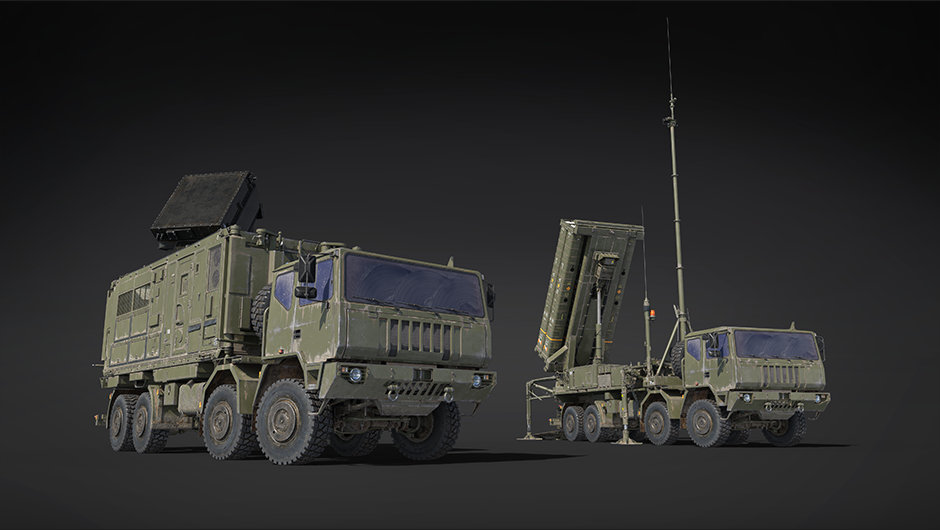
The 55Zh6 and AN/TPS-59 are long-range surveillance radars that detect hostile aircraft and pass their sightings to players on their own team. Their purpose here is to provide shared battlefield awareness. You do not have to be flying the aircraft that initially found a contact to benefit from that team information.
There is an important restriction: the radars operate alternately, with one active for each team. Seeing more than one radar installation does not mean all of them are scanning simultaneously. The active one is the useful reference when reading the tactical map.
These are team assets in the game mode, not radar sets your individual aircraft can take over through its normal cockpit controls. Your aircraft’s own sensors remain separate from what the surveillance installation reveals to teammates.
How to see the active radar on the tactical map
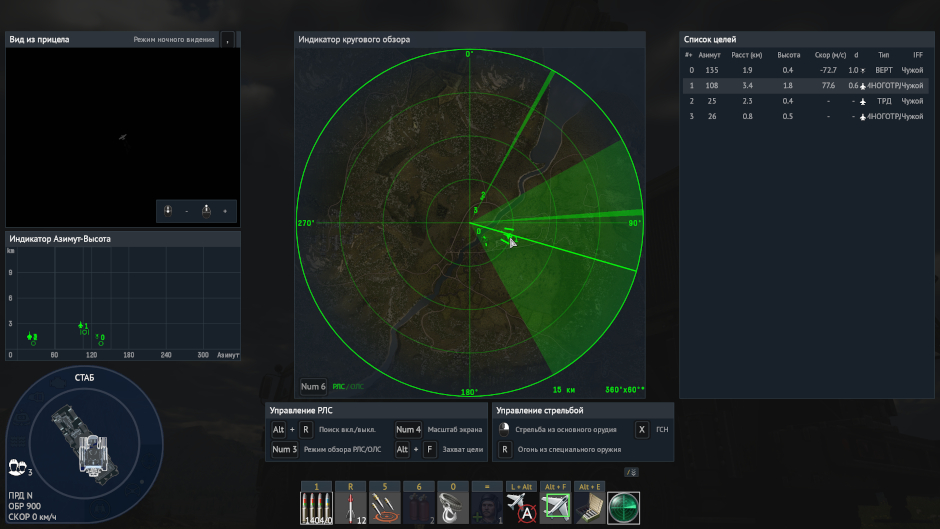
Open the tactical map during a Nuclear Escalation session and move the pointer over an active friendly surveillance radar. Gaijin says you can then see a rotating radar beam and dashed lines running from that radar to the enemy aircraft it has detected. The radar’s tooltip also shows whether the installation is currently on or off.
With War Thunder Nuclear Escalation radar active, the rotating beam shows which installation is scanning. The dashed lines show aircraft contacts detected by the active radar. Read them as information about where the surveillance system has picked up the enemy, rather than an instruction to fly directly along a line.
War Thunder Nuclear Escalation radar status is therefore something you can inspect from the map, rather than guessing from whether a hostile jet happens to be visible outside your cockpit.
War Thunder Nuclear Escalation radar off: what it means
A War Thunder Nuclear Escalation radar showing ‘off’ is not necessarily malfunctioning. The Eagle’s Shadow notes specifically say the team radar systems alternate, leaving one operational per team at a time. If you’re hovering a radar and the tooltip reports it is off, first look for the currently active friendly installation instead of assuming the entire team has lost surveillance.
The patch doesn’t provide a player-operated switch to choose which strategic radar is active, and it doesn’t publish a fixed alternation timer. Your aircraft’s own radar controls won’t switch the team’s surveillance installations on or off.
If your War Thunder Nuclear Escalation radar map has no dashed contact lines, that doesn’t mean every enemy aircraft has left the match. Those lines represent aircraft detected by the active radar; they are not a permanent roster of all opponents. Use the displayed contacts as a clue, then keep watching your surroundings and other available information.
Does team radar reveal every enemy aircraft?
The War Thunder Nuclear Escalation radar does not guarantee every enemy aircraft will be visible. Gaijin describes long-range radars detecting enemy aircraft and sharing those sightings, not an always-on ability to reveal every opponent without restriction. A contact shown by a dashed line is a detected aircraft; the absence of a line should not be treated as absolute proof an area is empty.
The War Thunder Nuclear Escalation radar feature is particularly useful in a mode built around multiple objectives and aircraft operating across a large battlefield. It helps you understand where an active surveillance installation has reported threats while you decide where to fly or which objectives to protect.
For context, the mode already includes ground objectives, defensive systems and aircraft operating over a broad front. The new interface doesn’t replace the need to identify targets and plan a safe approach. It makes one source of team information easier to recognise and read.
War Thunder Nuclear Escalation radar checklist
- Enter a Nuclear Escalation match and open the tactical map.
- Find a friendly 55Zh6 or AN/TPS-59 surveillance radar.
- Hover the active radar to check its on/off tooltip.
- Look for the rotating beam and dashed lines to detected enemy aircraft.
- If the installation is inactive, remember the radars alternate, with one active per team.
- Don’t confuse team surveillance with your aircraft’s own radar display or control bindings.
If you’re searching for War Thunder Nuclear Escalation radar because the interface suddenly looks different, the central change is the shared contact display. Check the active system’s tooltip first, then read the dashed lines as detected targets rather than as a route to follow.
- War Thunder Nuclear Escalation Capture Points: Every Objective Reward
- How to Use Cluster Bombs in War Thunder: Release Height and Damage
- War Thunder DIRCM Guide: How MAWS and Jammers Work
- War Thunder DIRCM Not Working: MAWS and Jammer Troubleshooting
- War Thunder 2.59.0.46 Patch Notes: Nuclear Escalation Buffs and Vehicle Fixes
- War Thunder Helicopter PvE BR Brackets: All Ranges and Enemy Changes
- War Thunder DLSS 5: Eagle’s Shadow Update, RTX Support and Neural Rendering
- War Thunder Login Streak Freeze: How to Earn and Use Freeze Points
- War Thunder Neural Rendering Not Showing: DLSS 5 Fixes and GPU Checks
- How to Enable DLSS 5 in War Thunder: Neural Rendering Settings
Official source: Gaijin Entertainment: War Thunder Eagle’s Shadow changelog, 11 November 2026.