
Dawn of War IV PC requirements are now official, and the biggest things to check before the December launch are your graphics card, RAM and free storage. The minimum specification calls for 16GB of memory and a GTX 1660 or Radeon RX 5700, while Deep Silver recommends 32GB and a more powerful GPU.
KING Art Games’ Warhammer 40,000 strategy sequel launches on PC on 3 December 2026, with Commander Edition access starting on 30 November. You can check whether your computer meets the listed hardware requirements now, rather than finding out during the download.
Dawn of War IV PC requirements: minimum and recommended specs
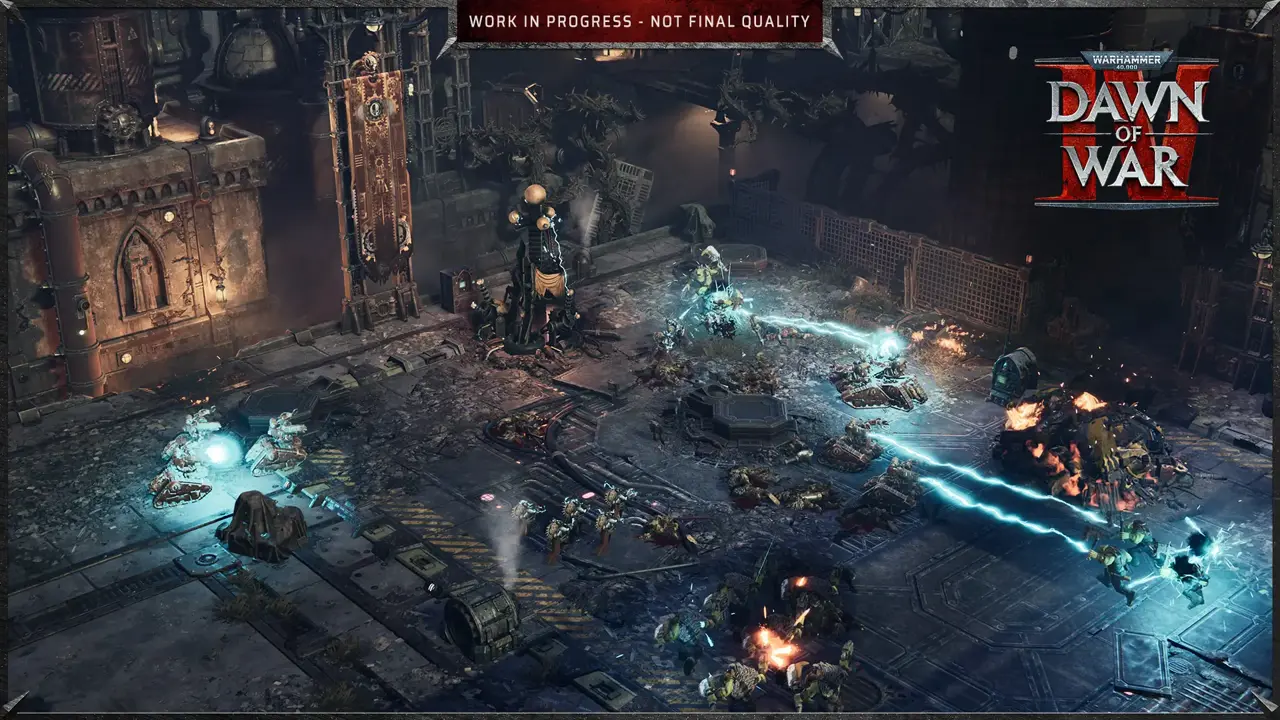
Deep Silver confirmed these PC specifications on 12 November. Both tiers list Windows 11 and 125GB of available space. The minimum requires an SSD, while the recommended tier specifies a faster NVMe SSD. Neither tier comes with a guaranteed frame-rate target.
| Component | Minimum | Recommended |
|---|---|---|
| Operating system | 64-bit Windows 11 | 64-bit Windows 11 |
| Processor | Intel Core i5-10600K or AMD Ryzen 5 2600X | Intel Core i7-12700 or AMD Ryzen 5 7600X |
| Memory | 16GB RAM | 32GB RAM |
| Graphics | NVIDIA GeForce GTX 1660 or AMD Radeon RX 5700 (6GB VRAM or more) | NVIDIA GeForce RTX 3060 Ti or AMD Radeon RX 9060 (8GB VRAM or more) |
| Storage | 125GB free on SSD | 125GB free on NVMe SSD |
When matching the Dawn of War IV PC requirements to a different laptop or desktop GPU, don’t rely on model numbers alone to compare performance. Laptop graphics chips in particular can vary by power limit and cooling. Check your actual CPU and GPU model rather than assuming that anything labelled ‘gaming PC’ meets the recommended tier.
How much storage does Dawn of War IV need?
The Dawn of War IV PC requirements list 125GB of free space. Deep Silver explains that the game’s current installation is about 100GB, with additional space reserved for updates and future content. The publisher says approximately 25GB of the current install consists of cutscenes.
Keep 125GB free before installing. The extra space beyond the current roughly 100GB build is intended to accommodate updates and DLC, so it’s sensible to leave a little more room if you can.
The official Dawn of War IV PC requirements specify an SSD at minimum and an NVMe SSD for the recommended tier. Having 125GB free on a mechanical hard drive does not meet the stated minimum storage setup.
Does Dawn of War IV run on Windows 10 or Linux?
Windows 11 is the officially listed operating system. Deep Silver’s hardware FAQ acknowledges that some closed-beta players ran the game on Windows 10 or Linux, but neither operating system is officially supported for the full release.
A successful Windows 10 or Linux beta test is encouraging, but Deep Silver won’t guarantee either operating system for future patches. If you’re staying on Windows 10, check that your PC meets the other listed specifications too.
Likewise, Linux users shouldn’t interpret somebody else’s successful Proton run as an official Linux release. The confirmed PC platform is Windows via Steam. For anyone buying solely to play on another operating system, the support limitation is worth checking first.
How to check whether your PC meets Dawn of War IV PC requirements

In Windows 11, open Settings, choose System, then About to see your processor and installed RAM. For your graphics card, open Task Manager, select Performance and choose GPU. This helps you check the exact GPU model instead of relying on an old product description.
To check storage, open File Explorer and select This PC. Look at the free space on the drive where Steam installs games. If it is below 125GB, move or uninstall something before the release. Remember that the figure applies to available space, not the size of the drive itself.
To check the Dawn of War IV PC requirements against your processor, find your exact Intel or AMD model and compare it with the named chips. A newer entry-level CPU isn’t automatically faster in every workload than an older midrange part, so avoid treating release year as a benchmark.
The Dawn of War IV PC requirements don’t give a guaranteed resolution or frame rate for either tier. We’ll need tests with the final build to see what the listed GPUs can actually deliver.
What if you only meet the minimum Dawn of War IV PC requirements?
You don’t need the recommended 32GB of RAM to play. Deep Silver confirms 16GB as the minimum and says 24GB systems can also run the game. The higher tier is there for additional headroom, especially with other applications open.
Deep Silver also confirms GeForce NOW support, which could help players whose own PC falls below the recommended specs. You’ll need the supported Steam game and a compatible cloud session when the title becomes available on NVIDIA’s service.
For players choosing the Commander Edition, remember the early unlock is on 30 November and the standard launch is 3 December. Both editions use the same underlying PC requirements; buying a more expensive edition won’t make an unsupported graphics card compatible.
Should you upgrade before Dawn of War IV launches?
Start by checking the RAM, GPU and free space you already have. If you meet the minimum tier, it may be worth seeing independent final-build testing before paying for an upgrade. If you fall below a named minimum, the official requirements give you a clearer reason to assess that component.
Check the Dawn of War IV PC requirements against your current machine before buying new parts. If you’re close to the minimum, waiting for release-day performance tests could save you an unnecessary upgrade.
Related Guides
Official source: Deep Silver’s official PC specifications and FAQs.