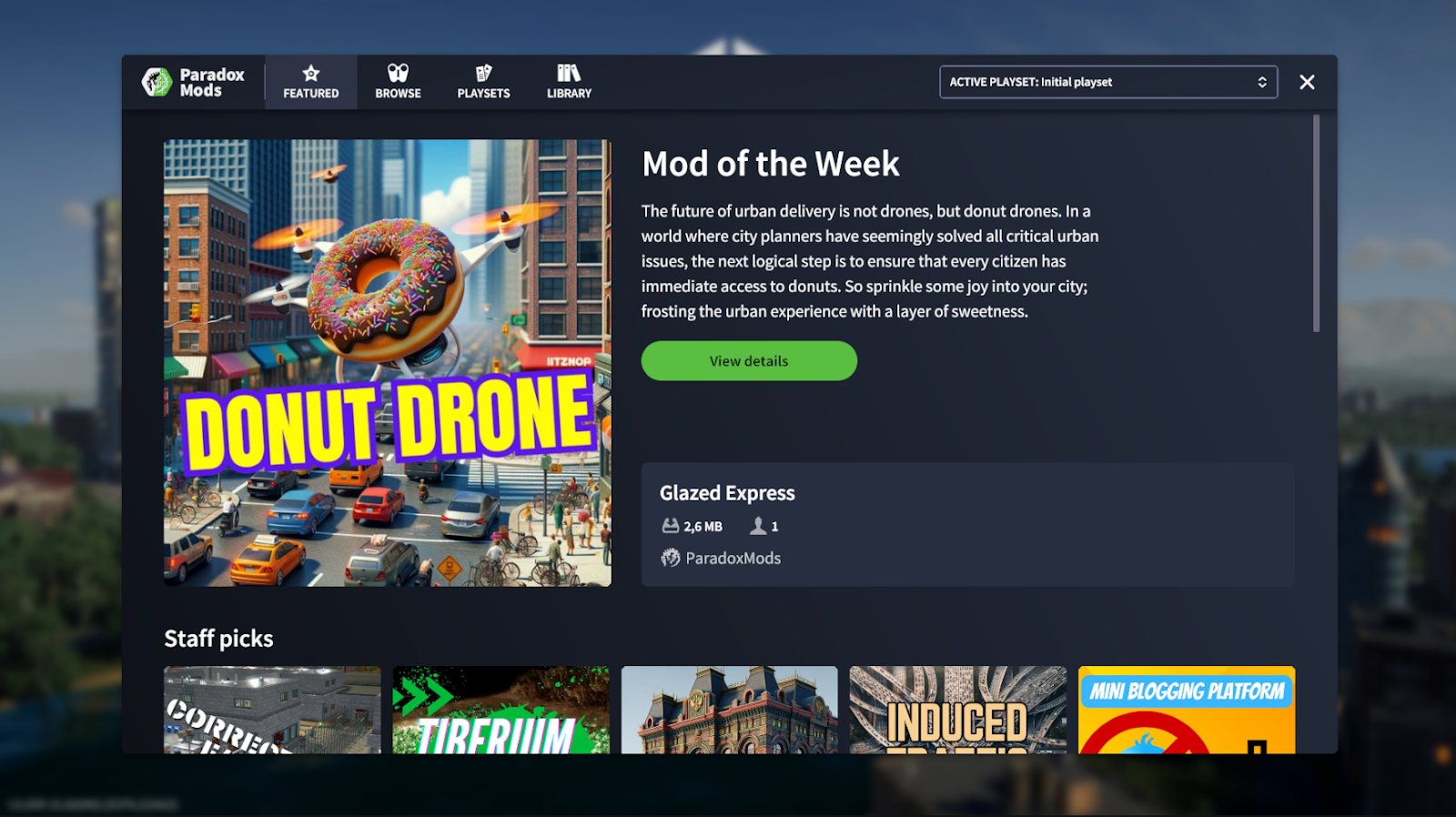
Cities Skylines II mods not loading after the November 2026 update? Seasonal Shift patch 1.6.4f1 specifically addresses several problems with Paradox Mods and playsets, including content sometimes failing to load when you use Continue from the launcher. The patch went live for Cities: Skylines II on PC on 10 November.
When diagnosing Cities Skylines II mods not loading, not every missing building or disabled mod has the same cause, though. The official changelog describes fixes for particular startup, download and playset bugs; it does not promise that every creator-made mod is compatible with the latest game version. Here is how to recognise the problems the patch addresses and what to check without risking your city saves.
Why are Cities Skylines II mods not loading after the update?
One common cause of Cities Skylines II mods not loading was using Continue in the launcher. The patch fixes content sometimes failing to load through that route. Iceflake also reports fixing the rarer situation where the Paradox Mods interface or playsets themselves did not load when the game started. If the Mods menu or selected set appeared empty only on some launches, those issues are directly relevant.
| Problem or symptom | What patch 1.6.4f1 says |
|---|---|
| Saved mods missing after Continue | Fixed mod content sometimes not loading when launched through Continue in the launcher |
| Paradox Mods UI or playsets missing on startup | Fixed rare startup cases in which the interface or playsets did not load |
| Subscribed playset opens on the wrong version | Fixed an issue with the version opened by a shared-playset subscription |
| Subscribed mod absent after a failed download | Fixed failed-download content being omitted from the playset |
| Several subscriptions downloading together | Fixed tracking problems for some simultaneous mod downloads |
| Shared playset stuck loading | Fixed an endless-loading case when browsing a creator’s shared playset |
| Managing Library while offline | Fixed errors affecting some offline Library actions |
These changes explain some cases of Cities Skylines II mods not loading, but they don’t cover every individual mod. The full Seasonal Shift patch notes list the other fixes.
Cities Skylines II mods not loading? Start with these checks
If you’re seeing Cities Skylines II mods not loading, first check that the game has actually updated to 1.6.4f1. If you are still on an earlier build, the fixes described above are not yet part of that installation. Avoid assuming an announcement automatically means every device completed its update.
Next, establish what is missing. A Paradox Mods interface that never opens, a particular playset that appears empty, a mod that failed to download, and an individual creator’s asset not appearing in one save are different symptoms. Knowing which one you have makes the changelog useful instead of sending you into random troubleshooting.
If the problem only occurs when choosing Continue from the launcher, test whether it is confined to that route before changing anything else. The developer specifically names this startup path in its fix. If the Mods interface loads but one asset remains missing, check the state of the relevant subscription or playset rather than treating it as proof that the entire system has failed.
If you’re seeing Cities Skylines II mods not loading in a shared playset, check the playset version and whether its subscribed content has finished downloading. Patch 1.6.4f1 adds the Follow latest playset version option, while also addressing wrong-version openings and missing entries after failed downloads. The publisher has not supplied a universal button sequence that repairs every older or incompatible playset.
New Paradox Mods features worth checking
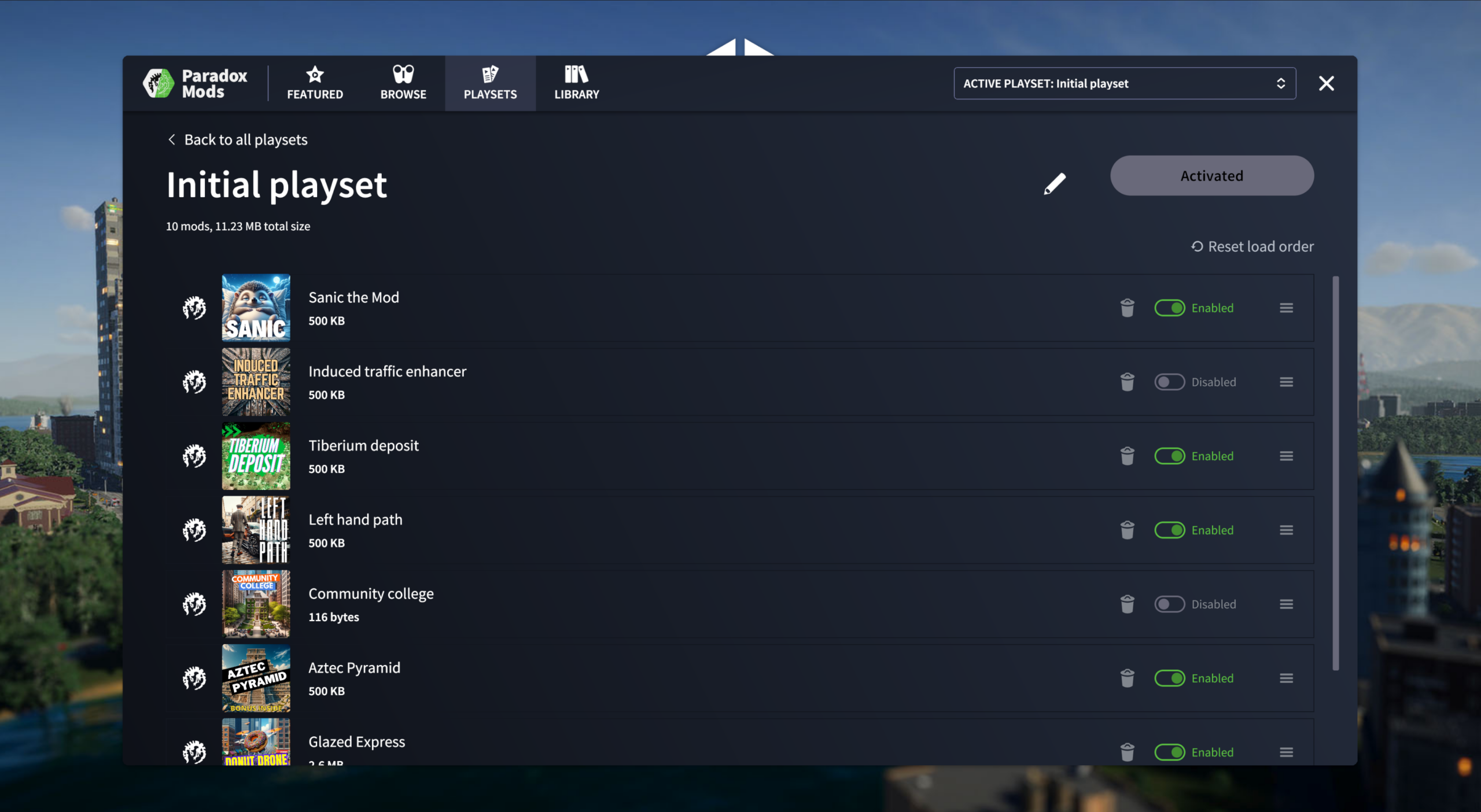
Alongside those fixes, the update brings a By followed creators tab and a featured area for new work from creators you follow. Follow badges make creators easier to recognise, and mod visibility can now be changed through the Paradox Mods interface. These additions are useful when you’re trying to tell whether a mod was hidden or never downloaded.
Playsets and the Library can also be viewed and managed while logged out, according to the November changelog. That is separate from an individual mod having all the dependencies it needs. The two images here are official Paradox Mods interface illustrations from an earlier developer diary; they illustrate playsets and discovery rather than claiming to show the exact 2026 menu layout.
The new logged-out management option is useful, but signing out and back in isn’t a confirmed fix for a broken individual mod.
What if a mod still does not work after updating?
If you’re still facing Cities Skylines II mods not loading, remember that a game-side fix does not make third-party creator content compatible by itself. The patch improves how the game loads, discovers and tracks Paradox Mods, but individual mods can still require their creators to update them or can have their own unresolved issues. There is no official claim that every existing playset now works unchanged.
If you’re still dealing with Cities Skylines II mods not loading after updating, check for information from the affected mod’s creator through the Paradox Mods interface. Checking the affected creator and subscription is a much narrower next step than wiping your whole collection.
Avoid deleting saves, removing all your mods, clearing Windows folders or editing configuration files simply because the November patch did not solve the problem. None of those drastic actions is established as a universal fix by the official notes, and they could make it harder to recover your setup. Keep a record of the failing mod or playset and the exact symptom if you need support.
Do these Paradox Mods fixes apply on console?
This guide is about the PC version of Cities: Skylines II and the Paradox Mods changes named in its 1.6.4f1 patch. It does not mean a new console mod browser was announced. Do not confuse these updates with the separate, original Cities: Skylines releases on other platforms.
If you’re troubleshooting Cities Skylines II mods not loading, start with version 1.6.4f1, then work out whether the failure involves the launcher, interface, download or shared playset. It’s far safer than stripping out your whole mod setup. Our Grand Post Office unlock guide covers the separate newsletter reward from the same patch, while Park Adventures remains a December release.
Related Guides
Official source: Paradox Interactive / Iceflake Studios: Seasonal Shift 1.6.4f1 patch notes.