
The PlayStation Plus PC app shutdown begins on 10 December 2026. Sony is retiring the Windows application used by PlayStation Plus Premium members to stream selected console games directly to their computers. When the app goes, that particular way of playing disappears too.
Your Premium membership is not being cancelled, and the change does not remove PlayStation Plus benefits on PS5 or PS4. But if you mainly pay for Premium because you play on a Windows PC without owning a console, you’ll need to decide whether the remaining benefits are worth keeping.
PlayStation Plus PC app shutdown: when does PC cloud streaming end?
Sony announced the change on 10 November and said it would retire the PC app from 10 December. A separate UK PlayStation support notice describes the app as decommissioned as of 11 December. For planning purposes, treat 10 December as the cut-off rather than counting on another full day of streaming. Sony has not given a precise UK shutdown hour in that announcement.
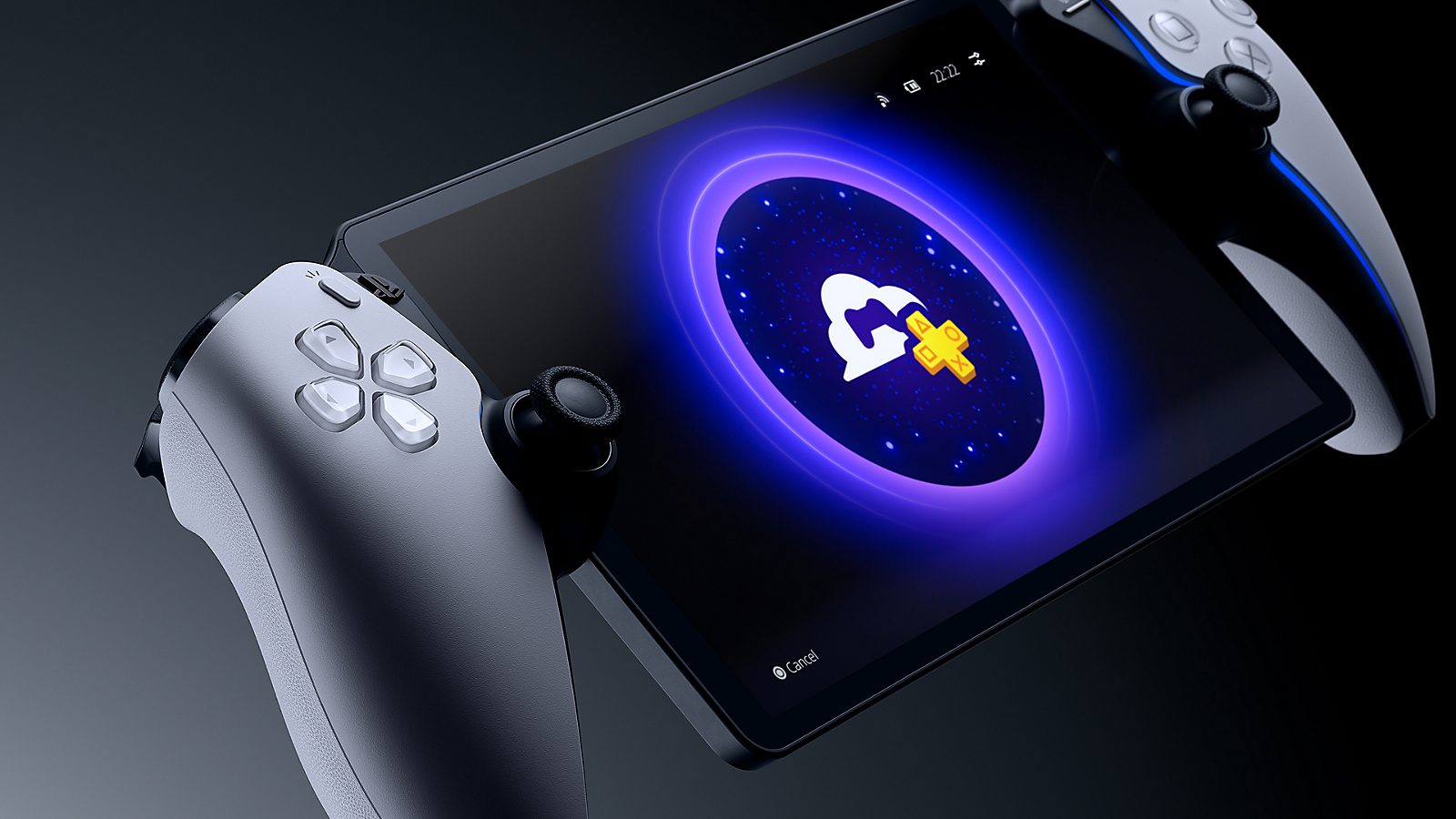
The PlayStation Plus PC app shutdown concerns the PlayStation Plus app for PC, not the separately named PS Remote Play application. Sony’s PC app streams supported titles from its cloud servers, so you don’t need a PlayStation console at home to use it. That cloud-streaming route on Windows is the service being removed.
Why is Sony closing the PC app?
Sony says fewer than 0.4% of eligible PlayStation Plus Premium members use the PC application. That is a figure for eligible Premium members, not every PlayStation Plus subscriber. The company says it is shifting resources towards features used by more of its members.
The PlayStation Plus PC app shutdown hits PC-only subscribers hardest. If you don’t own a console, you lose your way into the cloud catalogue on Windows even though your Premium membership keeps renewing.
Does your Premium subscription stop on 10 December?
No. Sony specifically says PlayStation Plus memberships and the benefits available on PS5 and PS4 remain unaffected. Your subscription continues on its existing terms unless you change or cancel it yourself. Sony’s announcement does not promise an automatic downgrade or refund because of the app’s retirement.
If PC cloud streaming is the reason you subscribed, look at your renewal date in PlayStation Account Management now. You can review your plan and turn off future renewal through the subscription settings. The PlayStation Plus PC app shutdown doesn’t mean you lose other benefits you’ve already paid for, but those benefits may be of little use if you don’t have a supported PlayStation device.
PlayStation Plus PC app shutdown: what can you use instead?
There are still ways to play PlayStation games away from the TV, but none is a like-for-like free replacement for the retiring Windows cloud app. The differences are important:
| Service | Will it remain? | What you need |
|---|---|---|
| PlayStation Plus cloud streaming on Windows PC | No, PC app being retired | Currently available through the retiring app; no replacement Windows cloud app announced |
| PS Remote Play on Windows or Mac | Yes | Your own PS5 or PS4, PS Remote Play app and compatible connection |
| PlayStation Portal cloud streaming | Yes | A separate Portal device, adult PlayStation account, eligible region and active Premium |
| PlayStation Plus benefits on PS5 or PS4 | Yes | Supported PlayStation console and the appropriate membership tier |
Remote Play is not cloud streaming from Sony’s servers. It shows and controls a game running on your own PS5 or PS4. Sony supports its separate Remote Play app on Windows 10 or 11 and compatible Macs. You’ll need to use the same PlayStation account as the console and connect a compatible controller. Sony recommends at least 5 Mbps upload and download, with 15 Mbps or more for a better experience.
PlayStation Portal can stream supported cloud games without a PS5, but it is a separate device you must purchase. In the UK, the feature requires an adult PlayStation account and active Premium membership. Sony gives minimum network speeds of 5 Mbps to establish a session, 7 Mbps for 720p and 13 Mbps for 1080p. Not every game available on the old PC app is guaranteed to be available on Portal.
If you already own a PS5 or PS4, the PlayStation Plus PC app shutdown doesn’t take away your console’s PlayStation Plus benefits. You can still download compatible catalogue games on your console with the appropriate tier, and use supported streaming options where offered.
What should PC-only Premium subscribers do before December 10?
- Check which app you actually use. The retiring one is PlayStation Plus cloud streaming for PC. PS Remote Play is separate and connects to your own console.
- Look at your renewal date. Open your PlayStation account’s subscription settings and decide whether the remaining benefits justify your Premium membership.
- Make a list of the games you stream. If you’re considering a console or Portal, check that the titles and versions you want are supported on that device.
- Check your saved progress. Before switching devices, confirm how saves work for each game. Don’t assume every streamed save will transfer to another version automatically.
- Watch for Sony’s account notification. The company says it will contact affected members directly about the change.
The PlayStation Plus PC app shutdown doesn’t affect games you’ve separately bought for PC or PlayStation; it ends access through the retiring cloud app. If a Windows PC is your only gaming device, there is no announced Sony-hosted PC streaming replacement to carry on with after the closure.
Will PlayStation Portal or Remote Play give you the same games?
Not necessarily. Portal cloud streaming has its own supported catalogue and region restrictions, while Remote Play uses games installed on or accessed through your own PlayStation console. These are different routes from the Windows Premium cloud app. In particular, buying a Portal is not a guarantee that every title you streamed on PC will appear in its game selection.
Before the PlayStation Plus PC app shutdown, check which games you actually use, whether they’re available on another device you own and when your next Premium payment is due. Your subscription carries on; PC cloud streaming through Sony’s app doesn’t.
Related Guides
- PlayStation Portal Without a PS5
- PlayStation Portal Cloud Streaming vs Remote Play
- PlayStation Portal Cloud Streaming Not Showing
- PlayStation Plus Family Sharing on PS5
- PlayStation Plus Game Catalog November 2026
- PlayStation Plus November Monthly Games
- PS Plus November Games Missing
- Death Stranding 2 on PlayStation Plus
Sony confirmed the retirement and its effect on memberships in the official PlayStation announcement.