The Storage Hunter Simulator Easy Mode vs Hard Mode choice is about how demanding you want the auctions to be while you’re building a business. Easy is a gentler introduction to valuing lockers, whereas Hard gives players looking for a tougher challenge another way to test their trading skills.
On PC, Normal mode was added in the June 2025 summer update as a middle ground for anyone who found Hard too demanding. The console store descriptions mention Easy and Hard; check your own game’s difficulty menu for the available presets.
Storage Hunter Simulator Easy Mode vs Hard Mode differences
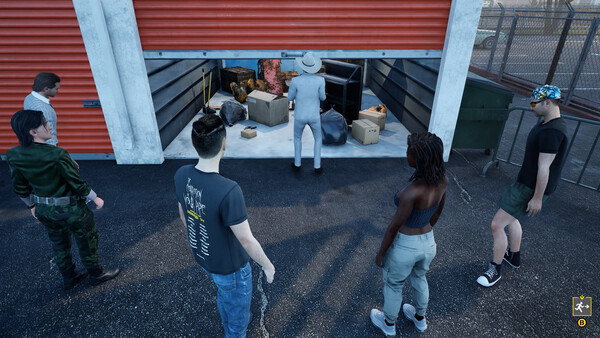
Easy is a good starting point if you’re still learning what the contents of a storage unit are worth. On the PS5 launch version, this mode reduces the chance of ending up with a loss on a locker. You can still overpay, especially when you bid on goods you can’t identify, so it isn’t a guarantee of profit.
Hard mode gives the competing bidders more scope to push up the price of a unit, making it more difficult to buy stock at a comfortable profit. PC gameplay also shows that difficulty affects renown experience gain. Exact bidding limits and XP multipliers aren’t confirmed for the current release.
Storage Hunter Simulator Easy Mode vs Hard Mode: Which Should Beginners Pick?
If you’re comparing Storage Hunter Simulator Easy Mode vs Hard Mode for your first save, start with whichever lets you learn at a comfortable pace. On PC, Normal offers another option once you’re familiar with the trading routine. The first tutorial auction was adjusted in patch 1.01 to provide a profit.
Use the breathing room to learn the difference between verification and repair. If you buy an item your tool can’t identify, you’ll need to arrange specialist work or keep it until you can upgrade. Understanding these extra steps helps you work out how much money a locker is actually worth.
Tips for Playing on Hard
Keep a separate budget for the next auction. If you buy a locker with everything you have, you’ll be reliant on getting those goods verified and sold before you can do anything else. A smaller, reliable return can be much more useful early on than a risky bid.
When you’re deciding whether to upgrade a vehicle, a tool or a business, think about what’s slowing you down. A better verifier makes sense if you’re regularly paying experts, while a bigger truck may help if you’re constantly making repeat journeys. Don’t spend money just because a purchase has become available.
The Storage Hunter Simulator Easy Mode vs Hard Mode comparison matters most when you’re choosing how much challenge you want from the bidding, rather than which items you want to collect. On a tougher setting, be willing to walk away from a locker if the price no longer makes sense.
Storage Hunter Simulator Easy Mode vs Hard Mode: Where Normal Fits
The developer adjusted the balance across difficulty levels in PC patch 1.02, so percentages from early builds should not be treated as current settings. On PC, the difficulty setting can be found in the pause menu under Settings, then Game; check whether the option is available in your save before committing to a change.
When choosing between Storage Hunter Simulator Easy Mode vs Hard Mode, remember that the same basic auction, verification and selling loop applies to both. Easy gives you a gentler introduction, while Hard is aimed at players who enjoy the challenge of developing a profitable business under more pressure. On PC, Normal is an option between them.
Related Guides
- Storage Hunter Simulator Beginner Guide
- How to Make Money Fast in Storage Hunter Simulator
- How to Win Storage Auctions in Storage Hunter Simulator
- How to Appraise Items in Storage Hunter Simulator
- How to Buy a Pawnshop in Storage Hunter Simulator
- How to Transport Large Items in Storage Hunter Simulator
- How to Manage Multiple Pawnshops in Storage Hunter Simulator
- Storage Hunter Simulator Achievements and Trophies Guide