Storage Hunter Simulator crossplay is only partially confirmed: the Xbox version is listed with cross-platform multiplayer, but there is no explicit confirmation that Steam and PlayStation players can join Xbox sessions. All three platforms support online co-op with up to four people.
The console editions launched on 24 November 2026, joining the PC version that received multiplayer at its full release in November 2025. If you’re hoping to start an auction business with friends, which edition you buy matters as much as whether the game offers co-op.
Storage Hunter Simulator crossplay compatibility
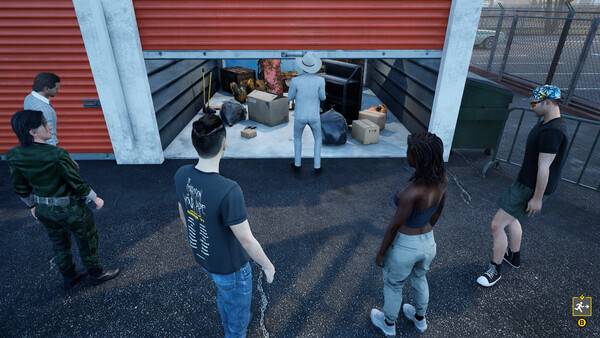
The Microsoft Store lists both Windows PC and Xbox Series X|S as supported devices alongside Xbox cross-platform multiplayer. That’s a positive indication for players within the Xbox ecosystem, but it doesn’t confirm compatibility with the separate Steam version or the PS5 edition.
Steam-to-Xbox, Steam-to-PS5 and Xbox-to-PS5 connections are therefore still unconfirmed. If you’re buying copies specifically to play together, using the same platform is the safest choice, rather than spending money on different editions and hoping that the invitations will work.
| Platform combination | Compatibility at launch |
|---|---|
| Steam PC to Steam PC | Online co-op supported |
| PS5 to PS5 | Online co-op supported |
| Xbox Series X to Series S | Online co-op supported |
| Microsoft Store PC to Xbox console | Xbox cross-platform feature listed; exact pairing not independently verified |
| Steam to Xbox or PS5 | Not confirmed |
| Xbox to PS5 | Not confirmed |
How Many Players Can Join a Game?
One player hosts the shared company and can invite up to three others. Friends can join and leave an existing session, so you don’t have to wait until everyone is available before attending another auction or stocking your pawnshop.
The co-op systems are the same features to look for regardless of Storage Hunter Simulator crossplay: the group shares its pawnshops, houses, renown and company account, while each player keeps personal money and upgrades their own tools. Vehicles are individually owned but teammates can use them.
Storage Hunter Simulator crossplay and online subscriptions
You’ll need PlayStation Plus for online play on PS5 or an eligible Game Pass subscription on Xbox consoles, even when you’re only joining somebody on the same platform. Steam multiplayer doesn’t require either console subscription.
The host saves the company world separately from individual player profiles. Storage Hunter Simulator crossplay and cross-progression are different features, and there is no confirmation that those profiles or company saves can be transferred between Steam, Xbox and PlayStation.
Storage Hunter Simulator Crossplay: Connection Checks
If you’re having trouble joining a friend, make sure the host has opened a multiplayer session and that everyone is running an up-to-date game. Console players should also check their online permissions and subscriptions before trying another invitation.
When the problem only happens between different platforms, the unresolved Storage Hunter Simulator crossplay compatibility is worth bearing in mind. An unsuccessful invitation isn’t necessarily a connection fault, particularly when the game hasn’t confirmed support for the two versions you’re using.
Once you’ve established that your group can connect, agree who will host the company before buying properties together. Returning to the same host’s world lets you carry on with your shared pawnshops and progression, instead of accidentally starting a separate company.
Related Guides
- How to Play Multiplayer in Storage Hunter Simulator
- Storage Hunter Simulator Beginner Guide
- How to Increase Reputation in Storage Hunter Simulator
- How to Win Storage Auctions in Storage Hunter Simulator
- How to Appraise Items in Storage Hunter Simulator
- How to Manage Multiple Pawnshops in Storage Hunter Simulator
- Storage Hunter Simulator No Refunds Edition: What’s Included?
- Storage Hunter Simulator Expansion Pass: All DLC Packs and Release Plans